OCR automation services for scanned documents and forms
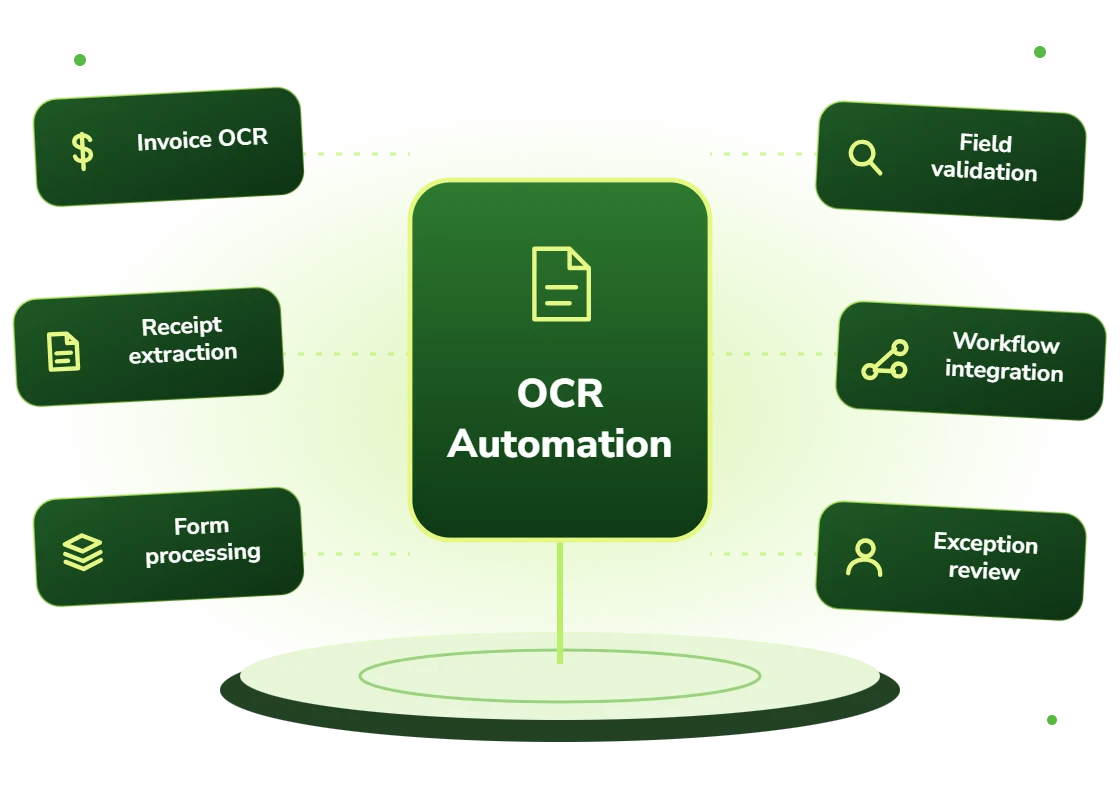
Our OCR automation services turn scans, forms and handwriting into usable text and fields. We test extraction on your documents and add validation and review for uncertain results.
AI OCR automation uses vision-language models rather than character-matching algorithms to convert scanned documents and images into structured data. Because it interprets layout and meaning rather than matching character shapes, it handles handwriting, poor scan quality, rotated pages and varied layouts far more reliably than traditional optical character recognition.
Traditional OCR fails exactly where you need it
Legacy OCR was built for clean, typed, high-contrast pages in a predictable layout. Real archives are not that. They are photocopies of faxes, forms completed in biro, pages scanned at an angle, and documents where the important annotation is handwritten in a margin.
The result is a digitization project that captures 70% of the material and leaves the remainder in boxes, which means the archive is still not usable.
Vision models that interpret rather than match
Modern vision-language models process a page as an image and interpret it: they understand that this is a form, that this handwritten value belongs to that printed label, and that the marginal note is an amendment.
That changes what is digitizable. Documents that were economically impossible to process automatically five years ago are now routine, which makes archive projects viable that previously were not.
OCR automation services: scope and deliverables
The extraction is the visible part. The parts that determine whether the project succeeds are quality assessment up front and confidence handling at the end.
We sample your actual archive first and produce a measured accuracy figure by document category. That usually reveals that the collection is not uniform: 40% is clean and can be fully automated, 40% needs light review, and 20% is genuinely marginal and should be handled differently or left alone.
Knowing that split before committing budget is the difference between a project that finishes and one that stalls at 70% with the hard remainder unresolved.
- Archive sampling and per-category accuracy assessment before commitment
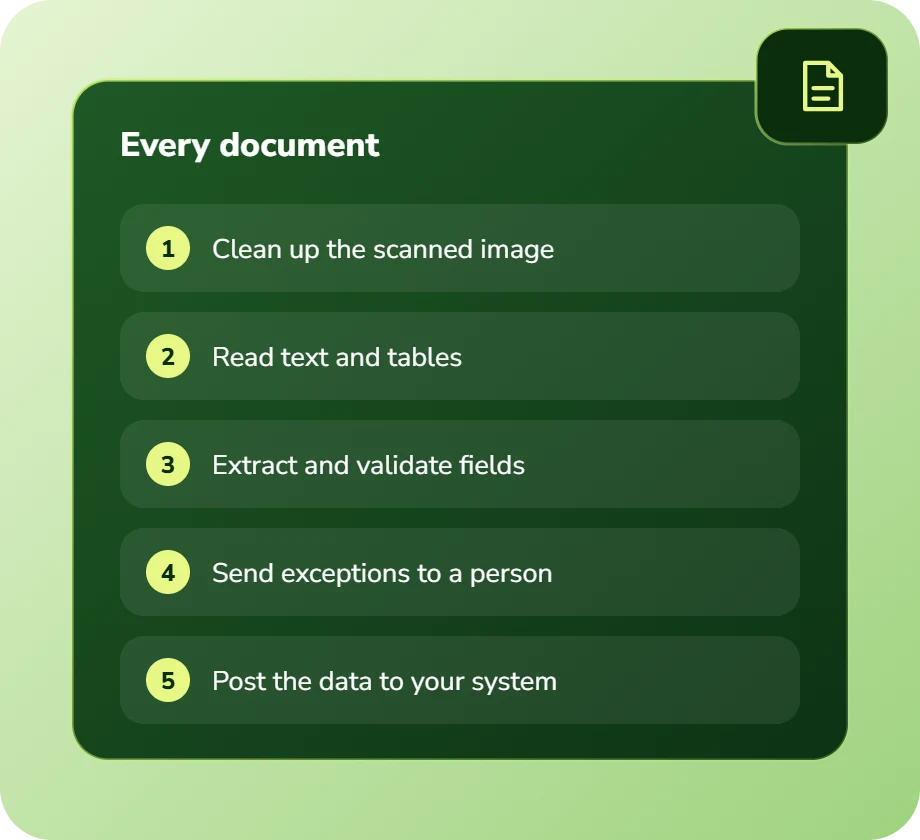
- Page-level preprocessing: deskewing, contrast correction, splitting
- Text and handwriting extraction with structure and layout preserved
- Field-level extraction into structured records where the format allows
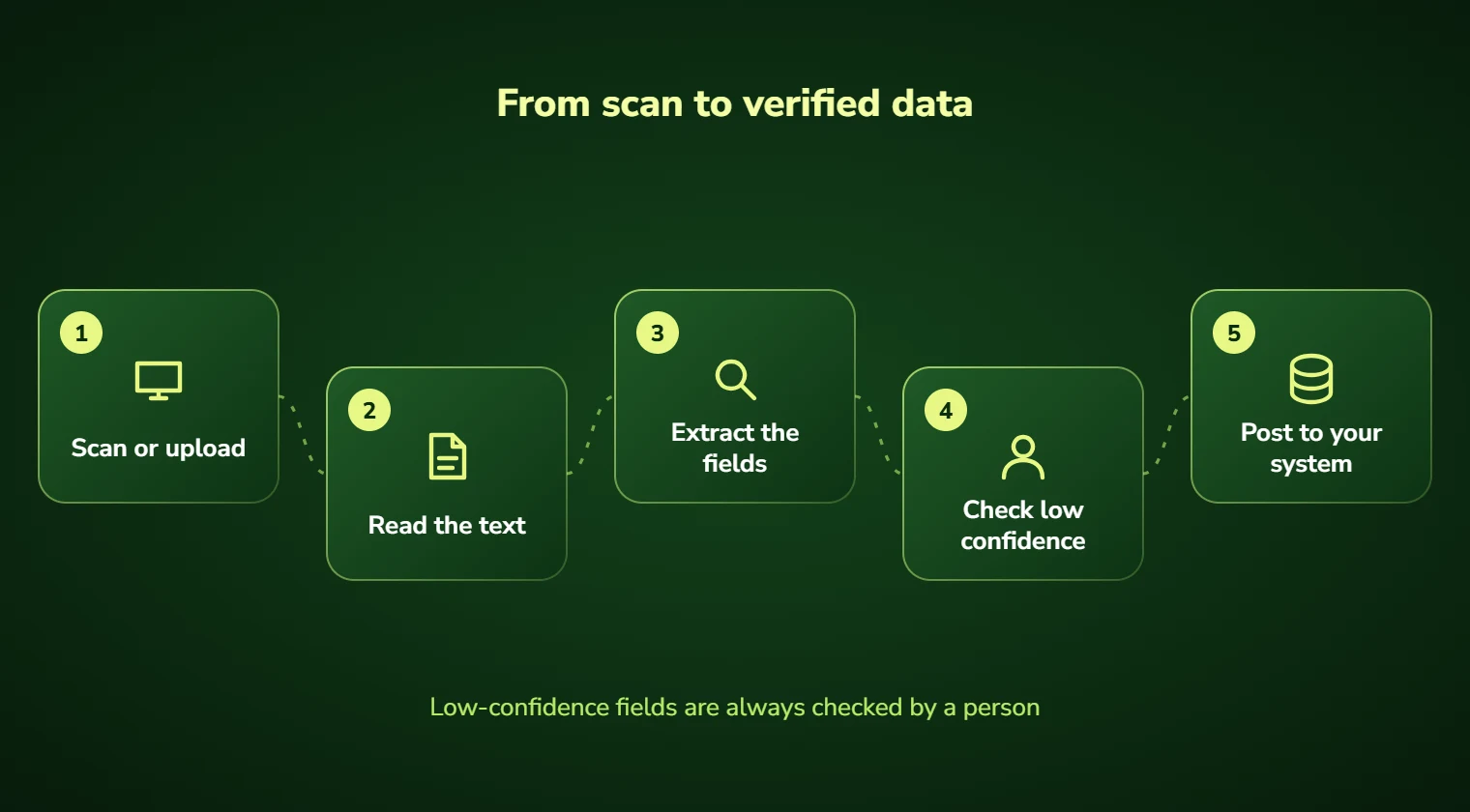
- Confidence scoring with routing to review below configurable thresholds
- Searchable output: indexed, full-text searchable, linked to page images
Who needs OCR automation
Organizations sitting on paper or scanned archives that are legally required to be retained and practically impossible to search. Healthcare, legal, insurance and construction accumulate these almost by default.
Also any operation still receiving significant paper or fax volume. It is easy to assume this is rare; in practice healthcare referrals, freight paperwork and municipal filings still move on paper in large volumes.
- Organizations with large scanned or paper archives that cannot be searched
- Businesses still receiving meaningful volumes of fax or post
- Teams manually keying data from scanned forms into systems
- Firms with retention obligations for documents nobody can locate
- Operations where field paperwork is photographed and keyed later
- Companies migrating off a legacy document system with poor text extraction
Benefits of OCR automation
Reads what old OCR could not
Handwriting, poor scans, rotated pages and mixed layouts move from impossible to routine.
Structure preserved
Tables stay tables and form fields stay associated with their labels, rather than becoming a wall of text.
Archives become searchable
Full-text search across material that was previously retained but effectively inaccessible.
Known accuracy before you commit
Sampling produces a measured per-category figure, so the project is scoped on evidence rather than optimism.
Review only where needed
Confidence thresholds mean people check the uncertain 15% rather than proofreading everything.
Retention compliance made practical
Documents you must keep become documents you can actually produce when asked.
Business challenges OCR automation solves
Archives retained but unusable
Boxes and scans nobody can search. Extraction plus indexing makes them genuinely accessible.
Handwritten forms keyed manually
Paper forms typed up by staff. Vision models make this automatable for the first time.
Faxes still arriving daily
Low-quality incoming faxes handled by hand. Preprocessing plus AI extraction absorbs them.
Legacy OCR output that is unusable
A prior digitization producing garbled text. Re-processing with modern models usually recovers it.
Field paperwork keyed twice
Site photos of forms retyped at the office. Direct extraction from photographs removes the step.
Discovery and audit requests
Weeks spent locating documents. Searchable archives turn that into a query.
Features and deliverables
Everything below is in scope on a standard engagement. Nothing here is an upsell discovered halfway through the build.
Archive sampling and assessment
A representative sample processed to produce measured accuracy by document category before any commitment.
Image preprocessing
Deskewing, contrast and noise correction, page splitting, and orientation detection to maximize downstream accuracy.
Handwriting recognition
Extraction of handwritten form entries, annotations and marginalia, with confidence scoring per value.
Layout and structure preservation
Tables, columns, headers and form field relationships retained rather than flattened into unstructured text.
Structured field extraction
Where documents follow a recognizable type, extraction into structured records ready for system import.
Full-text indexing
Searchable index across the extracted corpus with results linked back to the page image they came from.
Confidence-based review
Automated routing of low-confidence pages and fields to a review queue with the image displayed for verification.
Bulk processing pipeline
Throughput-optimized batch processing for large archives, with progress tracking and resumable runs.
Technologies we use for OCR automation
We are not tied to one vendor. Model and infrastructure choices are made on accuracy, cost per task, latency, and where your data is allowed to live.
Our AI development process
The same five stages on every engagement, so you always know what happens next and what you get at the end of it.
Discovery
We interview the people doing the work, map the workflow end to end, and audit the systems and data behind it.
AI Strategy
Every opportunity gets scored on cost to build, time to value, and annual savings, then ranked.
Pilot Build
We ship the top-ranked automation as a fixed-scope pilot so you see real output before committing further budget.
Implementation
Integration with your live systems, staff training, human-in-the-loop review gates, and a documented rollback path.
Optimization
Monthly accuracy reviews, prompt and retrieval tuning, and a written report on hours and dollars saved.
How long it takes
A typical first engagement, week by week. Complex integrations and regulated environments extend this, and we say so during discovery rather than after.
Discovery and scoping
Process observation, systems audit, data review, and a written estimate of cost and expected saving before anything is built.
Design sign-off
Architecture, data handling rules, review thresholds and success measures agreed in writing.
Build and integration
Development against your real data, connected to your live systems, with weekly demos rather than a single reveal.
Parallel run and testing
The system runs alongside the existing process so accuracy can be compared directly before anyone depends on it.
Launch and handover
Cutover with a rollback path, staff training, full documentation, then 30 days of included tuning.
Industries we deliver OCR automation for
Healthcare
Intake, prior authorization, clinical documentation, and revenue-cycle workflows built to respect HIPAA boundaries.
Legal
Contract review, discovery triage, and matter intake with citation-checked outputs and attorney sign-off gates.
Financial Services
Document extraction, reconciliation, KYC support, and audit-ready reporting with full traceability.
Insurance
First-notice-of-loss intake, claims triage, policy Q&A, and fraud signal detection.
Construction
Bid takeoffs, submittal review, RFI drafting, and field-report summarization.
Logistics & Supply Chain
Document processing, carrier communication, exception handling, and inventory rebalancing.
Education
Enrollment support, content generation, tutoring assistants, and administrative automation.
Manufacturing
Quality inspection, maintenance prediction, supplier communication, and production scheduling.
Real-world OCR automation use cases
Medical records digitization
Legacy patient files including handwritten clinical notes made searchable while respecting PHI handling requirements.
Legal discovery preparation
Scanned case files and correspondence extracted and indexed so relevant material can be located rather than read serially.
Insurance policy archives
Historic policies and endorsements digitized so coverage questions on old policies can be answered quickly.
Construction as-built records
Drawings, field reports and annotated plans extracted and indexed by project, trade and date.
Inbound fax processing
Faxed referrals and orders extracted automatically and routed into the relevant system without manual keying.
Field form capture
Photographs of completed paper forms extracted directly, removing the re-keying step at the office.
Why choose DevSolutionsAI for OCR automation
Business case before build
Every recommendation carries an estimated cost, timeline, and annual savings figure. If the math does not work, we say so before you spend.
Vendor-neutral by design
We resell nothing and take no platform commissions. Model and infrastructure choices are made on fit, cost, and your data-residency rules.
Fixed-scope pilots
The first engagement is a defined deliverable at a defined price, not an open-ended retainer that quietly grows each quarter.
Built for handover
You own the code, the prompts, the infrastructure, and the documentation. No lock-in to a proprietary wrapper you cannot leave.
Human-in-the-loop where it counts
Anything customer-facing, clinical, financial, or legal gets a review gate, a confidence threshold, and a logged audit trail.
Security reviewed early
Data flow diagrams, retention rules, and access boundaries are agreed in week one, not retrofitted after your security team objects.
Find out what OCR automation would cost you, before you commit to anything
Every engagement is quoted after a short discovery, so you get a fixed written price built around your actual volumes rather than a rate card that assumes someone else’s business.
The first call is thirty minutes and free. Bring one workflow. We will tell you what it is likely costing you each year, roughly what automating it would take, and whether we think it is worth doing at all.
- A written savings estimate before any paid work
- Fixed scope and fixed price, agreed up front
- Full ownership of everything we build for you
- An honest recommendation when the numbers do not work
Figures are internal measurements across recent engagements, reported to every client monthly in writing.
Illustrative project scenario
Digitizing 40 years of clinical records including handwriting
Challenge. A health system held roughly 1.2 million archived pages of patient records spanning four decades, much of it handwritten clinical notes on scanned microfilm. A previous OCR project had achieved usable output on under half the collection and was abandoned. Retention obligations meant the material had to be kept and producible.
What we built. Sampling first established accuracy by category: typed correspondence at 98%, structured forms at 94%, handwritten clinical notes at 81%. We built a hybrid pipeline running cheap traditional OCR first and escalating only low-confidence pages to vision models, with preprocessing for the microfilm scans and a review queue for anything below threshold.
Outcome. The full archive was processed and indexed. Record retrieval for audit and continuity-of-care requests fell from an average of four days to under a minute. The hybrid escalation design cut processing cost by roughly 60% against running every page through vision models.
Illustrative project scenario. The figures demonstrate how a project could be scoped and evaluated; they are not verified client results or an audited average.
What clients say about working with us
OCR Automation FAQs
How is AI OCR different from regular OCR?
Traditional OCR matches character shapes against a library, which works well on clean typed text and fails on anything degraded, handwritten or unusually laid out. AI OCR uses vision-language models that interpret the page as a whole, understanding that a handwritten value belongs to a printed label or that a marginal note is an amendment. The practical difference shows up on exactly the documents that matter most.
How accurate is it on handwriting?
Typically 75 to 92% depending on legibility, which is a wide range for a reason. Neat handwriting on a clean form performs near the top of that; hurried clinical notes on a photocopied fax perform near the bottom. We sample your actual documents first and give you a measured figure by category, then design review thresholds around it rather than promising a number we cannot support.
Is AI OCR always the right choice?
No. For a large archive of clean typed pages, traditional OCR is roughly an order of magnitude cheaper per page and marginally more accurate. The design we most often recommend is hybrid: run cheap traditional OCR first, and escalate only the pages it scores as low confidence to vision models. That typically cuts cost substantially against processing everything with AI.
Can it work with PHI and confidential material?
Yes. Processing can run entirely inside your own cloud tenancy or on-premises so documents never leave your control, using open-weight vision models where required. We sign Business Associate Agreements for healthcare engagements, and PHI handling, access scoping and audit logging are designed before any document is processed.
How long does digitizing a large archive take?
Pipeline build is typically five to seven weeks. Processing throughput then depends on volume and how much runs through vision models, a million pages is usually a matter of weeks rather than months once the pipeline is running, and processing is resumable so it can run alongside normal operations.
What do we get at the end?
Structured data written to your target system where documents follow a recognizable type, a full-text searchable index across everything, and every extraction linked back to the source page image so any value can be verified against the original. You own the pipeline and can continue running it on new intake.
Services that pair well with this one
Most clients combine two or three of these. We will tell you the right sequence during discovery.
Ready to scope your OCR automation project?
Book a free 30-minute consultation. Bring one workflow and leave with a realistic estimate of what it would cost to automate and what it would save.