Workflow automation services that connects the tools you already pay for
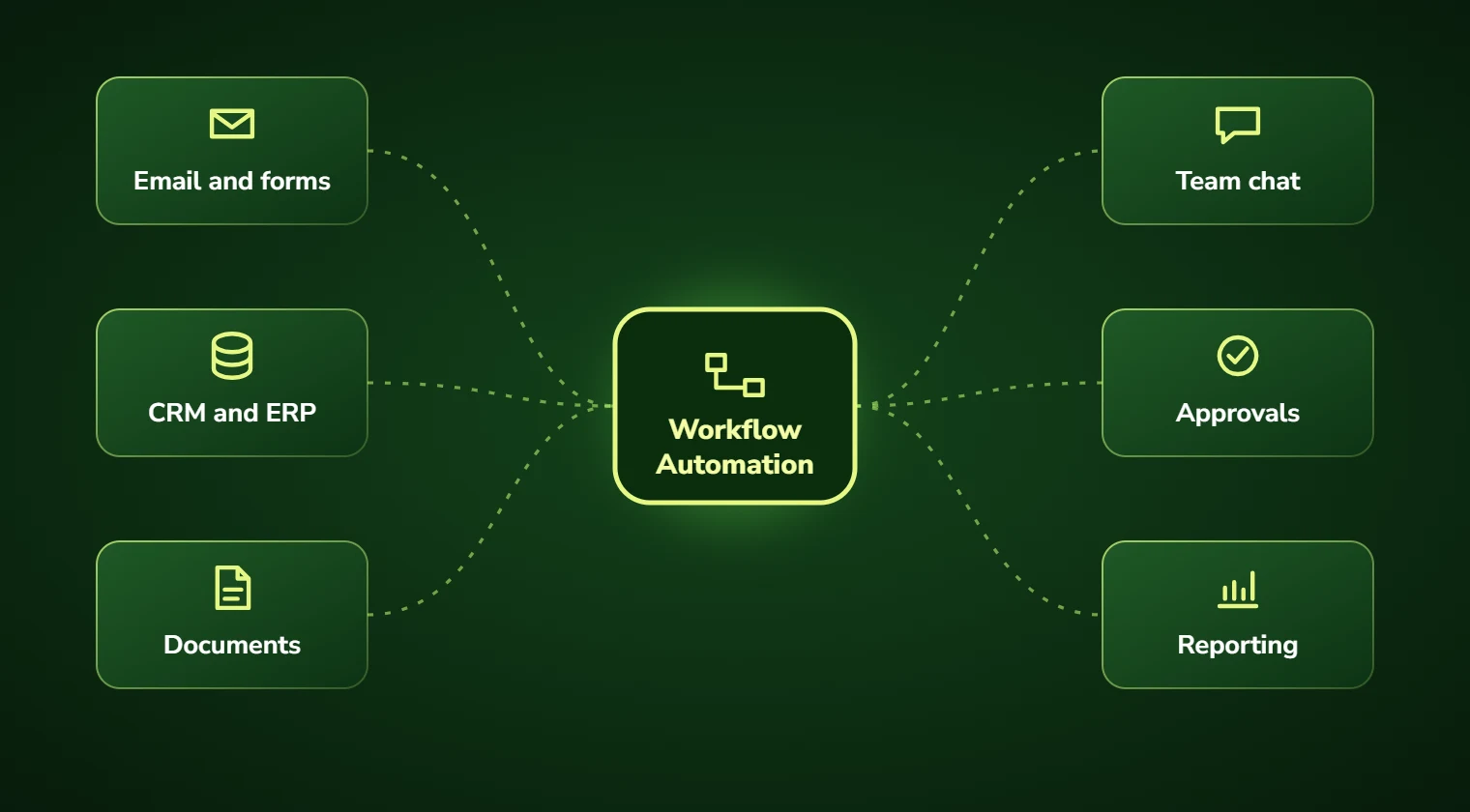
Our workflow automation services connect the applications your team already uses. We map triggers, approvals, routing and data synchronization to reduce manual handoffs while keeping exceptions visible.
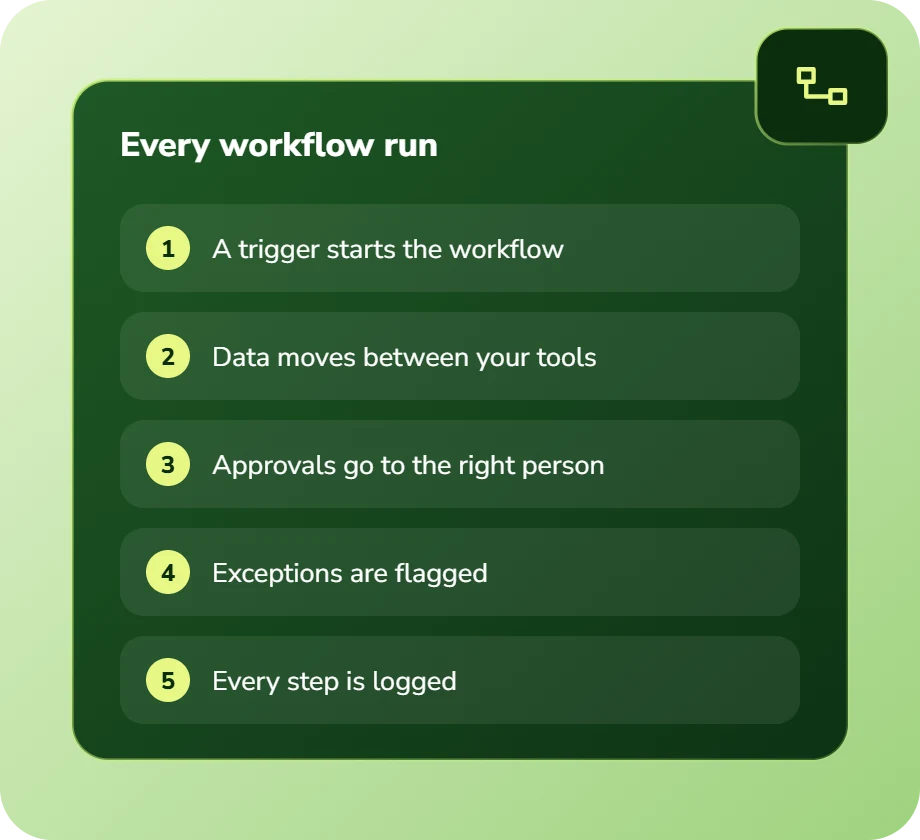
Workflow automation replaces manual steps in a repeatable sequence of work with automated triggers, routing and actions. A workflow automation connects the applications a team already uses so that completing one step automatically starts the next, moving data, requesting approvals, sending notifications and updating records without anyone copying information between systems.
Your tools do not talk, so your people do
A typical mid-sized team runs eight to fifteen applications. Very few of them integrate properly, so someone becomes the integration: reading a form submission, creating a record in the CRM, notifying a channel, and updating a spreadsheet that finance depends on.
That person is expensive, gets sick, goes on holiday, and occasionally forgets a step. The process only works while they are paying attention, which is a fragile way to run anything.
Automations built for your process, not a template
We build workflows that trigger on real events in your systems, apply your actual business rules including the exceptions, and update every system that needs to know. No one needs to remember a step.
Where off-the-shelf connectors work well, we use them and say so, there is no sense charging you to rebuild something Zapier does for $40 a month. We build custom where the logic is genuinely specific to you, which is usually the part that matters.
Workflow automation services: scope and deliverables
Workflow automation sits between task automation and full process redesign. It is the right level when your process is broadly sound but every transition inside it needs a human to carry something across.
The most valuable workflows are usually the boring ones: approvals that stall, notifications nobody remembers to send, and records that must be updated in three places. They rarely feel strategic, which is exactly why they never get fixed and quietly cost a fortune.
We add a language model only where the workflow needs judgement, classifying a request, drafting a reply, summarizing an attachment. Deterministic steps stay deterministic, because they are cheaper, faster and easier to audit that way.
- Trigger-based automations firing on real events in your systems
- Multi-step approval chains with escalation, reminders and delegation
- Two-way data synchronisation between systems that hold the same records
- Notification and alerting rules that respect who actually needs to know
- Scheduled jobs: recurring reports, reminders, data hygiene routines
- AI steps for the parts requiring judgement: classification, drafting, summarizing
Signs you need workflow automation
The clearest indicator is a spreadsheet that exists solely to track something two other systems already know. That spreadsheet is a workflow gap someone patched by hand.
The second is any sentence beginning “and then I have to remember to”. Anything depending on human memory in a repeatable sequence is a workflow waiting to be automated.
- A tracking spreadsheet duplicating data that already lives in two systems
- Approvals that stall because the approver was never notified
- The same customer or job details typed into multiple applications
- Recurring reports someone assembles manually every week or month
- Handoffs between teams that happen by email and get lost
- Onboarding or offboarding checklists that depend on someone remembering
Benefits of workflow automation
No more copy-paste between apps
Data moves when the triggering event happens, not when someone gets around to it. The re-keying simply stops.
Approvals that do not stall
Automatic routing, reminders, escalation and delegation, so nothing sits for a week because the approver was on leave.
Nothing depends on memory
Steps that used to rely on someone remembering become steps that happen. Consistency stops varying with how busy the week is.
Works with what you own
We connect your existing tools rather than replacing them. No migration project, no retraining on new software.
No per-seat licence creep
Custom workflows have no per-user pricing, so adding staff does not increase what the automation costs to run.
Visible when it breaks
Failed runs alert someone with the error and the payload attached, instead of failing silently until a customer notices.
Business challenges this solves
Shadow spreadsheets everywhere
Trackers that exist because two systems will not talk. We connect the systems and retire the spreadsheet.
Approval bottlenecks
Requests waiting days on one person. Escalation and delegation rules keep work moving when someone is unavailable.
Onboarding steps missed
New starters without accounts on day one. Checklist workflows trigger every downstream task automatically.
Lead follow-up falling through
Enquiries not chased because nobody owned the next step. Automated sequences with ownership and SLA tracking fix it.
Reports assembled by hand
Hours each week pulling the same numbers. Scheduled workflows build and distribute them on their own.
Integrations that fail silently
A sync that stopped working three weeks ago and nobody noticed. Monitoring and alerting are built in from the start.
Features and deliverables
Everything below is in scope on a standard engagement. Nothing here is an upsell discovered halfway through the build.
Workflow discovery session
A working session mapping every trigger, decision, exception and system touchpoint in the workflows you want automated.
Custom trigger and action logic
Automations built around your rules including the exceptions, rather than forced into a template’s assumptions.
API and webhook integration
Direct connections to your CRM, email, accounting, project and storage systems, with authentication handled securely.
Legacy system connectors
Where no API exists, we automate through the interface or the database layer, with rate limiting and safety checks.
Conditional routing and approvals
Multi-branch logic, parallel approvals, escalation timers, delegation rules and audit logging on every decision.
AI steps where judgement is needed
Classification, summarization and drafting inserted only where a rule cannot express the decision.
Error handling and retries
Automatic retry with backoff, dead-letter queues for failures, and alerts to a named owner with full context.
Documentation and handover
Every workflow documented with its triggers, logic and failure modes, so your team can modify it without reverse-engineering.
Technologies we use for workflow automation
We are not tied to one vendor. Model and infrastructure choices are made on accuracy, cost per task, latency, and where your data is allowed to live.
Our AI development process
The same five stages on every engagement, so you always know what happens next and what you get at the end of it.
Discovery
We interview the people doing the work, map the workflow end to end, and audit the systems and data behind it.
AI Strategy
Every opportunity gets scored on cost to build, time to value, and annual savings, then ranked.
Pilot Build
We ship the top-ranked automation as a fixed-scope pilot so you see real output before committing further budget.
Implementation
Integration with your live systems, staff training, human-in-the-loop review gates, and a documented rollback path.
Optimization
Monthly accuracy reviews, prompt and retrieval tuning, and a written report on hours and dollars saved.
How long it takes
A typical first engagement, week by week. Complex integrations and regulated environments extend this, and we say so during discovery rather than after.
Discovery and mapping
Workflow sessions, system inventory, credential and access setup, and a prioritized build list.
First workflow live
We build the highest-value workflow first so there is something working within a fortnight.
Build out the set
Remaining workflows built and tested, with weekly demos and adjustments as edge cases surface.
Monitoring and alerts
Error handling, retry logic, alerting and dashboards configured so failures are visible immediately.
Training and handover
Documentation, walkthroughs and admin training so your team can maintain and extend the workflows.
Industries we deliver workflow automation for
Professional Services
Proposal drafting, timesheet capture, research synthesis, and client reporting at scale.
SaaS & Technology
AI features inside your product, support deflection, onboarding assistants, and usage analytics.
Real Estate
Lead qualification, listing content, transaction coordination, and 24/7 inquiry response.
Construction
Bid takeoffs, submittal review, RFI drafting, and field-report summarization.
Retail & E-commerce
Product data enrichment, demand forecasting, support deflection, and personalized merchandising.
Financial Services
Document extraction, reconciliation, KYC support, and audit-ready reporting with full traceability.
Education
Enrollment support, content generation, tutoring assistants, and administrative automation.
Insurance
First-notice-of-loss intake, claims triage, policy Q&A, and fraud signal detection.
Real-world use cases
Lead routing and follow-up
Web enquiries enriched, scored, assigned by territory and chased on a schedule with escalation if untouched.
Quote and proposal generation
Approved opportunities generating a formatted proposal, routing for approval, and sending for signature automatically.
Employee onboarding
A signed offer triggering account creation, equipment requests, training assignment and manager checklists across every system.
Invoice approval routing
Invoices routed by amount and cost centre, escalated on delay, and posted to accounting once fully approved.
Project status reporting
Weekly client updates assembled from project tooling, summarized, and sent after a human glance rather than a human build.
Contract renewal management
Renewal dates tracked across systems with staged reminders, owner assignment and automatic escalation as the date nears.
Why choose DevSolutionsAI for workflow automation
Business case before build
Every recommendation carries an estimated cost, timeline, and annual savings figure. If the math does not work, we say so before you spend.
Vendor-neutral by design
We resell nothing and take no platform commissions. Model and infrastructure choices are made on fit, cost, and your data-residency rules.
Fixed-scope pilots
The first engagement is a defined deliverable at a defined price, not an open-ended retainer that quietly grows each quarter.
Built for handover
You own the code, the prompts, the infrastructure, and the documentation. No lock-in to a proprietary wrapper you cannot leave.
Human-in-the-loop where it counts
Anything customer-facing, clinical, financial, or legal gets a review gate, a confidence threshold, and a logged audit trail.
Security reviewed early
Data flow diagrams, retention rules, and access boundaries are agreed in week one, not retrofitted after your security team objects.
Find out what workflow automation would cost you, before you commit to anything
Every engagement is quoted after a short discovery, so you get a fixed written price built around your actual volumes rather than a rate card that assumes someone else’s business.
The first call is thirty minutes and free. Bring one workflow. We will tell you what it is likely costing you each year, roughly what automating it would take, and whether we think it is worth doing at all.
- A written savings estimate before any paid work
- Fixed scope and fixed price, agreed up front
- Full ownership of everything we build for you
- An honest recommendation when the numbers do not work
Figures are internal measurements across recent engagements, reported to every client monthly in writing.
Illustrative project scenario
Retiring 11 tracking spreadsheets in six weeks
Challenge. A commercial property firm ran eleven shared spreadsheets tracking deals, maintenance requests, lease renewals and vendor approvals, all duplicating data that already lived in their CRM and accounting system. Two coordinators spent most of their week keeping them synchronised.
What we built. Fourteen workflows connecting the CRM, accounting platform, document storage and email. Renewal tracking, maintenance routing, approval chains and weekly reporting were automated, with an AI step classifying inbound maintenance requests by urgency and trade.
Outcome. All eleven spreadsheets were retired. Coordinator time on data maintenance fell by roughly 70%, and lease renewal notifications stopped being missed, previously three to four slipped past their notice window each year.
Illustrative project scenario. The figures demonstrate how a project could be scoped and evaluated; they are not verified client results or an audited average.
What clients say about working with us
Workflow Automation FAQs
Can you just use Zapier instead of building something custom?
Often yes, and we will say so. For straightforward connections between two modern applications, a no-code tool is faster to set up and cheaper to run. Custom builds earn their cost when the logic is genuinely complex, when a system has no API, when per-task pricing becomes expensive at your volume, or when you need AI judgement inside the workflow. Many clients run both.
What happens when a workflow fails?
Failures retry automatically with exponential backoff. Anything that still fails goes to a dead-letter queue and alerts a named owner with the error and the full payload attached, so it can be fixed and replayed. Silent failure is the most damaging thing a workflow can do, and we build monitoring in from the start rather than adding it after an incident.
Can you connect to our old system that has no API?
Usually. Options include direct database access where that is safe, automating the user interface, working with file exports and imports on a schedule, or email-based integration. Each has trade-offs in reliability and speed, and we will tell you honestly which applies before quoting rather than discovering it mid-build.
Who owns the workflows once they are built?
You do, the code, the configuration and the documentation. They run on your infrastructure or your accounts. There is no proprietary runtime you have to keep paying us for, and no per-seat licence. If you want to take future changes in-house or to another developer, everything needed to do that is in the handover.
How long does workflow automation take to build?
The first workflow is usually live within two weeks, deliberately, so you see something working early. A typical engagement covering eight to fifteen workflows runs six to seven weeks including monitoring setup, documentation and training.
What if our process changes after it is automated?
Processes always change, so the workflows are built to be modified. Your team gets documentation and training to make routine changes themselves. For larger changes, most clients keep a light support retainer, and some hand it entirely to their internal team after handover, both are fine and we do not gate access to your own systems.
Services that pair well with this one
Most clients combine two or three of these. We will tell you the right sequence during discovery.
Ready to scope your workflow automation project?
Book a free 30-minute consultation. Bring one workflow and leave with a realistic estimate of what it would cost to automate and what it would save.