AI CRM Integration

AI CRM integration that works inside the record, not in another tab

AI CRM integration brings assistance into the record your team is already using. We connect relevant account context to activity capture, enrichment and follow-up drafting while respecting access permissions.

Free 30-minute consultation
Fixed-scope pilots
U.S.-based team
Custom, not off-the-shelf
SOC 2-aligned practices
ROI tracked in writing
What is AI CRM integration?

AI CRM integration embeds AI capabilities directly within a CRM platform such as Salesforce, HubSpot or Microsoft Dynamics, so that features like activity capture, record enrichment, drafted communication and next-step suggestions operate on the record a user is viewing without leaving the system.

7+
Years building AI systems
240+
Projects delivered
4.8
Avg. months to payback
38
U.S. states served
The Problem

AI in a separate tab is a tax, not a tool

A rep who has to open another application, describe the account, paste in the email thread and copy the result back has done more work than writing the follow-up themselves.

That is why so much sales AI shows strong initial curiosity and negligible sustained usage. The tool was good; the workflow made it net negative.

Our Approach

Inside the record, with context already loaded

AI operating within the CRM already knows which opportunity, which account, what the history is and what stage it is at. Nothing needs describing.

And output goes back into the record automatically, so there is no copy-paste on either side. That single difference is usually what determines whether it gets used.

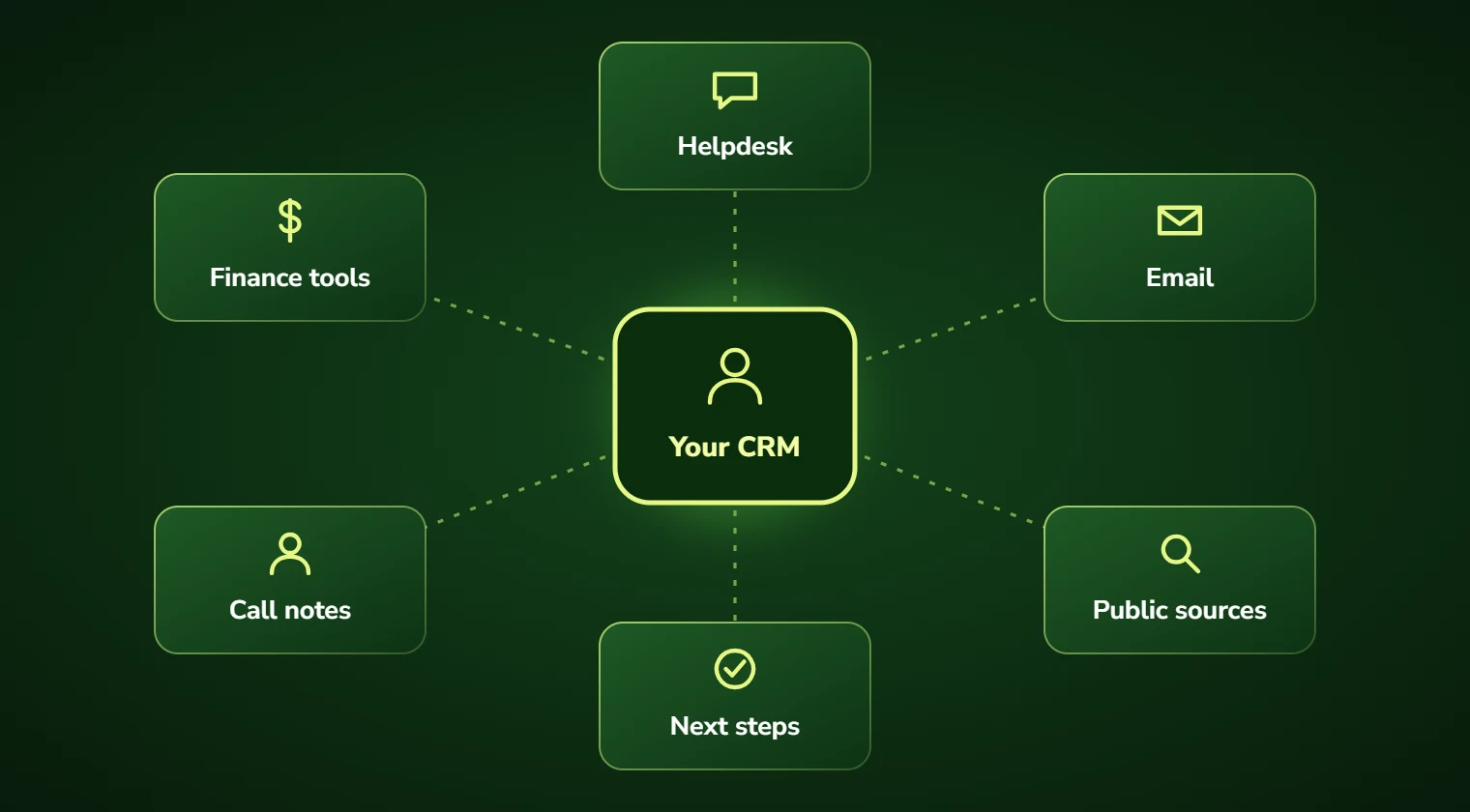
Diagram of AI services integrating a CRM, helpdesk and finance tools
Conceptual integration illustration
Service Overview

AI CRM integration: scope and deliverables

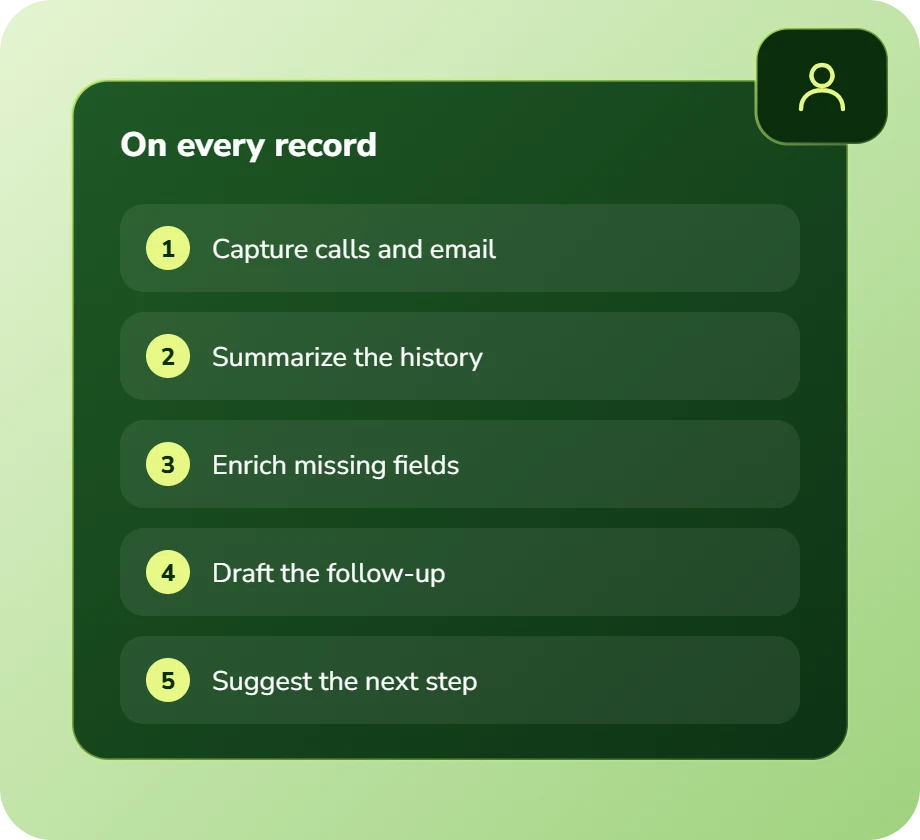
Activity capture is the highest-value function: extracting structured detail from calls and emails and writing it to the right fields, so record completeness stops depending on rep discipline.

Record enrichment and summarization comes next: account summaries assembled from history, so a rep picking up an unfamiliar account is briefed rather than reading twelve months of notes.

Then drafting and next-step suggestion, always presented for review rather than sent.

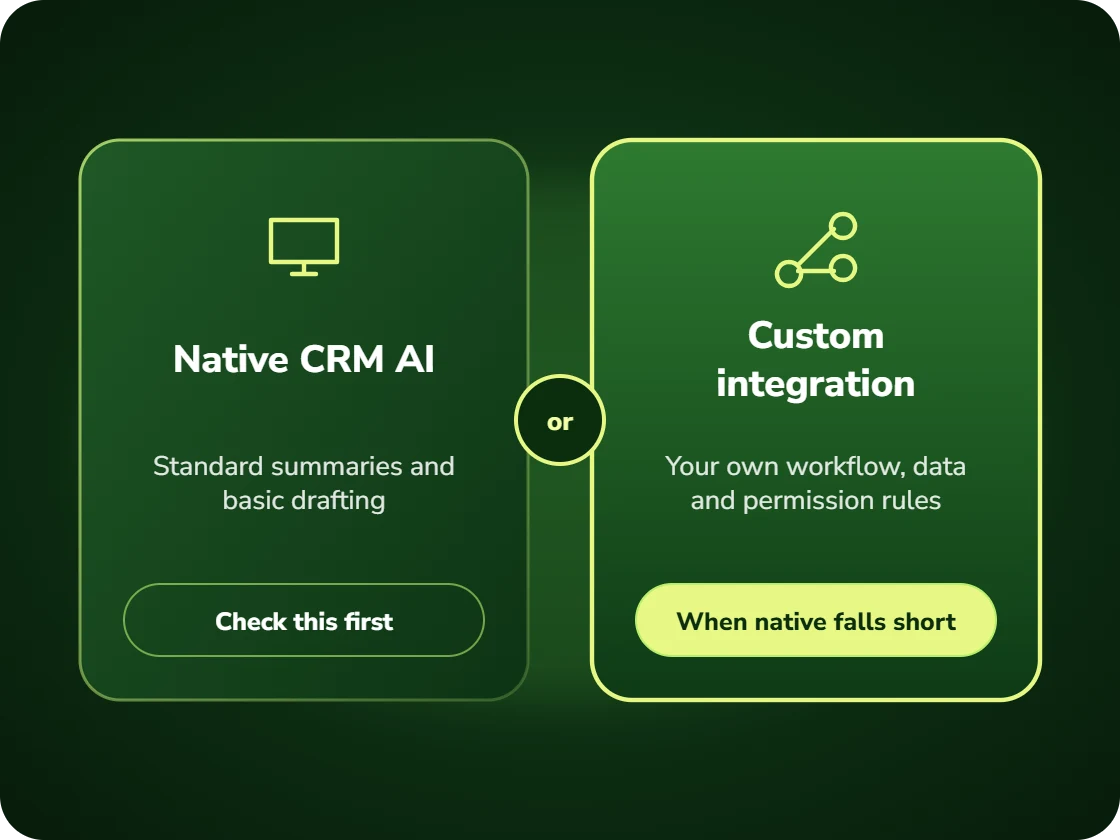
Native platform AI features are worth considering alongside this, and we will tell you when they cover your need adequately rather than building something redundant.

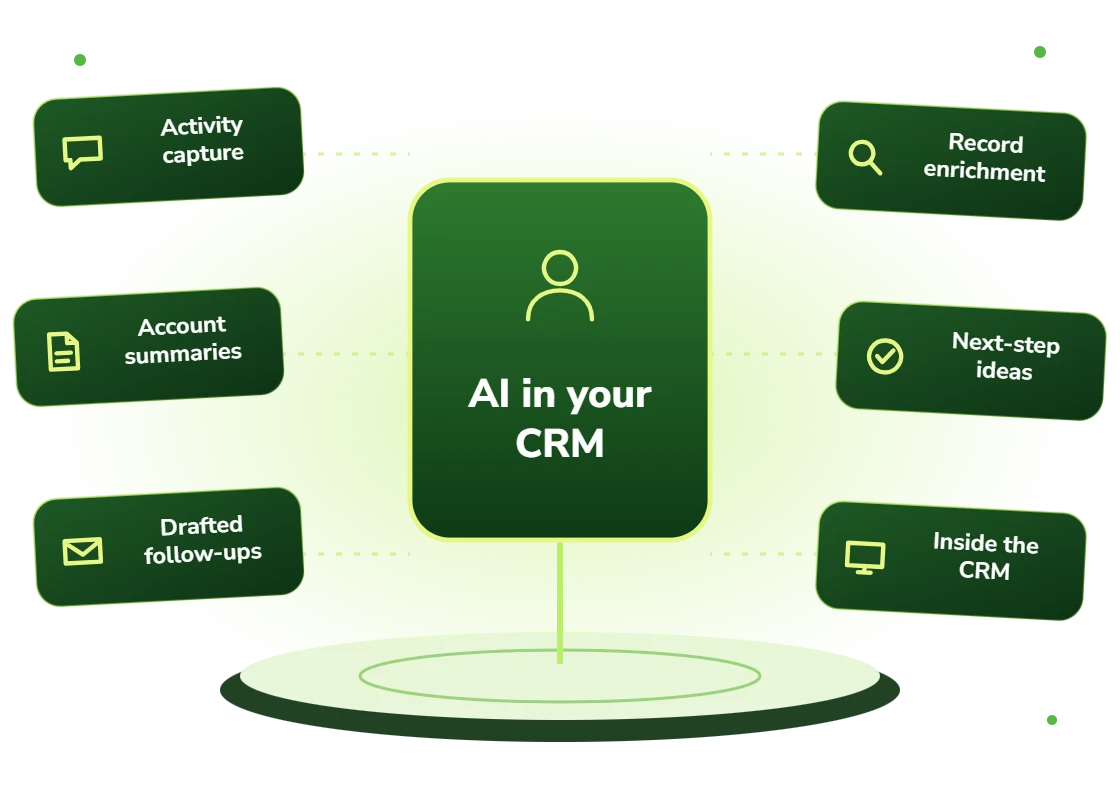
  • Activity capture from calls and email into structured CRM fields
  • Account and opportunity summarization from full record history
  • Drafted follow-ups and communication with real account context
  • Record enrichment from public sources and internal history
  • Next-step suggestion grounded in what worked on similar deals
  • Deployed within the CRM interface rather than as a separate application

For routine record hygiene and deterministic data updates, see CRM automation services. AI CRM integration adds model-assisted capabilities within the CRM workflow.

Right Fit

Who this suits

Sales and service teams already using their CRM as a system of record, where the constraint is data completeness and the administrative burden of maintaining it.

And organizations that bought a standalone AI sales tool and watched adoption collapse, which is usually a workflow problem rather than a capability one.

  • Teams where CRM record completeness is a persistent problem
  • Organizations whose standalone sales AI tool went unused
  • Companies with substantial CRM investment they want to get more from
  • Sales teams spending significant time on record maintenance
  • Service teams needing account context assembled before responding
  • Businesses wanting AI capability without another tool to license and train on
Benefits

Benefits of AI CRM integration

No context to describe

The record is already in scope, so getting AI help is faster than doing the task manually.

Output lands in the record

Results written back automatically rather than copied, which removes the second half of the friction.

Adoption that survives month two

Tools that remove work get used; tools that add a step do not, regardless of capability.

Record completeness improves

Activity captured automatically, so data quality stops depending on rep discipline.

No additional tool to learn

Capability inside a system people already use daily rather than another login and another interface.

Honest about native features

Where your CRM’s own AI covers the need, we will say so rather than building something redundant.

Problems We Solve

Business challenges this solves

01

Standalone AI tools unused

Adoption collapsing after initial curiosity. In-CRM deployment removes the workflow friction.

02

Records incomplete

Data quality depending on rep discipline. Automatic capture removes the dependency.

03

Reps briefing themselves manually

Reading months of notes before a call. Automated summarization does it beforehand.

04

Another tool to license and train

Tool sprawl and adoption cost. Building into the CRM avoids both.

05

Context lost between systems

Copy-paste in both directions. In-record operation eliminates it.

06

Unclear whether native AI suffices

Platform features versus custom build. We assess honestly which you need.

What's Included

Features and deliverables

Everything below is in scope on a standard engagement. Nothing here is an upsell discovered halfway through the build.

01

Native CRM deployment

Built as Salesforce Lightning components, HubSpot cards or Dynamics extensions rather than as an external application.

02

Activity capture

Structured extraction from calls, meetings and email written to the correct fields on the correct records.

03

Record summarization

Account and opportunity summaries assembled from full history, refreshed as the record changes.

04

Contextual drafting

Follow-ups and communication drafted with account history, open items and prior correspondence in scope.

05

Enrichment

Missing firmographic and contact fields populated from public sources and internal history.

06

Next-step suggestion

Recommended actions grounded in what actually progressed similar opportunities historically.

07

Permission inheritance

Operating strictly within the calling user’s CRM permissions, enforced at the data layer.

08

Usage analytics

Measurement of genuine repeat usage by feature and user, distinguishing adoption from curiosity.

Technology Stack

Technologies we use for AI CRM integration

We are not tied to one vendor. Model and infrastructure choices are made on accuracy, cost per task, latency, and where your data is allowed to live.

Language Models
C
Claude (Anthropic)
G
GPT (OpenAI)
G
Gemini (Google)
L
Llama
M
Mistral
A
Azure OpenAI Service
Agent & Orchestration
M
Model Context Protocol
L
LangGraph
L
LangChain
L
LlamaIndex
T
Temporal
C
Celery
Vector & Retrieval
P
Pinecone
W
Weaviate
Q
Qdrant
p
pgvector
E
Elasticsearch
A
Amazon OpenSearch
Business Systems
S
Salesforce
H
HubSpot
N
NetSuite
M
Microsoft 365
S
Slack
Z
Zapier / Make
How We Work

Our AI development process

The same five stages on every engagement, so you always know what happens next and what you get at the end of it.

01

Discovery

We interview the people doing the work, map the workflow end to end, and audit the systems and data behind it.

02

AI Strategy

Every opportunity gets scored on cost to build, time to value, and annual savings, then ranked.

03

Pilot Build

We ship the top-ranked automation as a fixed-scope pilot so you see real output before committing further budget.

04

Implementation

Integration with your live systems, staff training, human-in-the-loop review gates, and a documented rollback path.

05

Optimization

Monthly accuracy reviews, prompt and retrieval tuning, and a written report on hours and dollars saved.

Timeline

How long it takes

A typical first engagement, week by week. Complex integrations and regulated environments extend this, and we say so during discovery rather than after.

Weeks 1 to 2

Discovery and scoping

Process observation, systems audit, data review, and a written estimate of cost and expected saving before anything is built.

Week 3

Design sign-off

Architecture, data handling rules, review thresholds and success measures agreed in writing.

Weeks 4 to 7

Build and integration

Development against your real data, connected to your live systems, with weekly demos rather than a single reveal.

Week 8

Parallel run and testing

The system runs alongside the existing process so accuracy can be compared directly before anyone depends on it.

Weeks 9 to 10

Launch and handover

Cutover with a rollback path, staff training, full documentation, then 30 days of included tuning.

Who We Work With

Industries we deliver AI CRM integration for

SaaS & Technology

AI features inside your product, support deflection, onboarding assistants, and usage analytics.

Professional Services

Proposal drafting, timesheet capture, research synthesis, and client reporting at scale.

Financial Services

Document extraction, reconciliation, KYC support, and audit-ready reporting with full traceability.

Manufacturing

Quality inspection, maintenance prediction, supplier communication, and production scheduling.

Real Estate

Lead qualification, listing content, transaction coordination, and 24/7 inquiry response.

Insurance

First-notice-of-loss intake, claims triage, policy Q&A, and fraud signal detection.

Logistics & Supply Chain

Document processing, carrier communication, exception handling, and inventory rebalancing.

Construction

Bid takeoffs, submittal review, RFI drafting, and field-report summarization.

Use Cases

Real-world use cases

01

Post-call record updates

Calls producing structured CRM updates automatically without rep data entry.

02

Account briefing

Summaries assembled before a call so a rep picking up an unfamiliar account is prepared.

03

Follow-up drafting

Contextual follow-ups drafted in the record for the rep to review and send.

04

Service case context

Account and history assembled on a service case before an agent opens it.

05

Pipeline hygiene

Stale opportunities and missing next steps flagged inside the CRM with prompts.

06

Record enrichment

Missing fields populated automatically from public and internal sources.

Why DevSolutionsAI

Why choose DevSolutionsAI for AI CRM integration

Business case before build

Every recommendation carries an estimated cost, timeline, and annual savings figure. If the math does not work, we say so before you spend.

Vendor-neutral by design

We resell nothing and take no platform commissions. Model and infrastructure choices are made on fit, cost, and your data-residency rules.

Fixed-scope pilots

The first engagement is a defined deliverable at a defined price, not an open-ended retainer that quietly grows each quarter.

Built for handover

You own the code, the prompts, the infrastructure, and the documentation. No lock-in to a proprietary wrapper you cannot leave.

Human-in-the-loop where it counts

Anything customer-facing, clinical, financial, or legal gets a review gate, a confidence threshold, and a logged audit trail.

Security reviewed early

Data flow diagrams, retention rules, and access boundaries are agreed in week one, not retrofitted after your security team objects.

Get Started

Find out what AI CRM integration would cost you, before you commit to anything

Every engagement is quoted after a short discovery, so you get a fixed written price built around your actual volumes rather than a rate card that assumes someone else’s business.

The first call is thirty minutes and free. Bring one workflow. We will tell you what it is likely costing you each year, roughly what automating it would take, and whether we think it is worth doing at all.

  • A written savings estimate before any paid work
  • Fixed scope and fixed price, agreed up front
  • Full ownership of everything we build for you
  • An honest recommendation when the numbers do not work
What clients typically see
Across recent projects
Staff hours saved each week
31
Months to payback
4.8
Client retention
94%
Response to enquiries
4 hrs

Figures are internal measurements across recent engagements, reported to every client monthly in writing.

Illustrative project scenario

Illustrative project scenario

Professional services · Salesforce, 120 users

Moving AI from a separate tool into the record

Challenge. A firm had licensed a standalone AI sales assistant. Usage analysis after four months showed 9% weekly active use. Interviews found the cause was workflow: using it meant leaving Salesforce, describing the account, and pasting the result back, which was slower than writing the follow-up directly.

What we built. The same capabilities rebuilt as native Salesforce Lightning components operating on the record in view. Activity capture writes to fields automatically, account summaries generate from record history, and drafts appear in the record for review. Permissions are inherited from the calling user at the data layer.

Outcome. Weekly active usage reached 64% within two months, against 9% for the standalone tool with comparable underlying capability. CRM field completeness improved as a side effect of automatic capture. The standalone licence was cancelled.

9% → 64%
Weekly active usage
Same
Underlying capability
120
Users covered
Cancelled
Standalone tool licence

Illustrative project scenario. The figures demonstrate how a project could be scoped and evaluated; they are not verified client results or an audited average.

Client Feedback

What clients say about working with us

31
Avg. staff hours saved weekly
4.8
Avg. months to payback
94%
Client retention
4
Hour response to enquiries
Common Questions

AI CRM Integration FAQs

Usually workflow rather than capability. If using the tool means leaving the CRM, describing the account it cannot see, and pasting the result back, that is more work than doing the task manually. On a recent engagement, rebuilding the same capability as native Salesforce components took weekly active usage from 9% to 64% with no change to the underlying AI.
Frequently yes, and we will tell you when. Native platform AI has improved substantially and covers standard needs well. Custom integration earns its cost when you need logic the platform does not support, when you need AI to reach systems outside the CRM, or when the premium tier licence cost across your user count exceeds a build. The assessment answers this before you commit either way.

Salesforce, HubSpot, Microsoft Dynamics 365 and Pipedrive primarily, built as native components in each platform’s own extension model. We build within the platform rather than adjacent to it, because that is the difference that determines adoption.

Yes, enforced at the data layer rather than by instruction. The AI operates as the calling user, so it cannot see or modify records that user could not access directly. Enforcing this in the prompt rather than the data layer would make it a privilege escalation route, which is a serious and avoidable mistake.

Activity capture writes to designated fields automatically, which is the point, requiring approval for every captured field would recreate the data entry burden. Communication drafts and anything customer-facing are presented for review rather than sent. The line is between recording what happened and taking an action.

A one to two week assessment covering native feature gaps and build-versus-licence comparison runs $6,500 to $12,000. A build with activity capture, summarization, drafting and enrichment typically runs $32,000 to $65,000. For teams above roughly 100 users, the comparison against premium platform tiers frequently favours building.

Service Areas

AI CRM Integration across the United States

We deliver AI crm integration remotely to clients nationwide, with on-site workshops available in major metros.

Ready to scope your AI CRM integration project?

Book a free 30-minute consultation. Bring one workflow and leave with a realistic estimate of what it would cost to automate and what it would save.

Free 30-minute consultation
Fixed-scope pilots
U.S.-based team
Custom, not off-the-shelf
SOC 2-aligned practices
ROI tracked in writing
Free 30-minute AI consultation