CRM automation services for the data problem every CRM eventually has
Our CRM automation services address record upkeep: activity capture, missing fields, duplicate records and reporting. We define data rules and exceptions before connecting the workflow to your existing CRM.
CRM automation uses AI and integration to keep customer relationship management records accurate and complete without manual data entry. It captures activity from calls, emails and meetings, enriches records from external sources, detects and merges duplicates, enforces data quality rules, and generates reports automatically.
Expensive software, unreliable data
Most CRM implementations decay the same way. Fields are added over years, nobody removes any, and reps face a form with forty fields when six matter. So they fill in six, and reporting breaks on the other thirty-four.
Then duplicates accumulate, ownership becomes ambiguous, and eventually nobody trusts the pipeline number enough to act on it, which defeats the entire purpose of the system.
Capture automatically, enforce quality, remove duplicates
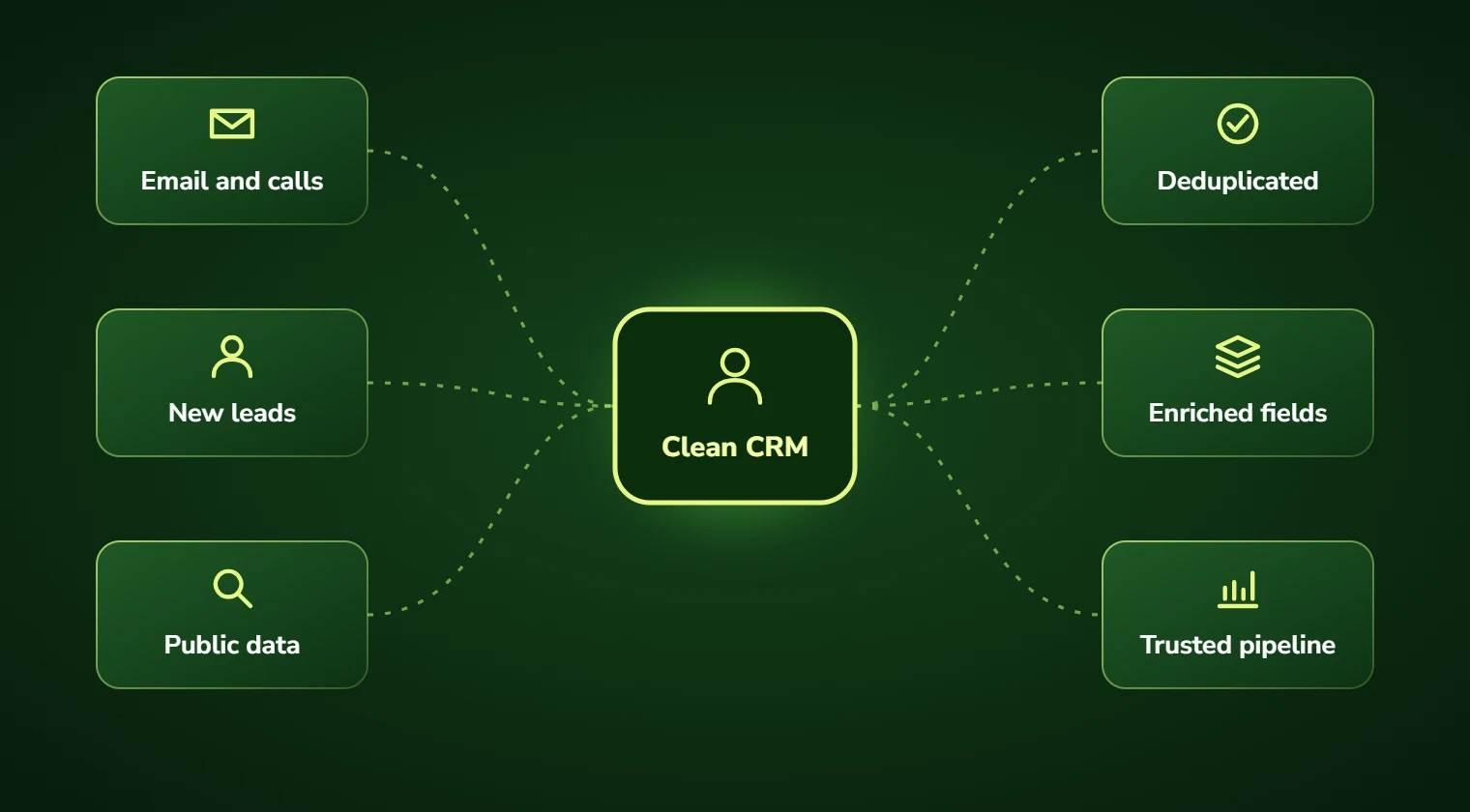
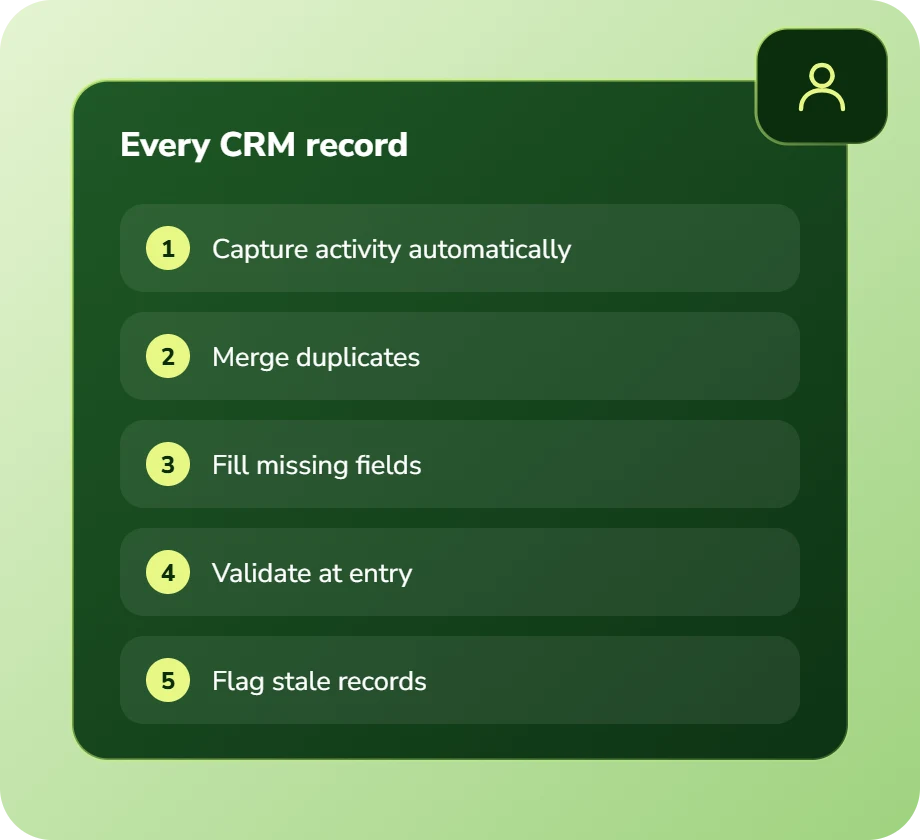
We capture activity data automatically from the sources that already contain it, calls, emails, meetings, so record completeness stops depending on rep discipline.
Alongside that, continuous hygiene: duplicate detection and merging, enrichment of missing fields, validation rules, and flagging of records that have gone stale.
CRM automation services: scope and deliverables
Activity capture is the largest single lever. Calls and emails already contain the information the CRM needs; extracting it automatically improves completeness far more reliably than any compliance initiative.
Data hygiene is continuous rather than a periodic cleanup project. Duplicates are detected as they are created, missing fields are enriched, and validation catches bad data at entry rather than at reporting time.
And field rationalization: a genuinely useful part of most engagements is identifying which of the forty fields are actually used, and recommending the removal of those that are not.
- Automatic activity capture from calls, email and meetings
- Continuous duplicate detection and rules-based merging
- Field enrichment from public sources and internal history
- Validation rules catching bad data at entry rather than in reporting
- Stale record detection and ownership reassignment prompting
- Field usage analysis and rationalization recommendations
Need drafting or knowledge assistance inside an account record? See AI CRM integration. This service focuses on capture, data quality and routine CRM processes.
Who needs CRM automation
Organizations where CRM data quality is a recurring complaint and periodic cleanup projects keep being necessary. That pattern means the problem is structural rather than a discipline failure.
Also companies that have merged CRMs after an acquisition, where duplicate and conflicting records are a known and unresolved problem.
- Teams running periodic CRM cleanup projects that keep being needed
- Organizations where pipeline reporting is not trusted by leadership
- Companies with duplicate records from multiple entry points or a merger
- Businesses where CRM field completeness is below acceptable levels
- Sales operations spending significant time on manual data maintenance
- Teams where reporting requires manual correction before it can be used
Benefits of CRM automation
Completeness without compliance drives
Data captured automatically rather than requested, which works considerably better than asking harder.
Duplicates handled continuously
Detection and merging as records are created, rather than a cleanup project every eighteen months.
Reporting you can act on
Pipeline numbers built on complete data, which is usually what stands between a report and a decision.
Bad data caught at entry
Validation at the point of creation rather than discovery during a reporting cycle.
Fewer fields, better filled
Usage analysis identifies fields nobody completes, which is often the real fix.
Sales ops freed for analysis
Time currently spent on data maintenance returned to the work the function was created for.
Business challenges this solves
Records incomplete despite mandates
Compliance drives producing minimum-effort entries. Automatic capture removes the dependency.
Duplicates everywhere
Multiple records for the same account. Continuous detection and merging keeps it clean.
Pipeline numbers nobody trusts
Reporting requiring manual correction. Complete data makes reports usable directly.
Forty fields, six completed
Form fatigue producing sparse records. Field rationalization plus automatic capture addresses both.
Post-merger data conflicts
Two CRMs merged badly. Matching and reconciliation resolves conflicting records systematically.
Sales ops as a data entry function
Analysts maintaining records instead of analysing. Automation returns the capacity.
Features and deliverables
Everything below is in scope on a standard engagement. Nothing here is an upsell discovered halfway through the build.
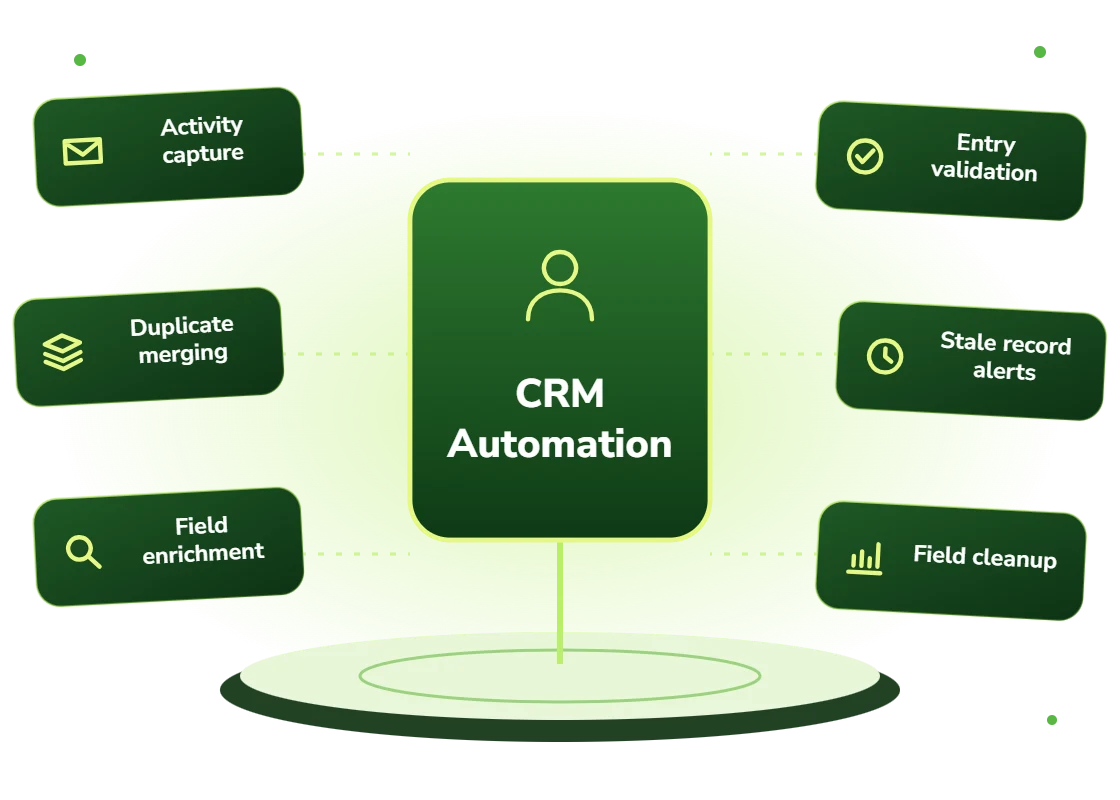
Activity capture
Structured extraction from calls, meetings and email written to the correct records and fields automatically.
Duplicate detection and merging
Fuzzy matching across accounts, contacts and opportunities with configurable merge rules and audit trail.
Field enrichment
Missing firmographic and contact data filled from public sources and internal history.
Validation rules
Data quality enforced at entry with clear feedback, rather than errors discovered during reporting.
Stale record management
Detection of opportunities and accounts with no recent activity, with prompting and reassignment workflows.
Field usage analysis
Reporting on which fields are actually populated and used, supporting rationalization of the ones that are not.
Automated reporting
Pipeline, activity and quality reports generated and distributed without manual assembly.
Migration and reconciliation
Post-merger or post-migration record matching, conflict resolution and consolidation.
Technologies we use for CRM automation
We are not tied to one vendor. Model and infrastructure choices are made on accuracy, cost per task, latency, and where your data is allowed to live.
Our AI development process
The same five stages on every engagement, so you always know what happens next and what you get at the end of it.
Discovery
We interview the people doing the work, map the workflow end to end, and audit the systems and data behind it.
AI Strategy
Every opportunity gets scored on cost to build, time to value, and annual savings, then ranked.
Pilot Build
We ship the top-ranked automation as a fixed-scope pilot so you see real output before committing further budget.
Implementation
Integration with your live systems, staff training, human-in-the-loop review gates, and a documented rollback path.
Optimization
Monthly accuracy reviews, prompt and retrieval tuning, and a written report on hours and dollars saved.
How long it takes
A typical first engagement, week by week. Complex integrations and regulated environments extend this, and we say so during discovery rather than after.
Discovery and scoping
Process observation, systems audit, data review, and a written estimate of cost and expected saving before anything is built.
Design sign-off
Architecture, data handling rules, review thresholds and success measures agreed in writing.
Build and integration
Development against your real data, connected to your live systems, with weekly demos rather than a single reveal.
Parallel run and testing
The system runs alongside the existing process so accuracy can be compared directly before anyone depends on it.
Launch and handover
Cutover with a rollback path, staff training, full documentation, then 30 days of included tuning.
Industries we deliver CRM automation for
SaaS & Technology
AI features inside your product, support deflection, onboarding assistants, and usage analytics.
Professional Services
Proposal drafting, timesheet capture, research synthesis, and client reporting at scale.
Financial Services
Document extraction, reconciliation, KYC support, and audit-ready reporting with full traceability.
Real Estate
Lead qualification, listing content, transaction coordination, and 24/7 inquiry response.
Manufacturing
Quality inspection, maintenance prediction, supplier communication, and production scheduling.
Insurance
First-notice-of-loss intake, claims triage, policy Q&A, and fraud signal detection.
Logistics & Supply Chain
Document processing, carrier communication, exception handling, and inventory rebalancing.
Construction
Bid takeoffs, submittal review, RFI drafting, and field-report summarization.
Real-world use cases
Automatic activity logging
Every call and email producing structured CRM updates without rep involvement.
Continuous deduplication
Duplicates detected and merged as they arise rather than accumulating between cleanup projects.
Post-merger consolidation
Two CRM datasets matched, reconciled and consolidated with conflicts surfaced for decision.
Data quality monitoring
Completeness and accuracy tracked as ongoing metrics with alerting on degradation.
Lead-to-account matching
Inbound leads automatically matched to existing accounts to prevent duplicate opportunity creation.
Automated pipeline reporting
Leadership reporting generated from clean data without sales ops assembling it manually.
Why choose DevSolutionsAI for CRM automation
Business case before build
Every recommendation carries an estimated cost, timeline, and annual savings figure. If the math does not work, we say so before you spend.
Vendor-neutral by design
We resell nothing and take no platform commissions. Model and infrastructure choices are made on fit, cost, and your data-residency rules.
Fixed-scope pilots
The first engagement is a defined deliverable at a defined price, not an open-ended retainer that quietly grows each quarter.
Built for handover
You own the code, the prompts, the infrastructure, and the documentation. No lock-in to a proprietary wrapper you cannot leave.
Human-in-the-loop where it counts
Anything customer-facing, clinical, financial, or legal gets a review gate, a confidence threshold, and a logged audit trail.
Security reviewed early
Data flow diagrams, retention rules, and access boundaries are agreed in week one, not retrofitted after your security team objects.
Find out what CRM automation would cost you, before you commit to anything
Every engagement is quoted after a short discovery, so you get a fixed written price built around your actual volumes rather than a rate card that assumes someone else’s business.
The first call is thirty minutes and free. Bring one workflow. We will tell you what it is likely costing you each year, roughly what automating it would take, and whether we think it is worth doing at all.
- A written savings estimate before any paid work
- Fixed scope and fixed price, agreed up front
- Full ownership of everything we build for you
- An honest recommendation when the numbers do not work
Figures are internal measurements across recent engagements, reported to every client monthly in writing.
Illustrative project scenario
Removing 31,000 duplicate records and stopping them coming back
Challenge. A firm’s Salesforce instance held twelve years of accumulated data with an estimated 20% duplicate rate, 63 custom fields of which analysis showed 19 were ever populated, and pipeline reporting that leadership routinely corrected by hand before board meetings.
What we built. Fuzzy matching across accounts and contacts identifying duplicates, with configurable merge rules and full audit trail. Automatic activity capture from Outlook and their telephony system. Validation at entry, continuous duplicate detection on creation, and a field usage report supporting rationalization.
Outcome. 31,000 duplicate records merged. Field completeness on the fields that mattered rose from 41% to 89%. 38 unused custom fields were retired. Leadership stopped manually correcting pipeline reports, which had been consuming roughly two days per board cycle.
Illustrative project scenario. The figures demonstrate how a project could be scoped and evaluated; they are not verified client results or an audited average.
What clients say about working with us
CRM Automation FAQs
Why does our CRM data keep degrading?
Because data entry is asked of people measured on something else, and the burden grows as fields accumulate. Every periodic cleanup project restores quality without addressing the cause, which guarantees another project later. Automating capture is the only approach that addresses the mechanism rather than the symptom, it removes the dependency on rep discipline entirely.
Which CRM platforms do you work with?
Salesforce, HubSpot, Microsoft Dynamics, Pipedrive and most others through their APIs. We automate within your existing CRM rather than recommending replacement. A CRM migration is a large project with its own risks and should be justified independently rather than bundled into a data quality initiative.
Is automated duplicate merging safe?
It is when the rules are configured carefully and the audit trail is complete. We run matching in report-only mode first so you can review proposed merges before anything changes, configure rules for which record wins on each field, and keep a full reversible audit trail. High-confidence merges can then run automatically while ambiguous ones route for human decision.
Will this reduce the number of fields our reps have to fill in?
Usually substantially, and in two ways. Automatic capture populates many fields without any rep involvement. And field usage analysis typically finds that a large share of custom fields are never populated by anyone, on a recent engagement, 38 of 63, which supports retiring them and reducing form fatigue directly.
Can you help after a merger or CRM migration?
Yes, and post-merger reconciliation is one of the more common reasons for these engagements. We match records across datasets, identify genuine duplicates versus legitimately separate entities, surface conflicting field values for decision rather than silently picking one, and consolidate with a full audit trail.
What does CRM automation cost?
A focused engagement covering activity capture and deduplication typically runs $26,000 to $50,000. Adding enrichment, validation, reporting and post-merger reconciliation increases that. Payback is usually measured on sales operations time recovered plus the decision value of trustworthy pipeline data, which is harder to quantify but frequently the larger benefit.
Services that pair well with this one
Most clients combine two or three of these. We will tell you the right sequence during discovery.
Ready to scope your CRM automation project?
Book a free 30-minute consultation. Bring one workflow and leave with a realistic estimate of what it would cost to automate and what it would save.