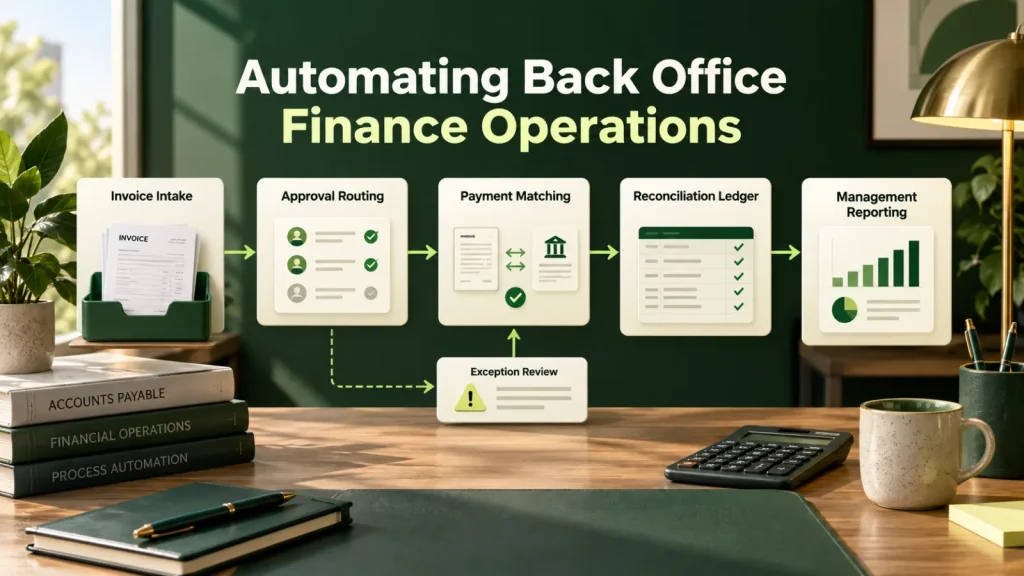
Back office finance automation can support invoice processing, reconciliation and reporting. This guide explains which steps to automate and how to preserve permissions, review gates and traceability.
Why finance is a strong fit
Finance operations have three properties that make them unusually good automation candidates: the rules are written down, the inputs are structured or semi-structured documents, and the definition of a correct outcome is unambiguous. In fact, very few business functions offer all three.
The constraint is that finance is also audited, so anything you build must be explainable and traceable. That rules out opaque automation but not automation itself, and in practice a well-logged automated process is easier to audit than a manual one.
For a mid-market team, that combination means back office finance automation can start with a single workflow and expand from there. Consequently, you do not need a large transformation program before seeing a result.
Workflows worth doing in back office finance automation
- Accounts payable. Invoice capture, coding, three-way matching and approval routing. The highest-volume, best-understood case in the function.
- Reconciliation. Matching transactions across bank, ledger and subsidiary systems, surfacing only genuine breaks. As a result, this removes an enormous amount of scrolling.
- Collections. Prioritizing overdue accounts by likelihood of payment and drafting the next contact in the right tone for the relationship.
- Expense review. Policy checking against receipts, flagging exceptions rather than reviewing everything.
- Close support. Assembling schedules, flagging variances against expectation, and drafting commentary for review.
- Vendor master hygiene. Detecting duplicates and anomalies, which also happens to be a fraud control.
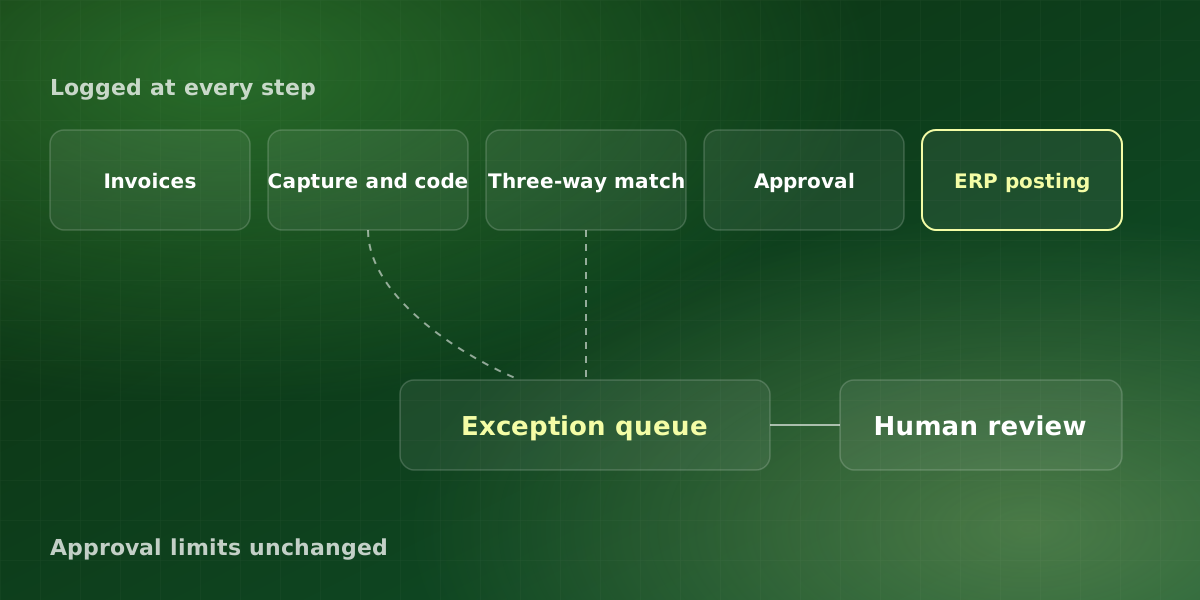
Most of these share one pattern: the system handles the clear cases, and people handle the rest. That is why back office finance automation works best when the exception path is designed first, not bolted on later.
Controls your auditor will expect
-
Segregation of duties, preserved
The system that codes an invoice must not also approve it. Automation should reinforce segregation, never quietly collapse it because one service account was easier to configure.
-
Approval thresholds unchanged
Existing authority limits apply to automated actions exactly as to manual ones. In other words, automation changes who prepares, not who approves.
-
Full traceability
Every posted entry traceable to the source document and the decision path that produced it, including which field triggered which rule.
-
Exception visibility
Anything the system could not process with confidence appears in a queue with the reason, not silently in a suspense account.
-
Reversibility
A documented path to unwind an automated posting, and evidence it has been tested. Auditors ask about this, so have the answer ready rather than improvised.
Traceability also depends on keeping the source documents themselves. For retention periods, the IRS page How long should I keep records? is a sensible starting point, alongside your own auditor’s advice.
What to expect from back office finance automation
Typical results on accounts payable automation for mid-market finance teams.
These figures describe accounts payable specifically. Reconciliation and close support usually show their value differently, for example as fewer late adjustments or a shorter close. Therefore, measure each workflow against its own baseline rather than borrowing the payables numbers.
A worked accounts payable example
The numbers here are hypothetical and only illustrate the arithmetic. Suppose a team processes 2,000 invoices a month, and each one takes about six minutes by hand. So that adds up to roughly 200 hours of keying, coding and chasing every month.
Now assume 80% of invoices go straight through, which sits inside the range above. As a result, only 400 invoices reach a person, or about 40 hours of handling. The team still spends time reviewing exceptions and checking samples, so the real saving is smaller than 160 hours. Even so, the difference is large enough to show up in close timelines and overtime.
Reconciliation follows the same logic. For example, if a team matches 5,000 bank lines a month and only genuine breaks reach a person, review shrinks from every line to the exceptions. Consequently, staff spend their time investigating breaks instead of scrolling past matches. Numbers like these are why we treat accounts payable as the anchor for back office finance automation, with reconciliation as the natural second step.
For more detail on the capture step, our post on document AI for invoices and contracts explains how extraction works. Google Cloud’s Document AI overview also describes one widely used option.
How we approach back office finance automation
We phase the work so that finance keeps control at every stage. In practice, each phase has to prove itself before the next one starts. As a result, back office finance automation stays reversible at every step, and your auditor can follow each change as it happens.
-
Map the process and its controls
First, we walk through the current workflow with the controller, including approval limits and who signs off on what. We also note where exceptions pile up today, because those are the cases the system must route well.
-
Run in parallel
Next, the system codes and matches invoices alongside your team without posting anything. We then compare its results with your reviewers’ decisions and review every disagreement together.
-
Switch on high-confidence cases only
When results match consistently, we let clear cases flow straight through. Meanwhile, everything else stays in the exception queue with a stated reason.
-
Extend to the next workflow
Finally, we move to reconciliation or expense review, reusing the same logging and review patterns. That way, each new workflow inherits controls your auditor has already seen.
Pitfalls to avoid
- Automating a broken process. If approvals already stall, automation simply makes them stall faster. So fix the routing first.
- One shared service account. It is convenient, but it collapses segregation of duties and weakens the audit trail.
- Ignoring the vendor master. Duplicate or stale vendor records cause matching failures, so clean them early. Moreover, a tidy vendor master makes duplicate payments easier to catch.
- Measuring too early. Coding accuracy improves during the tuning period, so judge results after tuning rather than in week one.
- Leaving finance out of rule changes. When IT edits rules alone, the logic drifts from policy. Instead, keep the controller involved in every change.
- Skipping the parallel run. Without it, however, you have no evidence that the system agrees with your reviewers.
Avoid these, and back office finance automation tends to earn trust quickly, because the controller can see exactly what happened and why.
Frequently asked questions
Will this integrate with our ERP?
How does automation affect our audit?
What about SOX compliance?
Can it handle multi-entity and multi-currency?
How long should the parallel run last?
For implementation support, explore our finance automation services or discuss your workflow in a free consultation.