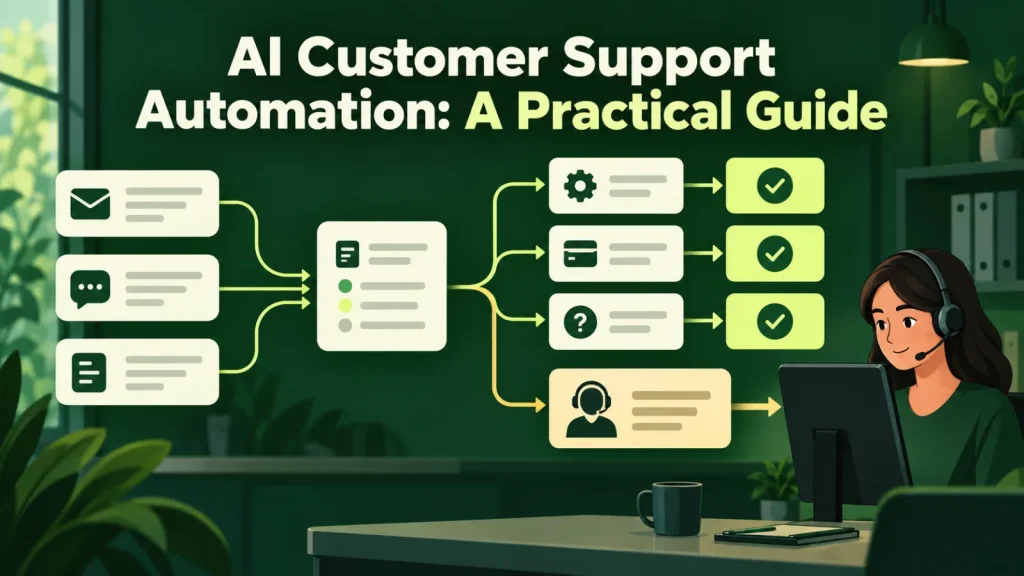
AI customer support automation works best when success means a resolved customer problem. This guide explains which requests to automate, when to escalate and how to measure quality alongside handling time. It also sets out the rollout sequence we use and the numbers we review every week.
The deflection trap
Every AI customer support automation vendor leads with a deflection rate, and it is the easiest metric in the industry to inflate. A bot that stalls people until they give up deflects beautifully. So does one that answers confidently and incorrectly, because the ticket closes and reopens next week as a new ticket, attributed to a different cause.
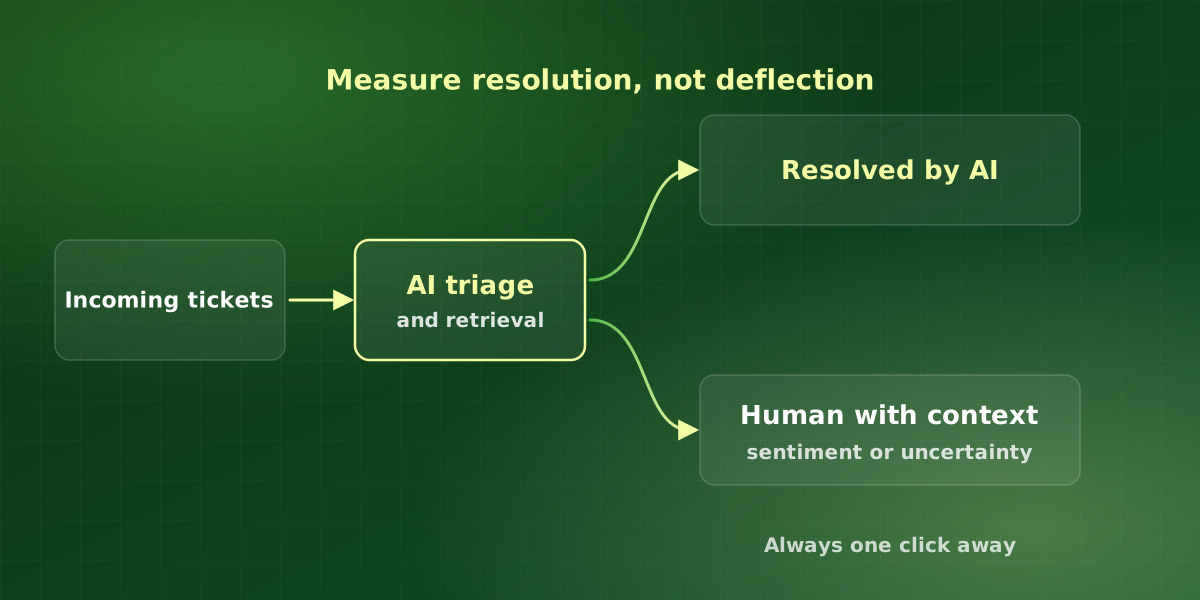
The metric that actually matters is resolution without escalation, with a satisfaction score attached. If a conversation ends without a human and the customer rates it positively, that is a win. Everything else is a queue being moved around. That is why we judge AI customer support automation by problems solved, not by tickets that disappeared.
What AI customer support automation should handle first
Pull three months of tickets and sort by volume. The top of that list is almost always the same shape:
- Status questions. Where is my order, has my payment cleared, when is my appointment. These need data lookup, not intelligence, and they are usually the single largest category.
- How-do-I questions. Documented answers that customers cannot find. The fix is retrieval over your help center, and it improves your documentation as a side effect.
- Account changes. Address updates, plan changes, password resets. These require write access, so they need an agent and an approval policy, but the volume usually justifies it.
- Triage and routing. Even when a human must answer, classifying and routing correctly on arrival removes a whole handling step and shortens first response substantially.
Starting with these categories keeps AI customer support automation on the work it does well: frequent, well-documented requests with a clear right answer. As a result, the first launch is small enough to check by hand.
Leave complaints, billing disputes, cancellations and anything with legal or safety implications with a person from the start. Those conversations are where retention is won or lost, and they are the worst possible place to save a few minutes.
Designing escalation properly
The escalation path determines whether customers trust AI customer support automation. Four rules, learned the expensive way.
-
Always offer a human, visibly
A hidden escape hatch generates more anger than no automation at all. The option to reach a person should be present in the interface from the first message, not surfaced after three failed attempts.
-
Escalate with context attached
The human picking up should see the full conversation, what the system tried, and why it stopped. Making the customer repeat themselves undoes any goodwill the speed earned.
-
Escalate on sentiment, not just on failure
A frustrated customer should reach a person before the system exhausts its options. Frustration detection is imperfect, so bias it towards escalating early.
-
Escalate on uncertainty
If retrieval returns nothing relevant, the correct behavior is to hand over, not to generate a plausible answer. Test this explicitly, because it is the failure mode that damages trust fastest.
Numbers to expect
From deployments across support teams of ten to two hundred agents.
That last figure is deliberate. In every support engagement we have run, the team was already behind. Automation cleared the backlog and moved people onto the conversations that needed judgment. By contrast, teams that automate to cut headcount usually find their satisfaction scores follow the headcount down.
How we roll out AI customer support automation
We roll out in stages, so each stage proves itself before the next one starts. This sequence keeps the risk small and the evidence clear.
- Audit tickets and documentation. First, we sort recent tickets by volume and match each top category to the help article that should answer it. Gaps in that list become the content to-do list.
- Run in draft mode. Next, the system drafts replies that agents approve, edit or reject. As a result, the team sees its accuracy on real tickets before any customer does.
- Go live on one category. Then we switch on automated replies for one well-documented category, such as order status. Everything else still routes to people.
- Expand on evidence. Finally, we add the next category only when the first one holds its resolution and satisfaction scores for several weeks.
If your help center needs work before step two, our guide to retrieval augmented generation explains why the quality of your documents sets the ceiling.
What to measure every week
Handling time alone tells you little about quality. Instead, review these together, because each one catches a failure the others miss:
- Resolution without escalation. Conversations closed by the system that stay closed.
- Satisfaction on automated conversations. Scored separately from human ones, so you can compare them.
- Reopen rate. Tickets that come back within a week, which often signal a wrong answer.
- Escalation reasons. Why the system handed over, since each reason points to a fix.
- First response time. The speed gain customers notice first.
Taken together, these numbers show whether AI customer support automation is solving problems or just moving the queue.
In addition, read a sample of automated conversations every week. The numbers show you that something changed, while the transcripts show you why. A short weekly read often finds the missing help article behind a rising reopen rate.
Privacy and accessibility in AI customer support automation
Support conversations often contain names, addresses and order details. Therefore, decide early what the system may store, who can see the logs and how long you keep them. The NIST Privacy Framework offers a practical structure for those decisions.
In addition, the chat interface itself should work for every customer, including people who use a keyboard or a screen reader. Check support widgets against the W3C WCAG accessibility guidelines before launch, and keep the human option reachable the same way. Finally, give staff a simple way to flag a bad answer, so the team can fix the source document quickly.
Frequently asked questions
Will customers be annoyed by an AI agent?
How long does it take to deploy?
What about multilingual support?
How do we stop it giving wrong answers about policy?
Does it work with our existing help desk?
Is AI customer support automation only for large teams?
For implementation support, explore our customer support AI solutions or discuss your workflow in a free consultation.