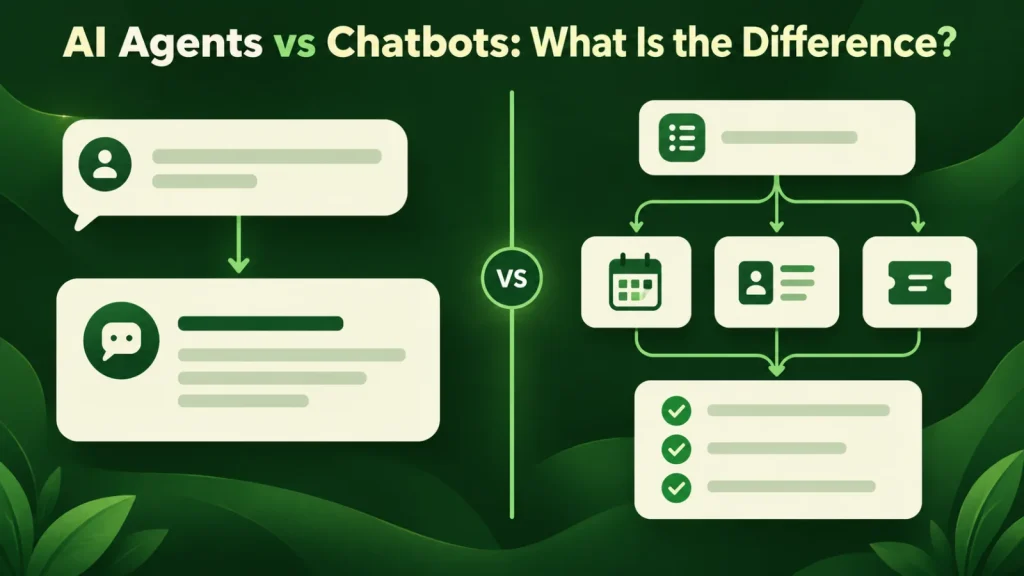
Compare AI agents vs chatbots by the work they do, the access they need and how their outputs are reviewed. A conversational interface can support either, so evaluate the underlying workflow rather than the label. Below, we walk through a side-by-side comparison, a worked example and the questions we use to decide.
The difference in one line
A basic chatbot returns a response. An agent, by contrast, can select tools and take steps toward a defined result. That sounds like a slogan until you look at what each one is permitted to do. A basic text chatbot reads and writes text, while a tool-using agent can read, decide, and act on systems that hold real state, such as your CRM, your calendar, your ticketing tool or your database.
Everything else follows from that. Because an agent changes things, it needs permissions, guardrails, an audit trail and a rollback story. Chatbots also need appropriate access controls, logging and escalation. If they can use tools or change records, they need controls for those actions as well.
AI agents and chatbots side by side
| Chatbot | AI agent | |
|---|---|---|
| Output | A message | A completed task |
| Touches your systems | Depends on connected tools | Reads and writes |
| Multi-step work | May support multi-turn conversations | Yes, plans and retries |
| Typical build | 4–10 weeks | 3–6 months |
| Typical cost | $15k – $45k | $45k – $150k |
| Main risk | Wrong answer | Wrong action |
| Needs approval gates | Rarely | Almost always |
In short, the AI agents vs chatbots question comes down to one row: whether the output is a message or a finished task.
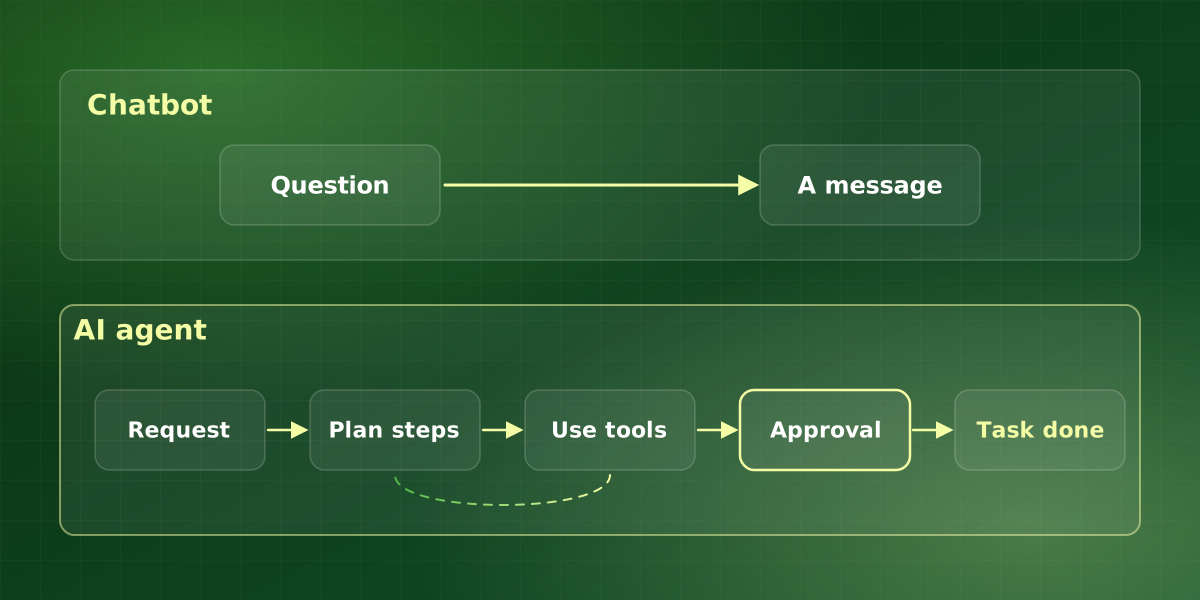
When a chatbot is the right answer
Cheaper is often correct. Pick a chatbot when:
- The job is genuinely answering questions from documented knowledge, such as policies, product specifications or support articles.
- Being wrong is embarrassing rather than expensive, and a human is one click away.
- You need it live this quarter, and the knowledge base already exists in reasonable shape.
- Volume is high and repetitive. Support deflection is the clearest positive-return use of a chatbot in existence.
When you actually need an agent
The extra cost and design work earns its place when:
- Completing the request requires several steps across more than one system, and the steps depend on each other.
- The right next step varies by case, so a fixed flowchart would need dozens of branches to cover reality.
- The work is currently done by a person reading something, deciding, and then updating a system. That shape is the clearest agent signal there is.
- The volume justifies the build. So estimate value from your actual volume, handling time, error costs and total operating cost.
How AI agents and chatbots handle the same request
Here is a hypothetical example. A customer types: “Can I move my appointment to Thursday afternoon?”
First, consider the chatbot. It answers from your documentation. For instance, it explains the rescheduling policy, links to the booking page and offers a human if the customer is stuck. That is useful, and it is quick to build. However, the customer still does the work.
An agent, by contrast, checks the calendar, finds the open Thursday slots and asks the customer to pick one. Then it moves the booking, updates the CRM and sends a confirmation. Each of those steps touches a live system, so each one needs a permission and a log entry. As a result, the agent costs more to build, but the customer leaves with the task done.
Neither answer is wrong. Instead, the right choice depends on how often the request comes in and what a mistake would cost.
How we decide which one to build
We run every request through the same short sequence before we weigh AI agents vs chatbots for it. Anthropic’s write-up on building effective agents makes a similar point: start with the simplest solution that works, and add complexity only when it is needed.
- Name the finished state. Write down what “done” looks like. If done is “the customer knows the answer”, a chatbot is usually enough.
- List the systems involved. Next, count the systems the work must read from or write to. If the answer is none, then you do not need an agent.
- Price a wrong action. Then ask what happens if the system does the wrong thing. If the cost is high, plan for approval gates from day one.
- Check the volume. Finally, multiply cases per month by handling time. That figure tells you whether the larger build can pay for itself.
Common mistakes when comparing AI agents and chatbots
Most of the poor decisions we see come from a handful of habits. Fortunately, each one is easy to spot early.
- Buying the label. Vendors call many products agents. Instead of trusting the name, ask what the system can actually change.
- Skipping the knowledge work. An agent still needs accurate documentation, so weak content hurts it just as much as a chatbot.
- Pricing only the build. Agents also carry monitoring and review costs, because someone has to check what they did.
- Automating too much at once. Similarly, a single narrow task with an approval gate teaches you more than a broad launch.
The risk model changes completely
This is the part most buyers underestimate. An agent that can act needs the following controls; a chatbot that uses tools or handles sensitive data needs relevant controls too. The OWASP Top 10 for LLM Applications is a useful checklist for both AI agents and chatbots, because it covers risks such as giving a model more agency than it needs.
-
Scoped permissions
The agent gets the narrowest access that lets it finish the job. Read access to the whole CRM and write access to one field, not administrator credentials because it was faster to set up.
-
Approval gates on irreversible actions
Sending external email, moving money, deleting records and changing contracts route through a person. Other actions need a risk assessment before unattended execution.
-
A complete audit trail
The system logs every action with the input, the decision and the reasoning. Without this you cannot debug it, and in a regulated industry you cannot deploy it.
-
A defined failure path
What the agent does when it cannot complete the task. Stopping and escalating with context is correct. Guessing is not.
That said, controls cost less when you plan them early. If you are still deciding on AI agents vs chatbots, include these four items in both estimates so the comparison is fair.
Frequently asked questions
Can we start with a chatbot and upgrade to an agent later?
Are AI agents reliable enough for production?
What does “agentic AI” mean?
Which one gives faster ROI?
Do AI agents replace chatbots?
For implementation support, explore our AI agent development services or discuss your workflow in a free consultation.