Security scanners are good at finding problems. Fixing those problems is often where the hard work begins.
Imagine your development team runs a security scan on a customer portal. The report returns 47 findings. Some involve outdated software packages. Others point to potentially unsafe code. A few need further investigation before anyone can confirm whether they represent genuine security risks.
Now someone has to investigate each finding, determine which issues matter most, prepare the fixes, and verify that the application still works. That takes time, especially when your developers are already managing new features, customer requests, and routine maintenance.
Artificial intelligence can help reduce some of that work. AI security tools can explain vulnerabilities, investigate relevant code, suggest patches, and help developers prepare regression tests. Some can even generate proposed changes directly from vulnerability scanning results.
But using AI to fix vulnerabilities doesn’t mean letting an AI agent change production systems without supervision. A suggested patch can be incomplete, break existing functionality, or introduce a different security weakness.
The useful question isn’t whether AI can fix every vulnerability. It’s how to incorporate AI into a remediation process that developers can understand, control, and verify. This guide explains how to fix vulnerabilities using AI in eight practical steps, with examples, tools, safeguards, and recommendations for businesses.
What is AI vulnerability remediation?
AI vulnerability remediation is the use of artificial intelligence to assist with investigating, prioritizing, correcting, and verifying security weaknesses in software or infrastructure.
A conventional remediation process might involve a scanner identifying an issue, a security engineer validating it, and a developer preparing the necessary code change. AI can support each of those stages.
For example, when a scanner identifies a potentially unsafe database query, an AI coding assistant may explain why the query is vulnerable and suggest replacing string concatenation with parameter binding. The developer reviews that recommendation, applies the appropriate correction, and tests it.
The difference is important: AI helps prepare the solution, but the organization remains responsible for proving that the vulnerability is resolved.
How does AI-assisted remediation differ from traditional remediation?
| Activity | Traditional approach | AI-assisted approach |
|---|---|---|
| Finding investigation | Manual review of scanner reports | AI summarizes findings and relevant context |
| Root-cause analysis | Developers trace affected code | AI helps explain potential causes |
| Patch preparation | Developers write changes manually | AI generates candidate fixes |
| Test preparation | Tests written manually | AI helps draft regression tests |
| Documentation | Manual summaries and tickets | AI helps prepare remediation records |
| Approval | Human review | Human review remains necessary |
The main benefit is reducing repetitive investigation and preparation, not eliminating professional oversight.
How does AI vulnerability detection work?
AI vulnerability detection uses machine learning or language-model capabilities to help identify suspicious patterns and interpret security findings. Different tools approach the problem differently.
Static application security testing examines source code without running the application. Software composition analysis identifies vulnerable third-party dependencies. Dynamic testing evaluates running applications under authorized conditions. AI can complement these techniques by examining code context, explaining why a finding matters, and helping developers investigate possible root causes.
Consider an application that accepts a customer email address and uses it to build a database query. A security scanner may identify unsafe query construction. An AI assistant can inspect the affected function and explain how untrusted input could change the query’s meaning.
However, AI analysis is not automatically proof of a vulnerability. A finding must still be validated using reliable evidence, application context, and appropriate security testing.
Common vulnerabilities AI can help investigate
- SQL injection: unsafe database queries that allow untrusted input to affect SQL execution.
- Cross-site scripting (XSS): improper handling of untrusted content in web pages.
- Vulnerable dependencies: third-party packages affected by known security flaws.
- Broken access control: missing or incorrect checks that allow unauthorized actions.
- Exposed credentials: passwords, tokens, or API keys unintentionally included in code or configuration.
- Insecure configurations: cloud, server, or application settings that expose systems unnecessarily.
AI can help identify and investigate these issues, but the appropriate remediation depends on the underlying technology and security requirements.
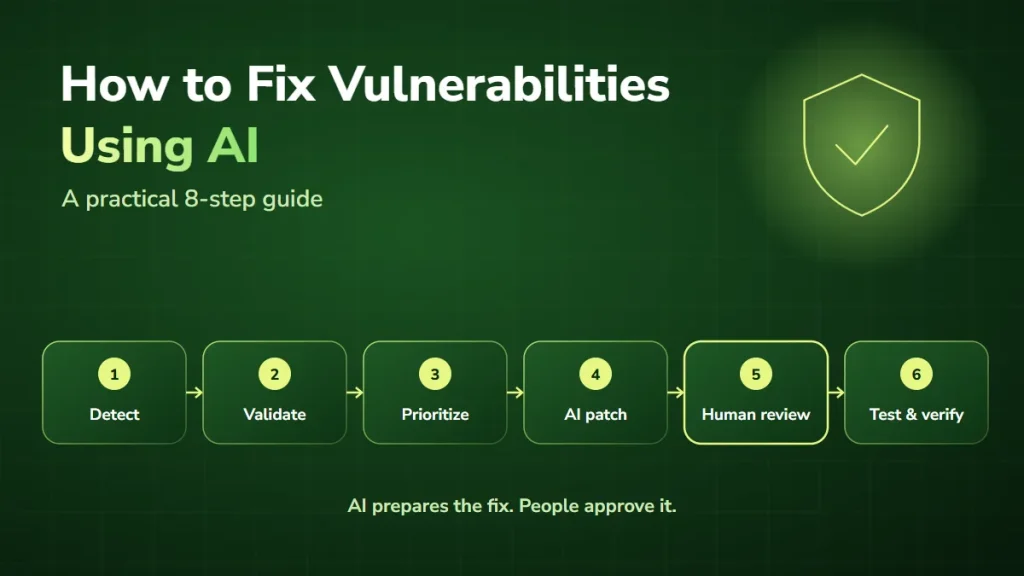
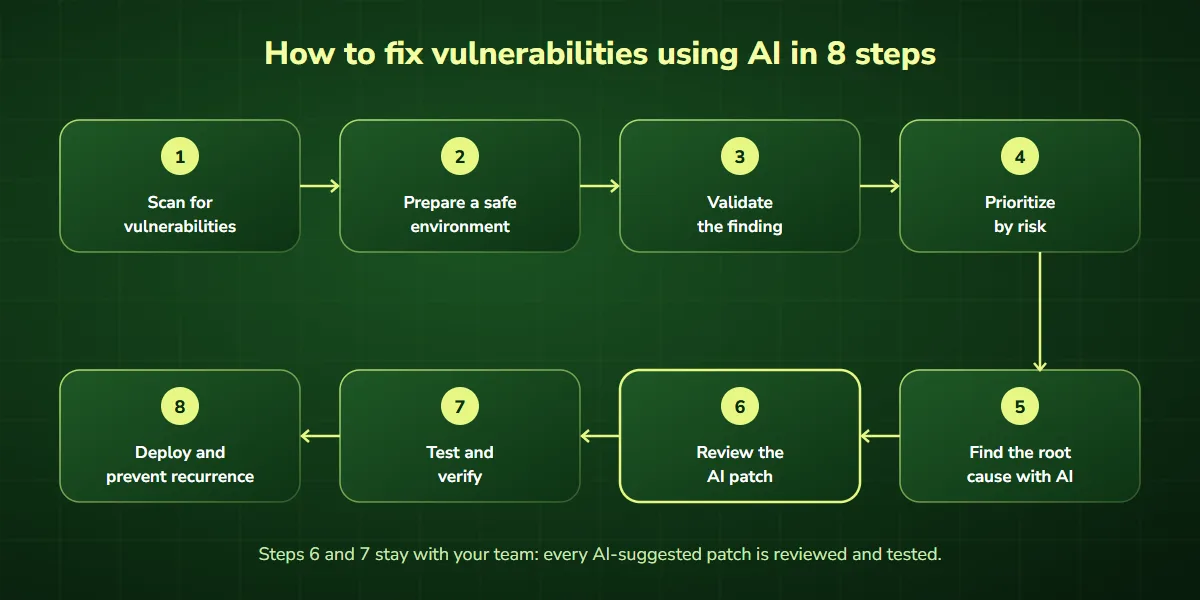
How to fix vulnerabilities using AI in 8 steps
The following workflow combines established security practices with AI assistance. It can be adapted for software teams, IT departments, and organizations maintaining business applications.
Step 1: Scan your application for security vulnerabilities
Start with a reliable vulnerability scanning process. For application development, that may include static code analysis, dependency scanning, container scanning, and authorized dynamic security testing. Tools such as GitHub CodeQL and Snyk can identify supported classes of vulnerabilities and provide findings for developers to investigate.
Before involving AI, collect the essential information:
- Affected application and component.
- Vulnerability type and scanner evidence.
- Relevant code location.
- Software or dependency version.
- Environment where the issue was identified.
- Any known security impact.
This gives the AI assistant useful context instead of asking it to inspect an entire application without a defined objective.
Practical example: if your customer portal contains a potentially vulnerable dependency, identify the exact installed version and the relevant advisory before requesting an update recommendation.
Step 2: Prepare a safe environment for AI-assisted security work
AI remediation should happen within clearly defined boundaries. The Open Source Security Foundation (OpenSSF) recommends preparation that includes isolation, logging, human approval, and controlled development environments.
For most development teams, this means working in a dedicated branch or sandbox rather than making direct changes to production. Use approved AI tools and restrict their access to only the information and systems required for the task.
Do not provide production credentials, customer records, or sensitive configuration details unless the tool and workflow have been specifically approved for that information. An AI agent preparing a code patch usually does not need permission to deploy software or modify production databases. Establish an approval process before automated changes are merged or released.
Step 3: Validate the vulnerability before attempting a fix
Not every scanner alert is a confirmed vulnerability. Some findings are false positives. Others involve code that is not reachable in the deployed application, or systems protected by additional controls. Before generating a patch, investigate whether the weakness is real. Ask:
- Is the affected code or dependency actually present?
- Can the vulnerable functionality be reached?
- What evidence supports the finding?
- What security behavior is expected?
- Are existing controls relevant to the risk?
AI can help explain the scanner report and identify areas requiring further investigation. However, its conclusions should be checked against the actual application and authoritative technical documentation. Fixing an unverified finding can waste development time and sometimes introduce unnecessary changes.
Step 4: Prioritize vulnerabilities based on risk
Suppose your scanner reports 50 vulnerabilities. Which should your team fix first? The answer depends on more than the severity score.
A vulnerability affecting a public-facing application that processes sensitive customer information may require urgent attention, particularly when there is evidence of active exploitation. An issue in an isolated development environment may present a different level of risk. Consider these factors:
- Severity and available CVSS information.
- Evidence of exploitation.
- Internet exposure and attack surface.
- Business importance of the affected system.
- Data sensitivity and potential impact.
- Availability of a reliable fix or mitigation.
The CISA Known Exploited Vulnerabilities catalog is one useful source for identifying vulnerabilities with evidence of exploitation. AI can organize this information and suggest a review order, but the final priority should be determined by the responsible security team.
Step 5: Use AI to identify the root cause
Once the vulnerability is confirmed, investigate why it exists. This is one of the most useful applications of AI in vulnerability remediation. A developer can provide the relevant scanner finding and a sanitized code snippet, then ask an approved AI assistant to explain the weakness. For example:
“Review this confirmed SQL injection finding in an application I am authorized to maintain. Explain how untrusted input reaches the database query, identify the root cause, and recommend the smallest secure change. Preserve existing functionality and identify the tests required to verify the fix.”
A useful response should explain the actual security problem rather than simply repeat the scanner warning. For SQL injection, the root cause may be constructing database queries with untrusted input. For an access control issue, the problem might be a missing authorization check.
Understanding the cause makes it easier to choose a correction that addresses the weakness instead of merely hiding the warning.
Step 6: Generate and review an AI-suggested patch
Once the root cause is understood, AI can help prepare a candidate fix. Some dedicated security tools can generate AI-generated patches directly from supported scanner findings. Other AI coding assistants can suggest changes when given the affected code and security requirements.
Review every proposed change carefully. A suitable patch should correct the underlying vulnerability, preserve expected behavior, avoid unnecessary modifications, and follow the application’s coding conventions.
If the AI suggests rewriting several unrelated files to correct a small issue, investigate whether those changes are actually required. A narrow, understandable patch is usually easier to test and approve.
Remember: a patch that looks correct is not necessarily a verified security fix.
Step 7: Test and verify the fix
Verification is essential. After applying the patch in an approved development environment, rerun the relevant security analysis and confirm that the original issue is resolved. Also run the application’s existing tests. Where appropriate, add a regression test that would identify the same weakness if it returned.
For a dependency update, confirm that the affected package version has changed and that the application remains compatible. For a configuration change, verify that the intended security restriction is effective without preventing legitimate users from performing their work.
AI can help draft tests and review results, but independent verification and human review remain important.
Step 8: Deploy the fix and prevent recurrence
Once the correction passes review and testing, deploy it through your normal release process. Confirm that the corrected version is running in the affected environment. Record the relevant evidence, including the security finding, patch, test results, approval, and deployment status.
Then consider whether the same weakness could exist elsewhere. For example, if a SQL injection issue resulted from a repeated coding pattern, search for similar query construction in other parts of the application. Adding security checks to pull requests and CI/CD pipelines can help detect comparable problems earlier.
The goal is not simply to close one security ticket. It is to reduce the likelihood of the same problem returning.
Practical example: how to fix code vulnerabilities with AI
Let’s look at a simplified SQL injection remediation example. Imagine a Python application that retrieves a customer record using an email address. The application uses SQLite for its database.
Before: vulnerable code
def find_customer(connection, email):
    query = (
        "SELECT id, email FROM customers "
        f"WHERE email = '{email}'"
    )
    return connection.execute(query).fetchone()
The problem is that the function inserts the email address directly into the SQL statement. Because the input is not handled as a separate parameter, it can affect how the database interprets the query. A security scanner may identify this as a potential SQL injection vulnerability.
How AI can help
A developer could ask an approved AI coding assistant to examine the function and explain the root cause. The assistant might recommend replacing string interpolation with a parameterized query.
After: safer code
def find_customer(connection, email):
    query = (
        "SELECT id, email FROM customers "
        "WHERE email = ?"
    )
    return connection.execute(
        query, (email,)
    ).fetchone()
The corrected function uses parameter binding supported by Python’s SQLite interface. The email address is supplied as data rather than being inserted into the SQL statement itself. This addresses the unsafe query construction shown in the example.
Different database drivers use different parameter syntax, so developers should follow the documentation for their actual database interface.
How to verify the correction
A developer should test ordinary customer lookups and unusual input values, rerun the relevant scanner, and confirm that input cannot change the intended SQL query. The surrounding application should also be checked for similar unsafe query construction.
This is an illustrative code example, not a claim that a production application has been tested or secured.
Best AI tools for vulnerability detection and remediation
Several tools can assist with security findings, although their capabilities differ.
GitHub CodeQL and autofix
GitHub CodeQL analyzes source code to identify supported security weaknesses. GitHub also provides AI-assisted autofix capabilities for code scanning alerts: Copilot Autofix can suggest code changes for supported findings, and GitHub’s agentic autofix can investigate alerts, prepare proposed changes, and open draft pull requests for review, subject to feature eligibility and configuration.
Developers should still review and test generated changes before merging them.
Snyk
Snyk provides security capabilities for application code and software dependencies. Its AI-assisted remediation features can generate candidate fixes for supported findings and help developers evaluate whether the correction addresses the reported issue. Human review remains necessary, particularly for complex changes.
General AI coding assistants
General-purpose AI coding assistants can help explain vulnerable code, suggest secure programming patterns, and prepare tests. They are useful for investigation and development support, but they should not replace dedicated security scanning or verification.
Choosing the right AI security tool
| Requirement | What to evaluate |
|---|---|
| Programming languages | Does the tool support your technology stack? |
| Detection capabilities | Which vulnerability categories can it identify? |
| Remediation | Can it suggest or generate appropriate patches? |
| Verification | Can findings be rescanned and changes tested? |
| Integration | Does it work with your repositories and CI/CD pipeline? |
| Security controls | Can access, data sharing, and approvals be restricted? |
| Cost | What licenses, usage charges, and implementation work are required? |
Start with a limited pilot using known findings in an isolated environment. That provides a more useful assessment than selecting a platform based on marketing claims alone.
Automated vulnerability remediation: where AI agents fit
For many businesses, vulnerability management involves more than fixing code. Security findings arrive from different scanners. Developers work in separate repositories. Tickets are tracked in project management tools. Release approvals may happen in another system. Moving information between those systems creates administrative work.
Automated vulnerability remediation can connect parts of this process while preserving human control over sensitive decisions. A typical workflow runs from security scan to validation, risk prioritization, ticket creation, a proposed fix, human review, tests, deployment, and verification.
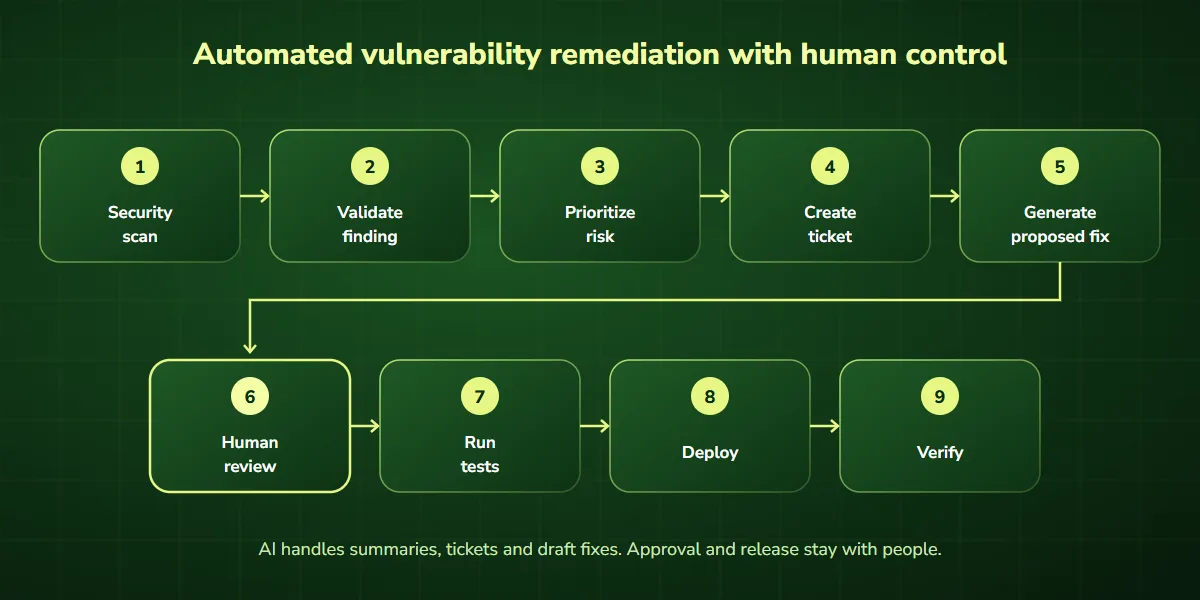
An AI agent could summarize a scanner finding, identify the responsible team, prepare a ticket, and collect relevant technical references. It might also prepare a draft remediation plan or pull request for review. Organizations should begin with low-risk, well-defined tasks before introducing more advanced security workflow automation.
For businesses exploring connected security workflows, AI integration services and AI workflow optimization can help address repetitive handoffs between existing systems.
AI vulnerability management for businesses
AI vulnerability management involves using AI assistance throughout the process of discovering, evaluating, correcting, and monitoring security weaknesses. For business owners and IT leaders, the main question is whether the approach improves actual security operations.
Consider a company maintaining several customer-facing applications. Its security tools may generate findings regularly, but the team has limited time to investigate and assign them. A well-designed automation workflow could consolidate findings, reduce duplicate tickets, enrich alerts with useful context, and route issues to the correct developers.
That can make the process more organized. However, automation is only valuable if the findings are accurate, the proposed changes are reliable, and the team can verify outcomes. If you need an independent view of your AI and application risk, AI security consulting can help.
What should businesses measure?
| Metric | Why it matters |
|---|---|
| Mean time to remediate | Measures time to verified resolution |
| Confirmed vulnerabilities resolved | Tracks actual remediation progress |
| Patch acceptance rate | Indicates the usefulness of suggested fixes |
| Reopened findings | Highlights incomplete or ineffective corrections |
| Regression failures | Identifies changes that disrupt functionality |
| Manual investigation time | Helps assess operational efficiency |
Compare results against your existing process before claiming that AI has improved remediation performance.
What are the risks of using AI to fix security vulnerabilities?
AI-assisted remediation introduces risks that organizations should manage deliberately.
Incorrect or incomplete fixes
AI may generate a patch that resolves a scanner warning without addressing the entire vulnerability.
New bugs or security weaknesses
Generated changes may affect unrelated application behavior or introduce new problems.
Sensitive data exposure
Source code and security reports may contain confidential information. Use approved tools and appropriate data-handling controls.
Excessive permissions
AI agents should not receive unrestricted access to repositories, cloud environments, or production systems.
False confidence
A clean scanner result does not guarantee that an application is secure. Some vulnerabilities depend on business logic or complex system behavior.
The safest approach combines AI assistance with controlled access, testing, independent review, and documented approval.
Best practices for secure AI vulnerability remediation
A reliable AI-assisted remediation process follows a few consistent principles:
- Validate findings first. Don’t generate patches for issues that have not been adequately investigated.
- Use authoritative security information. Consult vendor advisories, vulnerability records, and official technical documentation.
- Make focused changes. Avoid unnecessary rewrites when a smaller correction is sufficient.
- Keep humans responsible. Require review and approval for important security decisions.
- Test before deployment. Use appropriate regression testing, security scanning, and staging environments.
- Maintain rollback procedures. Prepare for the possibility that a correction causes unexpected problems.
- Improve prevention. Convert recurring vulnerabilities into secure coding guidance, automated checks, and regression tests.
These practices help make AI a useful part of the security workflow rather than another source of uncertainty.
How can AI help prevent future vulnerabilities?
AI can support vulnerability prevention as well as remediation. Developers can use approved AI assistants to review code for common security mistakes, explain secure programming patterns, and draft tests during development.
Security checks can also be incorporated into pull requests and CI/CD pipelines. For example, a team might require code scanning and automated tests before a pull request can be merged. When a scanner identifies a supported vulnerability, an AI tool can help the developer understand and correct the finding before the change reaches production.
The NIST Secure Software Development Framework provides broader guidance for integrating security into secure software development. Prevention matters because a process that continually introduces the same weaknesses will remain expensive to maintain, even with faster AI-assisted fixes.
Frequently asked questions
Can AI automatically find and fix security vulnerabilities?
AI-assisted tools can identify supported security weaknesses and generate candidate fixes. However, not every vulnerability can be fixed automatically, and proposed changes require appropriate testing and verification.
Can ChatGPT fix code vulnerabilities?
ChatGPT can help explain vulnerable code, suggest secure alternatives, and draft regression tests. Its recommendations should be reviewed and validated in the actual development environment.
What is AI vulnerability remediation?
AI vulnerability remediation is the use of artificial intelligence to assist with investigating, prioritizing, correcting, and verifying security weaknesses in software or infrastructure.
Is AI vulnerability detection accurate?
Accuracy depends on the tool, vulnerability category, available context, and verification method. AI-generated findings may contain false positives or miss genuine issues, so established security testing remains necessary.
Can AI fix WordPress security vulnerabilities?
AI can help interpret WordPress security reports, review custom code, and recommend actions. Vulnerable plugins, themes, or WordPress core components should be addressed using verified vendor guidance, tested updates, and appropriate backups.
Is automated vulnerability remediation safe?
It can be used safely when organizations restrict permissions, isolate testing environments, protect sensitive information, verify changes, and require appropriate approvals.
What is the difference between vulnerability detection and remediation?
Detection identifies potential weaknesses. Remediation involves validating the problem, correcting its underlying cause, and verifying that the issue has been resolved.
Can small businesses benefit from AI vulnerability management?
Yes. Small businesses can use AI assistance to interpret findings, organize remediation work, and reduce repetitive administrative tasks. The appropriate approach depends on their systems, security requirements, and available technical expertise.
Final thoughts
AI is changing how development teams investigate and fix security vulnerabilities. It can explain unfamiliar findings, suggest corrections, help prepare tests, and make remediation workflows easier to manage. But a faster patch is only valuable when it actually resolves the problem.
The most reliable approach is to combine AI assistance with validated findings, risk-based prioritization, secure coding practices, human review, and independent verification.
For businesses, the opportunity goes beyond individual code fixes. Connecting security tools and automating routine coordination can help teams spend less time moving information between systems and more time resolving meaningful risks.
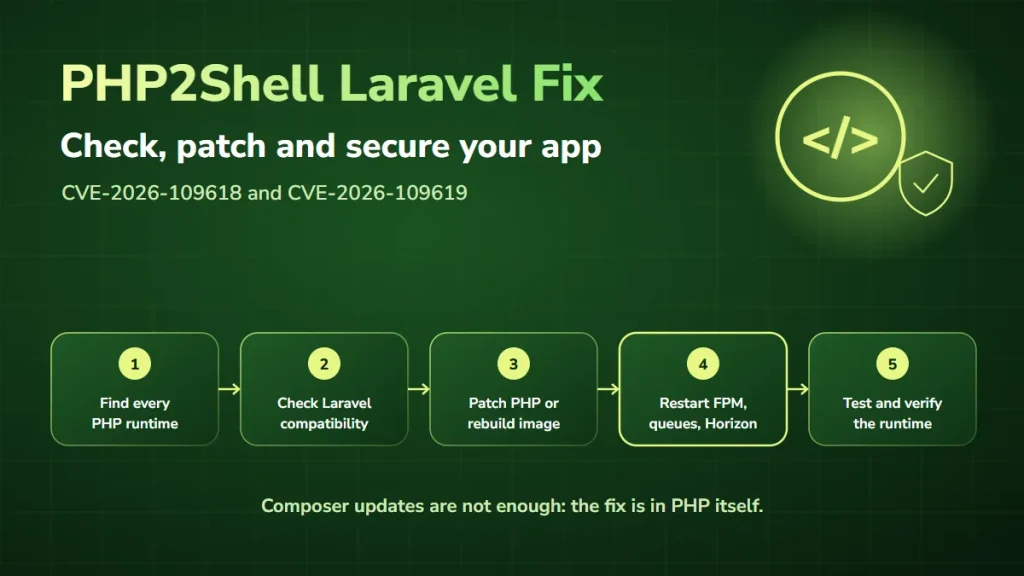
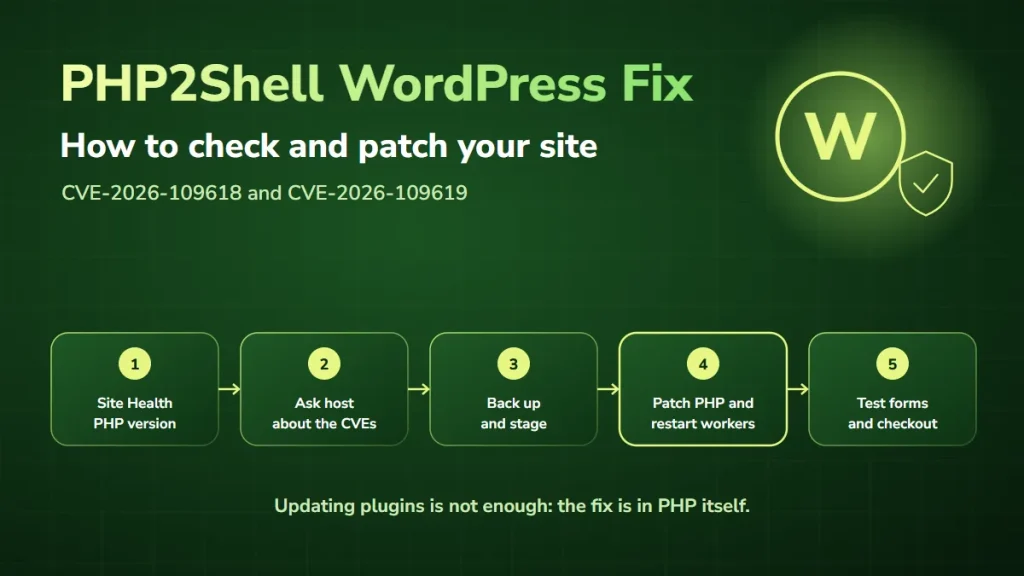
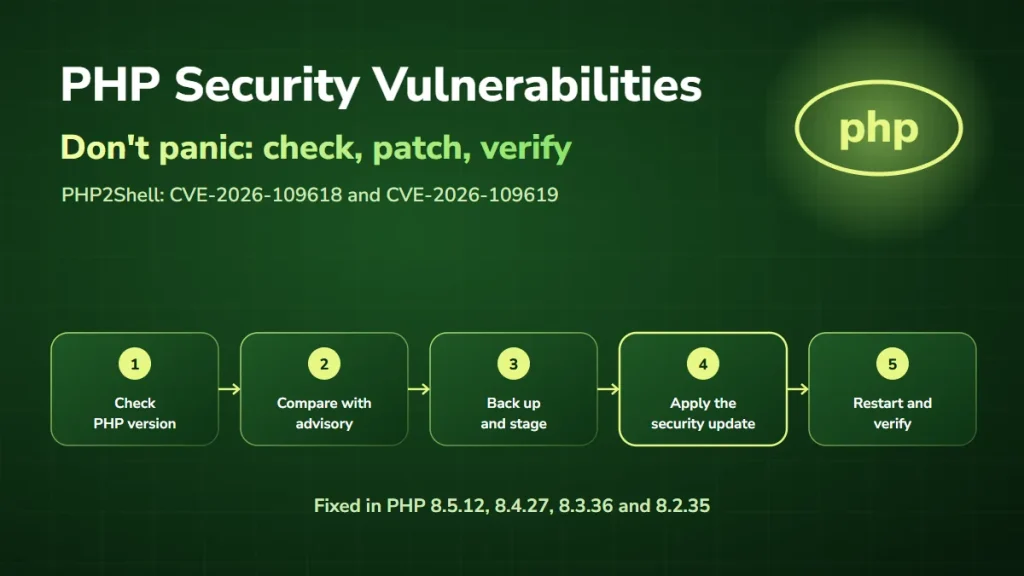
Dealing with the October 2026 PHP2Shell vulnerabilities right now? Read PHP security vulnerabilities: what you need to know, or go straight to our fix guides for WordPress and Laravel.
Build smarter security workflows with DevSolutionsAI
Security teams often work across disconnected tools, manual approval processes, and repetitive remediation tasks. At DevSolutionsAI, we help U.S. businesses explore AI integrations, AI agents, and workflow automation that support more efficient operations.
Whether your organization wants to connect security alerts to development tickets, improve workflow visibility, or reduce manual coordination, we can help identify practical automation opportunities. Book a free 1-on-1 consultation to discuss your existing processes and where AI automation may be useful.