Does your business run a Laravel application, SaaS platform, customer portal, or internal dashboard? If so, the recently disclosed PHP2Shell vulnerabilities deserve immediate attention.
On October 21, 2026, the PHP project released emergency security updates for two critical vulnerabilities in the PHP runtime. These issues can affect Laravel applications because Laravel depends on PHP to execute requests and business logic.
The important distinction is that PHP2Shell is a PHP runtime vulnerability, not a Laravel framework vulnerability. As a result, updating Laravel packages alone will not resolve an affected PHP runtime.
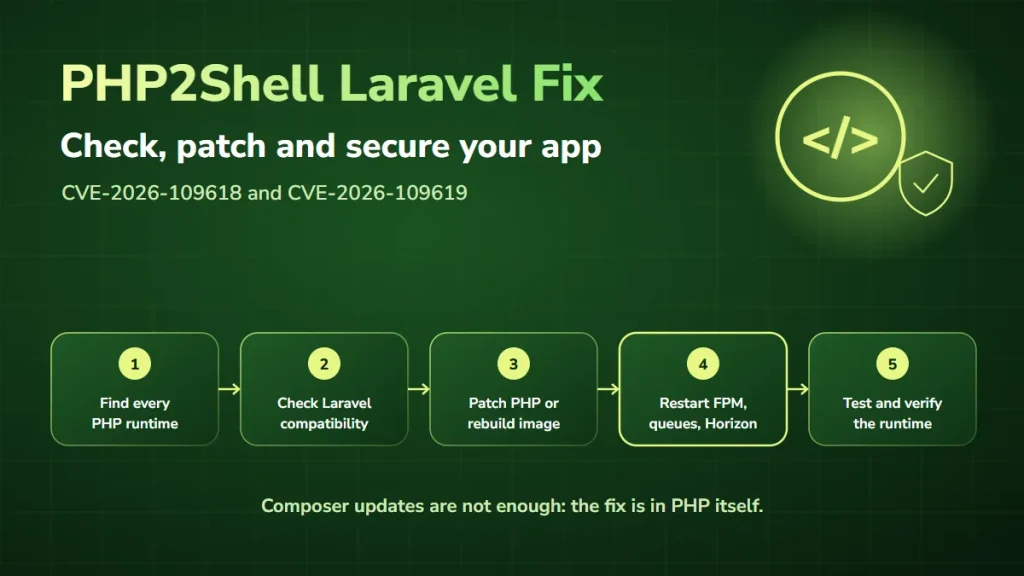
For production Laravel applications, the right PHP2Shell Laravel fix is to identify the affected PHP environment, install the security update, restart the relevant services, and verify that the application keeps working correctly.
At DevSolutionsAI, we’ve already helped a client resolve a PHP security issue. This guide explains how to approach PHP2Shell remediation in Laravel environments while reducing the risk of unnecessary disruption.
What is PHP2Shell, and does it affect Laravel?
PHP2Shell is the collective name for two critical PHP vulnerabilities:
- CVE-2026-109618: a memory corruption issue associated with out-of-memory error handling during request processing.
- CVE-2026-109619: an issue involving stale internal state that references memory from a previous request.
Both vulnerabilities received a CVSS v4.0 score of 9.2. Under certain conditions, attackers may exploit vulnerable PHP runtimes to execute code without authentication.
Laravel applications may be exposed because the PHP interpreter processes each HTTP request before and alongside the framework. Therefore, a Laravel application with fully updated Composer dependencies can still be vulnerable if the PHP runtime has not been patched.
The PHP project lists PHP-FPM, CGI, FrankenPHP, and LiteSpeed environments as affected, and rates the risk highest for Apache with mod_php. FrankenPHP matters here because it is one of the servers Laravel Octane can run on.
Is PHP2Shell a Laravel vulnerability?
No. The vulnerabilities are in PHP itself. Laravel applications, WordPress websites, Symfony applications, and custom PHP systems may all depend on affected PHP runtimes.
The remediation therefore focuses on the PHP runtime and hosting infrastructure. Laravel-specific work still matters for compatibility testing, deployment coordination, and verification.
Which PHP versions are affected?
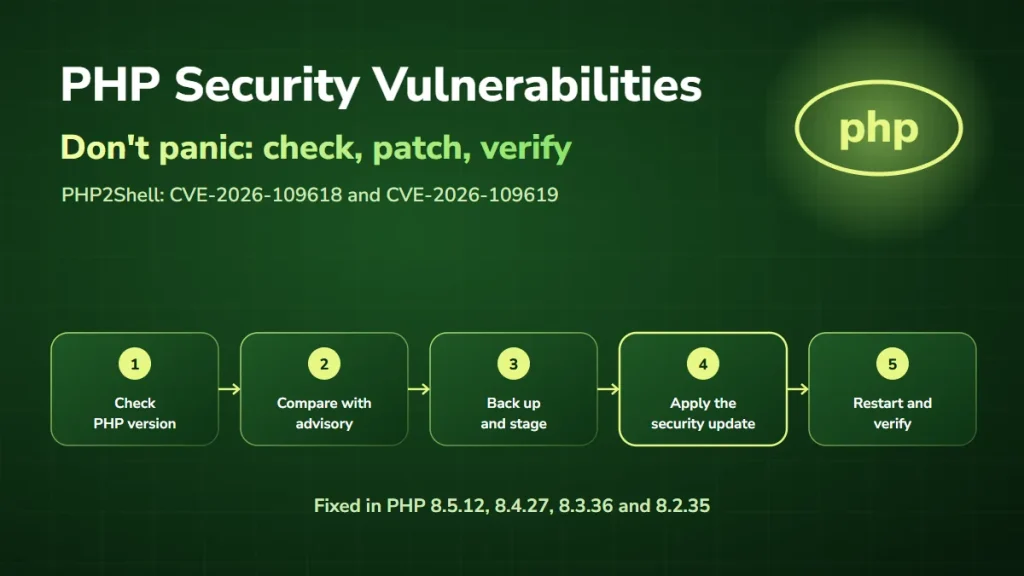
The PHP project published the following fixed upstream releases:
| PHP branch | First fixed version |
|---|---|
| PHP 8.5 | 8.5.12 |
| PHP 8.4 | 8.4.27 |
| PHP 8.3 | 8.3.36 |
| PHP 8.2 | 8.2.35 |
| PHP 8.1 and older | No regular release; PHP published source backports for 7.4, 8.0 and 8.1 |
PHP 8.1 and older are no longer supported upstream. Most teams on those versions receive the fix through an operating-system distribution or extended-support vendor, and those backports often keep an older version number.
For example, Ubuntu lists its patched PHP 8.3 package for Ubuntu 24.04 as version 8.3.6, well below 8.3.36, yet it includes the fix. So for these environments, check the complete installed package version against the vendor’s official security advisory.
Official source: PHP security announcements
How to check whether your Laravel application is affected
A Laravel application can use several PHP execution environments. For example, your infrastructure might include:
- PHP-FPM for web requests
- PHP CLI for Artisan commands
- Queue workers for background jobs
- Laravel Horizon for queue management
- Laravel Octane for long-running application workers
- Docker containers for application deployment
- Separate staging and production environments
These components may not all use the same PHP runtime.
Step 1: Check the command-line PHP version
On a server where you have authorized shell access, run:
php -vThis identifies the PHP version of the command-line environment. However, the CLI version alone does not prove that your web application is patched. Your PHP-FPM, Apache, or containerized web runtime may use a different PHP installation.
Step 2: Check Laravel’s runtime requirements
Review your application’s composer.json file for the PHP version constraint and the installed Laravel framework version. You can also check platform requirements through Composer:
composer check-platform-reqsThis shows whether the current PHP runtime satisfies the application’s declared package requirements. It does not check whether PHP2Shell has been patched, because a Laravel application may support a PHP version that still needs a security update.
Step 3: Identify the web-serving PHP runtime
Next, determine which PHP process handles incoming HTTP requests:
- PHP-FPM: inspect the installed FPM runtime and the relevant service configuration.
- Apache with mod_php: confirm the PHP module version loaded by the running web server.
- Docker: inspect the PHP runtime inside the deployed application container.
- Managed hosting: request confirmation from the provider.
The key is to identify the runtime that processes actual production requests.
Step 4: Compare against the fixed releases
Compare each runtime with the official patched versions. If your environment uses vendor-maintained packages, verify whether the fixes have been backported. Then record the result for each application environment.
A useful inventory includes:
| Component | Information to record |
|---|---|
| Laravel application | Application name and environment |
| PHP runtime | PHP version and package build |
| Execution mode | PHP-FPM, Apache, container, or another runtime |
| Hosting | Cloud provider, VPS, or managed service |
| Patch status | Patched, affected, or awaiting verification |
| Responsible team | Developer or infrastructure owner |
| Verification | Date and evidence of successful patching |
This makes remediation easier to coordinate across multiple systems.
How to fix PHP2Shell in Laravel
The complete fix requires a verified patched PHP runtime or a vendor-supported backport. The exact deployment process depends on your infrastructure.
Step 1: Back up the application and prepare a rollback plan
Before making production changes, confirm that your team has a reliable recovery plan. This may include database backups, configuration records, deployment artifacts, and infrastructure snapshots.
Record the current PHP version and application release. Also make sure the rollback plan covers both compatibility and security, since returning to a vulnerable PHP runtime is not an acceptable long-term solution.
Step 2: Check Laravel PHP upgrade compatibility
Review the PHP version requirements declared by your Laravel application and its dependencies, and run composer check-platform-reqs. Then, in staging, test the patched PHP version with the application’s installed dependencies.
Don’t run broad dependency upgrades in production just to address PHP2Shell. The immediate fix is for the PHP runtime, while dependency upgrades should be planned around compatibility and security requirements.
If the application needs a newer Laravel version before it can use a supported PHP branch, plan and test that migration carefully.
Step 3: Install the verified Laravel PHP security update
Update the PHP runtime through your operating system’s supported package process, an official patched PHP build, or a verified vendor-maintained package.
- Self-managed servers: confirm the security advisory for your operating-system release and package source.
- Managed platforms: follow the provider’s documented PHP upgrade procedure.
- Docker deployments: update the PHP base image to a patched build, rebuild the application image, and redeploy the affected services.
Don’t assume that updating PHP on the host also updates PHP inside containers.
Step 4: Restart PHP-FPM or Apache
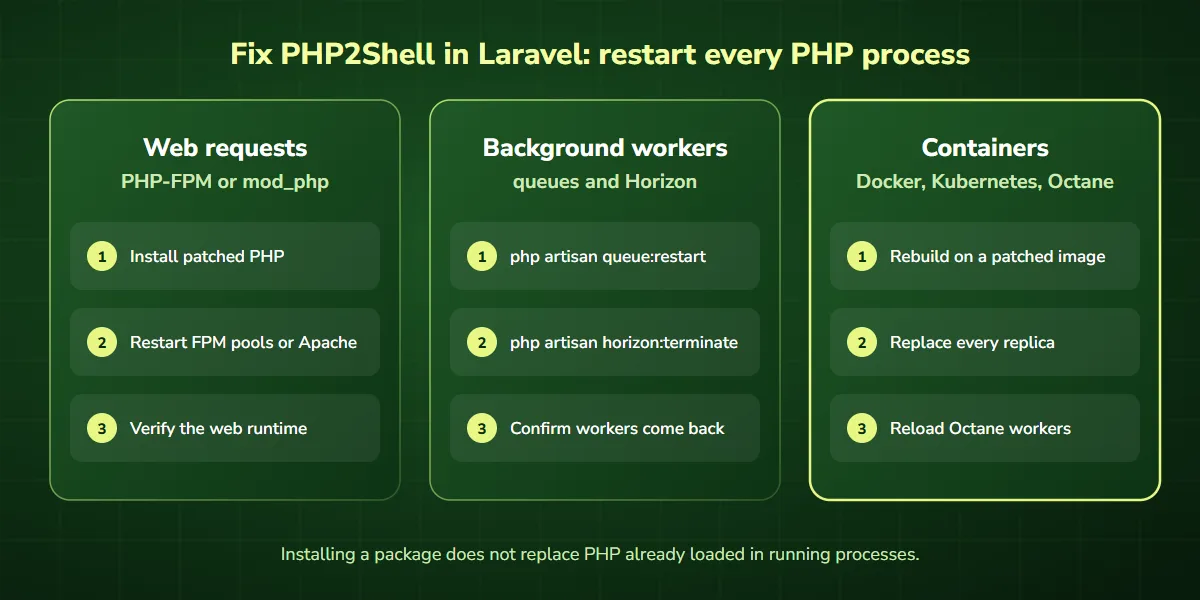
After patching, every running PHP process must use the updated runtime. The PHP project advises restarting all PHP workers, because a package installation does not replace code already loaded into running processes.
Depending on your infrastructure, that means restarting PHP-FPM, fully restarting Apache with mod_php, or redeploying application containers. Coordinate the restart with your infrastructure team to minimize disruption.
Step 5: Restart Laravel queue workers
Laravel queue workers are long-running processes. After updating PHP, make sure they are replaced with processes running the patched runtime. For standard queue workers, Laravel provides a command that tells each worker to exit gracefully after its current job:
php artisan queue:restartThis command relies on your cache driver to signal the workers. A process manager such as Supervisor, or a container orchestrator, must then start new workers. Afterward, confirm that new worker processes are running and processing jobs.
Step 6: Restart Laravel Horizon or Octane where applicable
If your application uses Laravel Horizon, run:
php artisan horizon:terminateThis stops the Horizon master process after current jobs finish, so a properly configured process monitor can start it again on the patched runtime.
For Laravel Octane, a worker reload (php artisan octane:reload) only restarts the application workers inside the existing server process. To be sure the patched PHP binary is in use, restart the Octane server itself, or redeploy its container, following your deployment architecture.
Don’t assume that a PHP-FPM restart covers Horizon, Octane, or other long-running processes. The goal is to make sure every PHP process uses the patched runtime.
Not sure every worker, container and Octane server is on the patched runtime? That is the step teams most often miss. We can check it for you.
Step 7: Verify the patched runtime
After deployment, confirm that the PHP runtime serving HTTP requests is patched. Also check queue workers, containers, scheduled-task environments, and any other PHP runtimes the application uses.
Where the operating-system vendor supplies a backport, confirm the installed package build against the vendor’s advisory. Finally, keep deployment records showing what changed, when, and how the patch was verified.
Some advisories also mention setting session.upload_progress.enabled=0 as a temporary measure. It reduces one attack path, but it is not a complete fix, so patch as well.
When to get expert help instead of doing it yourself
- You run several Laravel apps, servers or environments
- You deploy with Docker, Kubernetes or CI/CD pipelines
- You use Horizon, Octane or many queue workers
- Your app is on PHP 8.1 or older, or an old Laravel version
- You cannot afford downtime for customers or internal teams
If any of these apply, our team can inventory your PHP runtimes, patch and redeploy, and verify every process. Book a free PHP2Shell consultation.
PHP2Shell fix for Laravel Docker deployments
Containerized Laravel applications need special attention, because PHP may be bundled inside the container image. For example, an application may use a PHP-FPM base image. If that image contains a vulnerable PHP runtime, updating the host operating system does not fix the container.
A safe remediation workflow is:
- Identify the PHP base image used by the Laravel application.
- Select a patched image compatible with the application’s requirements.
- Rebuild the application image.
- Test the rebuilt image in staging.
- Deploy the updated image to production.
- Replace all affected containers.
- Confirm the running containers use the patched PHP runtime.
When using Kubernetes or another orchestrator, verify that all application replicas and worker deployments have been updated. An old container image or an overlooked background worker can leave part of the environment unpatched.
Laravel application testing checklist after PHP updates
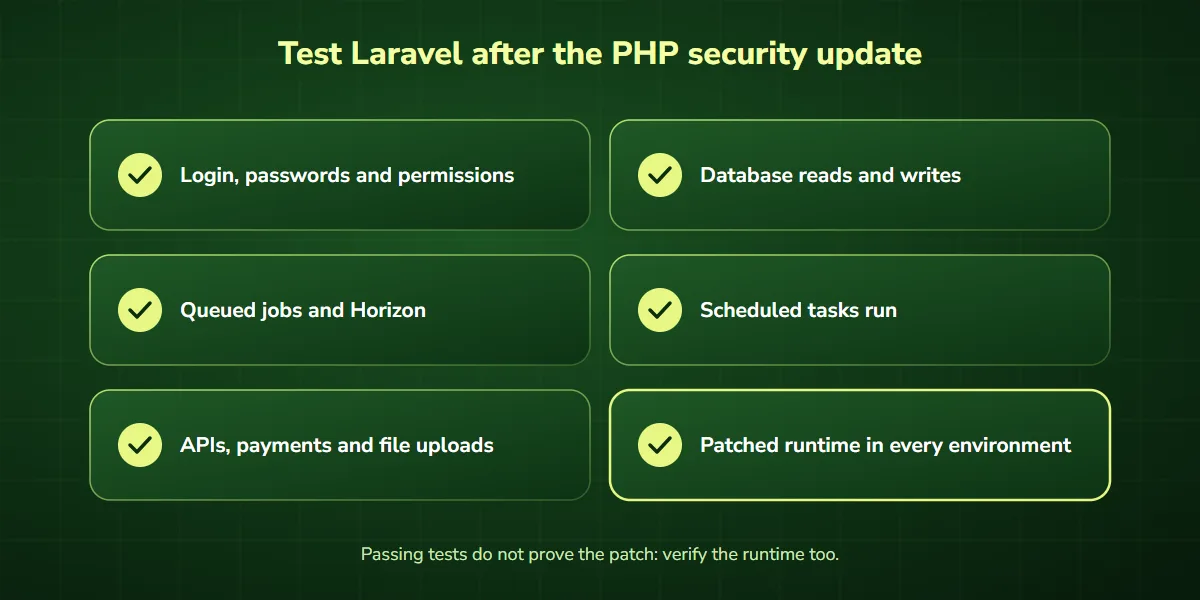
Updating the PHP runtime is only part of the remediation process. Business-critical Laravel applications should also go through post-update testing.
Authentication and authorization
Verify that users can log in, log out, reset passwords, and reach the correct application areas. Also check that permissions and authorization policies behave as expected.
Database operations
Test important database queries and workflows. Confirm that records can be created, updated, retrieved, and deleted where appropriate.
Queues and background jobs
Verify that queued jobs are processed correctly. Then check Horizon dashboards or queue monitoring tools for failed or delayed jobs.
Scheduled tasks
Confirm that Laravel scheduled commands and cron-based tasks run successfully.
API integrations
Test connections to CRMs, payment providers, email platforms, and other third-party services.
File uploads and document processing
Test legitimate file uploads, document processing, and storage integrations. These workflows are especially important for businesses that depend on customer documents or automated processing.
Performance and error monitoring
Review application logs, server logs, exception tracking, and performance metrics, and investigate unexpected errors after deployment.
Security patch verification
Confirm the patched PHP runtime is active in every relevant environment. Successful application tests do not replace verifying the security patch itself.
Common mistakes when fixing PHP2Shell in Laravel
Mistake 1: Updating Laravel instead of PHP
Composer updates may improve dependency security, but they do not replace patching the PHP interpreter.
Mistake 2: Checking only the CLI PHP version
The command-line runtime may differ from PHP-FPM or Apache, so always verify the web-serving runtime.
Mistake 3: Forgetting long-running workers
Queue workers, Horizon, Octane, and other long-running processes keep using the old PHP runtime until they are replaced.
Mistake 4: Updating the host but not the container
A Docker container can include its own vulnerable PHP runtime even when the host has been updated.
Mistake 5: Skipping compatibility tests
A PHP upgrade may affect dependencies, extensions, or custom code. Test business-critical functionality before and after deployment.
Mistake 6: Assuming a firewall is a complete fix
A web application firewall can reduce exposure to some attack patterns. However, complete remediation requires the PHP security patch.
What if your Laravel application uses an unsupported PHP version?
Older Laravel applications sometimes depend on PHP versions that are no longer supported upstream. In those cases, a direct upgrade may require additional development work.
The recommended approach is to assess the existing Laravel version, identify dependency constraints, plan the PHP upgrade, and test in staging.
A vendor-supported security backport, built from PHP’s own source backports for 7.4, 8.0, and 8.1, can address immediate exposure while you plan a supported-version migration. Still, an unsupported runtime should not become a permanent dependency without a clear support and security strategy.
For applications that cannot be patched promptly, consult the official PHP advisory and your security team about temporary exposure-reduction measures. Keep in mind that temporary mitigations do not give the same protection as the verified security fix.
What if your Laravel application was already compromised?
A PHP security patch closes the underlying vulnerabilities, but it does not reverse an existing compromise.
If your team finds suspicious processes, unauthorized file changes, unexplained access, or other signs of malicious activity, an incident-response investigation may be necessary. Preserve relevant logs and evidence, assess affected systems, and follow a proper containment and recovery process.
Where warranted, rotate application secrets, database credentials, and API keys, and review access permissions as part of a coordinated response. Don’t assume that a successful PHP update proves the application was never compromised.
We’ve already helped a client resolve a PHP security issue
At DevSolutionsAI, we’ve already encountered this PHP security issue in a client’s environment and successfully resolved it.
We understand that businesses running custom PHP and Laravel applications often have additional concerns. An application may support customer accounts, sales processes, internal operations, integrations, or automated workflows. Security remediation therefore needs to account for both technical correctness and business continuity.
Our approach centers on three stages:
- Check: identify affected PHP runtimes, hosting configurations, and application dependencies.
- Fix: apply the verified security update and coordinate the required deployment changes.
- Verify: confirm the patched runtime is active and test important application functionality.
The exact remediation process depends on your infrastructure and application architecture.
Need expert help fixing PHP2Shell in Laravel?
Not sure whether your Laravel application is affected? Concerned about PHP upgrades, container deployments, or background workers? DevSolutionsAI can help you assess the situation.
Book a free 1-on-1 consultation to discuss your Laravel environment, and we’ll tell you exactly what needs to be patched and restarted, or get expert help from DevSolutionsAI.
How AI-assisted workflows can improve Laravel vulnerability management
Businesses managing multiple Laravel applications can benefit from structured security workflows.
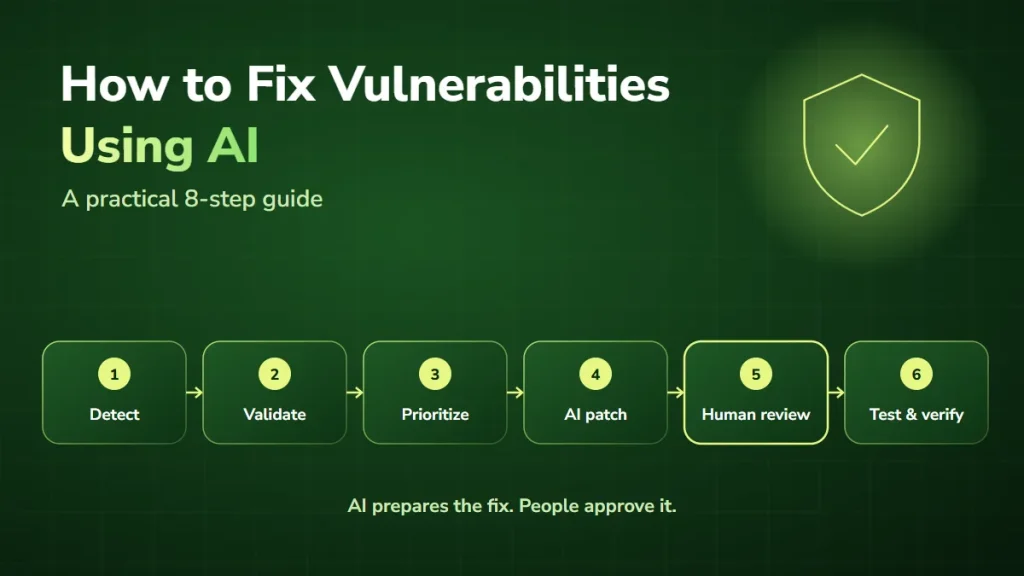
For example, AI-assisted automation can compare recorded PHP versions with official advisories, flag potentially affected services, create remediation tasks, route approvals, and track verification results. This is especially useful when several developers or infrastructure teams share responsibility for different applications. Our guide on how to fix vulnerabilities using AI explains the approach.
However, security-critical decisions and patch deployment should stay subject to technical validation and human oversight. AI-assisted workflows support vulnerability management; they do not replace the verified PHP security update.
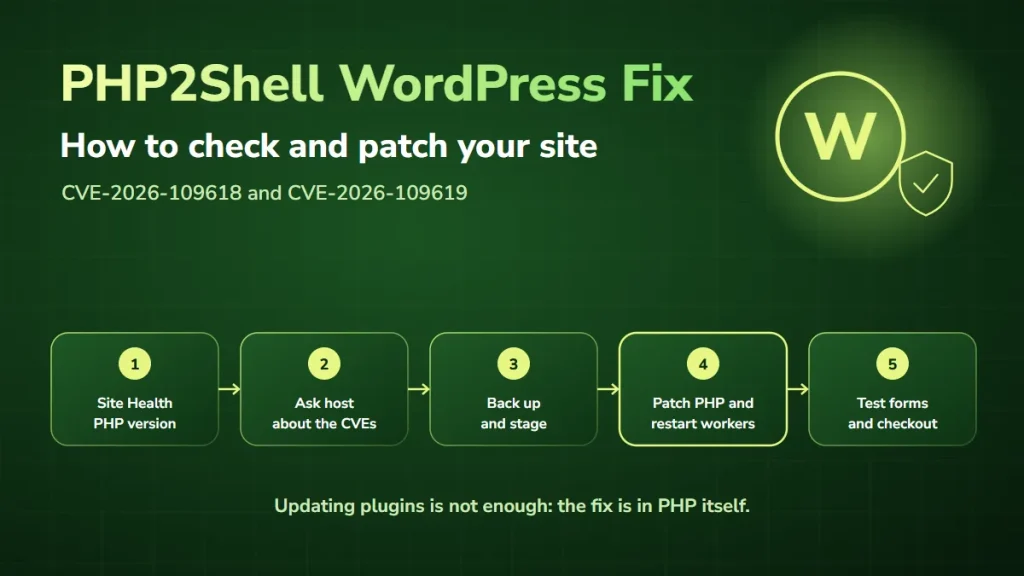
Learn more about our AI security consulting and AI integration services. Running WordPress too? See our PHP2Shell WordPress fix guide, or read PHP security vulnerabilities: what you need to know.
Frequently asked questions about PHP2Shell and Laravel
Does PHP2Shell affect Laravel 10, 11, or 12?
PHP2Shell is a PHP runtime issue, not a vulnerability in a particular Laravel release. Applications using affected PHP runtimes may be exposed regardless of their Laravel version.
Can Composer fix PHP2Shell?
No. Composer manages PHP application dependencies. The PHP runtime itself must receive the security fix.
Should I restart Laravel queues after updating PHP?
Yes. Long-running queue workers should be replaced with processes using the patched PHP runtime. The exact procedure depends on your process manager and deployment configuration.
Does restarting PHP-FPM fix Laravel Horizon?
No. Horizon runs separate long-lived CLI processes, so it needs its own controlled termination and restart.
Does updating the Docker host fix PHP2Shell inside containers?
Not necessarily. Containers usually include their own PHP runtime. Rebuild and redeploy affected application images using patched PHP builds.
Can I keep running an older PHP version with a security backport?
Some distribution or extended-support packages contain verified backported fixes. Confirm the exact installed package against the vendor’s security advisory, and keep a longer-term plan to move to a supported version.
Can a Laravel application be vulnerable even if it has no public file-upload feature?
Yes. PHP2Shell affects request handling in the PHP runtime itself, before your Laravel code runs. Application-level feature restrictions should not be treated as a complete mitigation.
Can DevSolutionsAI help with Laravel PHP security issues?
Yes. DevSolutionsAI can help assess PHP-related security concerns, discuss application compatibility and remediation requirements, and support businesses facing PHP security problems.
Final thoughts
PHP2Shell is a serious PHP security issue that requires action from businesses running affected Laravel applications.
The priority is to identify every relevant PHP runtime, install the verified security fix, restart or redeploy affected processes, and confirm the application keeps working correctly. For Laravel, that means paying attention to web servers, containers, queues, and other long-running processes, not just the command-line PHP version.
Facing a PHP security problem in your Laravel application? We’ve already helped a client resolve this issue, and we can help you assess yours. Book your free consultation.