If you’ve recently seen warnings about critical PHP security vulnerabilities, you might be wondering whether your business website is at risk.
Perhaps your website runs on WordPress. Maybe your company uses Laravel, a custom PHP application, or an older website that hasn’t received a major technical update in years. Whatever the situation, the most important thing is to stay informed, act promptly, and make sure the right security fixes are applied.
Two critical vulnerabilities were disclosed in October 2026, raising concerns for businesses that depend on PHP-powered websites and applications. But here’s the good news: official security updates are available, and there are practical steps your business can take to address the problem.
At DevSolutionsAI, we’ve already encountered this PHP security issue while working with a client and successfully resolved it. If you’re facing a similar problem, our team can help you understand the risk, assess your website, and take the appropriate next steps.
In this guide, we’ll explain what happened, which PHP versions are affected, how to check your website, and how expert support and AI-assisted workflows can help.
What happened? Understanding the October 2026 PHP security alert
On October 21, 2026, the PHP development team released emergency security updates addressing two critical vulnerabilities in the PHP runtime:
- CVE-2026-109618: remote code execution through memory corruption during out-of-memory error handling.
- CVE-2026-109619: remote code execution through stale, request-owned global state that can be reused by a later request on the same worker.
Both vulnerabilities received a CVSS v4.0 severity score of 9.2 out of 10, and they are collectively known as PHP2Shell.
Under certain conditions, these vulnerabilities could allow an unauthenticated attacker to execute code on an affected server. That means an attacker might exploit a vulnerable PHP environment without needing a valid website username or password.
Importantly, these PHP security vulnerabilities are in PHP itself, not in a particular WordPress plugin, Laravel package, or website theme.
Does this mean every PHP website has been hacked?
No. A security vulnerability does not automatically mean a website has been compromised. It means that an affected system may be exposed to a particular security risk.
Whether your website is vulnerable depends on factors such as the installed PHP version, security updates, vendor patches, and hosting configuration. However, because these vulnerabilities are critical, affected internet-facing systems should be updated immediately.
The right response is not to panic or assume everything is safe. It is to check your environment, apply the verified fix, and investigate any signs of suspicious activity.
Which PHP versions are affected?
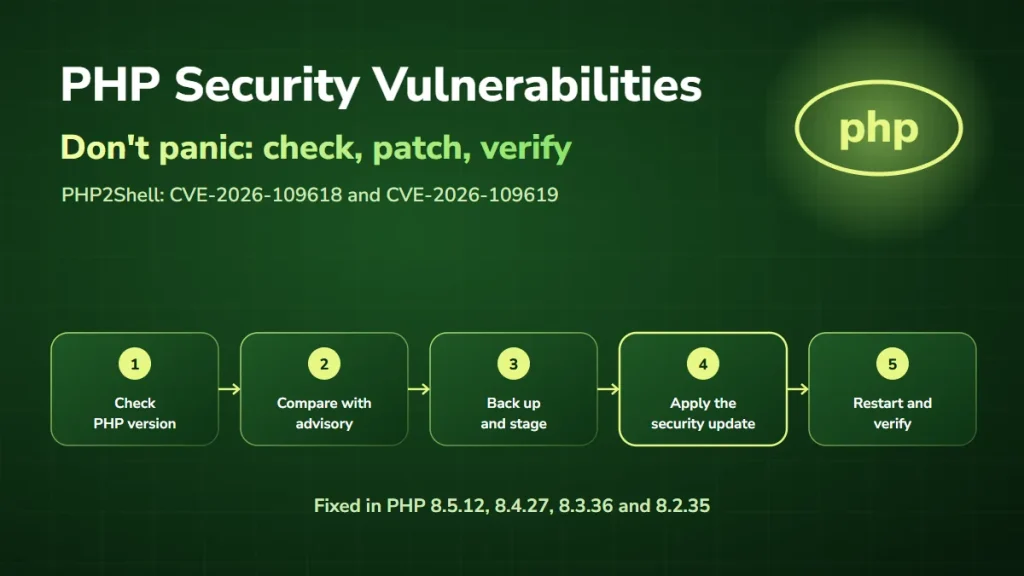
The PHP development team released the following PHP security update versions on October 21, 2026.
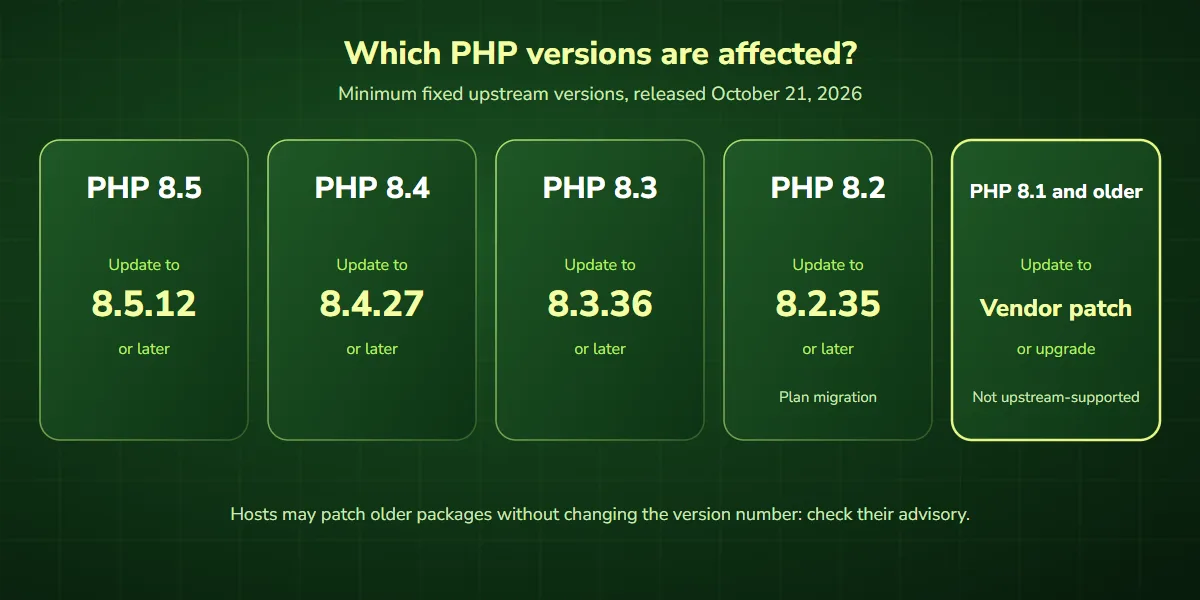
| PHP branch | Minimum fixed upstream version | Recommended action |
|---|---|---|
| PHP 8.5 | 8.5.12 | Update to 8.5.12 or later |
| PHP 8.4 | 8.4.27 | Update to 8.4.27 or later |
| PHP 8.3 | 8.3.36 | Update to 8.3.36 or later |
| PHP 8.2 | 8.2.35 | Update, and plan migration before end of support |
| PHP 8.1 and older | No regular release; PHP published source backports for 7.4, 8.0 and 8.1 | Install a verified vendor-patched package, or upgrade to a supported version |
Older PHP versions are especially concerning because they are no longer supported by the upstream PHP project. The PHP security team did publish minimal source backports for PHP 7.4, 8.0, and 8.1, but most businesses receive those fixes through their operating-system vendor or hosting provider.
In those environments, the version number alone may not tell the complete story. A vendor may deliver a security backport without changing the version to the latest upstream release. For example, Ubuntu lists its patched PHP 8.3 package for Ubuntu 24.04 as version 8.3.6, which is well below 8.3.36 but includes the fix. That is why checking the vendor’s security advisory is important.
Is your WordPress, Laravel, or custom PHP website at risk?
Many popular websites and business applications depend on PHP. Even if you never work directly with PHP code, your website may still use it behind the scenes.
WordPress websites
WordPress is built with PHP, so WordPress PHP security also depends on the underlying PHP environment. If your WordPress website uses an affected PHP runtime, updating WordPress itself does not resolve these particular vulnerabilities.
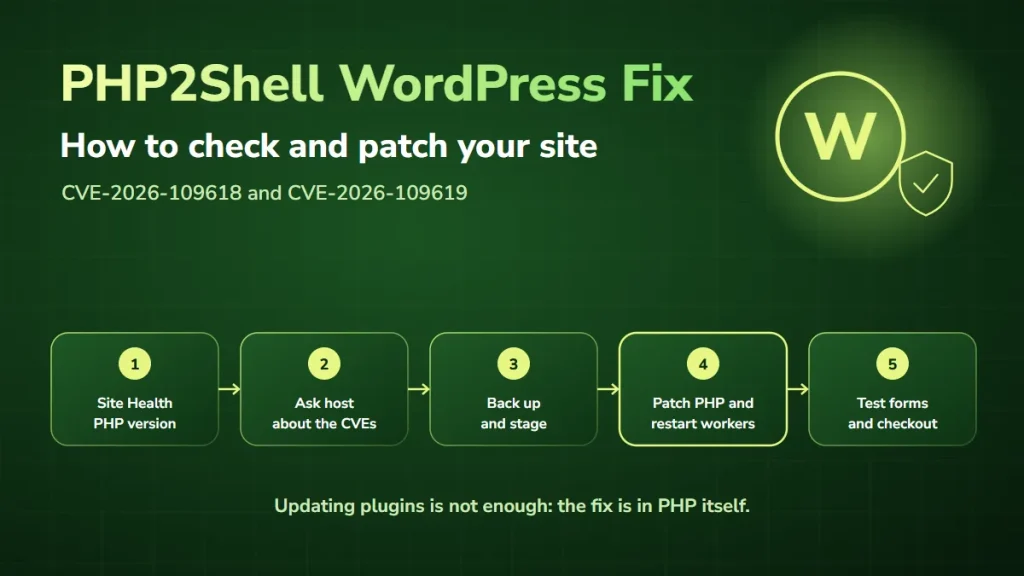
Your hosting provider or development team must confirm that the PHP runtime has received the necessary security fix. For step-by-step instructions, read our PHP2Shell WordPress fix guide.
Laravel applications
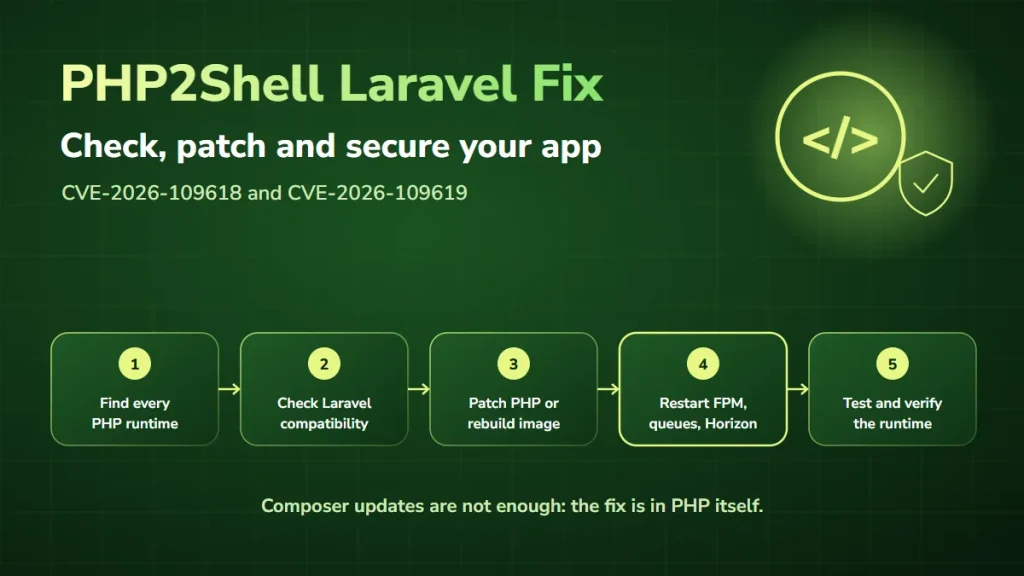
Laravel is a PHP framework commonly used to build custom web applications, customer portals, dashboards, and business systems. Keeping Laravel packages updated is important, but a Laravel dependency update is not a substitute for fixing a vulnerability in the underlying PHP runtime. The application should also be tested after any PHP version change to identify compatibility issues. Our PHP2Shell Laravel fix guide covers PHP-FPM, queue workers, Horizon, Octane, and Docker.
Custom PHP applications
Custom-built PHP applications may require additional attention. Older applications sometimes depend on outdated libraries, deprecated PHP features, or hosting configurations that make upgrades more complicated. A controlled remediation process helps teams apply the required security updates without introducing avoidable application problems.
Other PHP-powered systems
The same concern can apply to other PHP-based platforms, including Drupal, Joomla, Symfony, CodeIgniter, and custom content management systems.
The key question is not only which platform your business uses. It is which PHP runtime that platform actually runs on.
We’ve already helped a client resolve this PHP security issue
When a critical vulnerability becomes public, business owners need more than technical headlines. They need to know whether their website is affected, what should be updated, and who can help them complete the work safely.
At DevSolutionsAI, our team has already encountered this PHP security issue in a client’s environment and successfully addressed it. That experience reinforces an important lesson: responding to a security vulnerability requires more than making a quick configuration change.
The process should establish the affected environment, identify the appropriate security update, consider application compatibility, and verify the outcome. Every website has its own technical setup, so the exact remediation steps can vary.
Our approach: check, fix, verify
- Check the environment. We review the PHP runtime, hosting configuration, relevant security advisories, and potentially affected applications.
- Apply the appropriate fix. We identify the verified update or vendor-supported remediation path and assess compatibility before deployment.
- Verify the outcome. We confirm that the security update is in place and that the application continues to function correctly. Where there are signs of possible compromise, additional investigation may be required.
The goal is not simply to make a security warning disappear. It is to address the underlying problem and confirm that the remediation has been applied.
Facing a similar PHP security issue? Get expert help from DevSolutionsAI and we’ll help you investigate the problem and work toward a verified resolution.
How to check whether your website is affected
If you manage a PHP-based website, here are practical steps to take.
Step 1: Identify your PHP version
Start by finding out which PHP version your website uses. Depending on your hosting setup, this information may be available through:
- Your hosting control panel.
- WordPress Site Health (Tools, then Site Health, then Info).
- Your server management dashboard.
- Your development or infrastructure team.
For systems where you have command-line access, the command php -v reports the PHP version used by that command-line environment. However, the command-line PHP version may differ from the version serving your website. Your team should confirm the PHP version actually used by the web server or PHP-FPM process.
Step 2: Review the official PHP security advisory
Compare your environment against the official PHP security announcement and your operating-system or hosting vendor’s advisory. Avoid relying exclusively on social media posts, screenshots, or unverified vulnerability claims. Security information changes quickly, and official guidance provides the most reliable basis for remediation.
Step 3: Confirm whether the fix has been applied
If your website runs a vulnerable PHP version, determine whether the necessary security update or verified vendor backport has already been installed. Some managed hosting providers handle PHP security updates automatically; others require website owners or administrators to initiate an upgrade. Do not assume the issue has been fixed without confirmation.
Step 4: Back up and test before making changes
Before changing a production environment, prepare a reliable backup and assess application compatibility. Where possible, test the updated PHP environment in staging. Check important website functionality, including contact forms, customer logins, checkout processes, integrations, scheduled tasks, and administrative features.
Step 5: Apply the update and verify the result
Install the appropriate verified security update using your hosting provider’s or operating-system vendor’s supported process. Restart or redeploy affected services as necessary, so the running application actually uses the patched PHP runtime. Afterward, confirm the installed security fix and test the website again.
For business-critical applications, retain a record of the changes and verification results.
Can you fix these PHP vulnerabilities without updating PHP?
No. For the October 2026 PHP2Shell vulnerabilities, applying the appropriate PHP security patch is the only complete PHP vulnerability fix.
Changing WordPress settings, installing a security plugin, or modifying application code does not fix these underlying runtime vulnerabilities. PHP’s advisory describes temporary mitigations, such as disabling session.upload_progress and restarting workers, but security researchers at Datadog report that these measures do not fully protect a vulnerable system. Treat them as a stopgap, not as a fix.
If your business cannot update immediately, consult your hosting provider or security team about isolating affected systems and limiting exposure until the verified fix can be deployed. For a public-facing business website, delaying remediation increases the period of potential risk.
How AI can help businesses manage PHP security vulnerabilities
AI can be valuable during vulnerability management, particularly when a business operates several websites, servers, or applications. But it’s important to understand what AI can and cannot do.
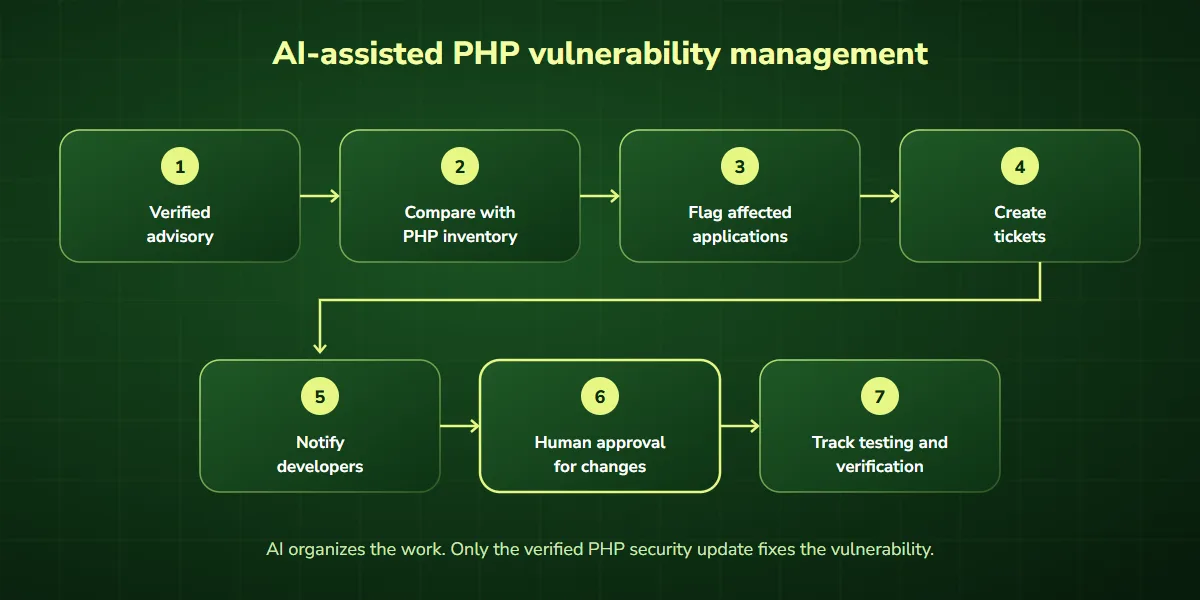
AI does not repair the PHP runtime by analyzing a security advisory. Instead, AI-assisted security workflows, including AI PHP vulnerability detection across your inventory, can help teams organize information, identify potential exposure, prioritize tasks, and track remediation.
1. Identify potentially affected systems
A company may operate multiple WordPress websites, Laravel applications, and internal PHP systems. When inventory information is available, an AI-assisted workflow can help compare the recorded PHP versions against relevant security advisories. The output can be a list of systems requiring further verification. The accuracy of this process depends on the quality and freshness of the inventory data.
2. Summarize security advisories
Security announcements can contain technical language that business owners find difficult to interpret. AI can help summarize the key details:
- What vulnerability has been disclosed.
- Which software versions may be affected.
- Whether an official fix is available.
- Which systems should be reviewed first.
- What actions require human approval.
The summaries should always link back to authoritative sources.
3. Prioritize remediation work
Not every application carries the same business impact. For example, an internet-facing customer portal may need different operational coordination from an isolated internal development environment. AI can assist in organizing priorities based on verified exposure information, asset importance, ownership, and business context. Security professionals should validate those priorities before action is taken.
4. Automate alerts and task assignment
An AI-assisted workflow can connect vulnerability information with existing business systems. For example, it could:
- Receive a verified security advisory.
- Compare it with a maintained PHP asset inventory.
- Flag potentially affected applications.
- Create remediation tickets.
- Notify the responsible developers.
- Request human approval for changes.
- Track testing and verification status.
This reduces repetitive administrative work and improves visibility across teams. AI integration services can connect these steps to the tools you already use, and AI agent development can support controlled multi-step workflows.
5. Track whether remediation is complete
A vulnerability should not be marked resolved simply because someone opened a ticket or scheduled an update. A reliable workflow should record evidence that the correct fix was applied, such as updated package information, deployment records, runtime checks, and testing results. AI can help summarize this evidence and identify missing steps, but the final verification must be trustworthy.
AI-assisted security vs. traditional vulnerability management
| Area | Traditional approach | AI-assisted workflow |
|---|---|---|
| Security advisory review | Manual reading and interpretation | Assisted summaries linked to original advisories |
| PHP version inventory | Manual checks or existing scanning tools | Automated inventory enrichment and comparison |
| Prioritization | Manual review of findings | Context-aware suggestions for human validation |
| Team notifications | Emails and manual assignments | Integrated alerts and ticket routing |
| Remediation tracking | Manual status updates | Workflow-based tracking and reporting |
| Applying PHP patches | Verified technical update | Still requires a verified technical update |
| Final security verification | Developer or security-team validation | Human-approved verification with automated evidence collection |
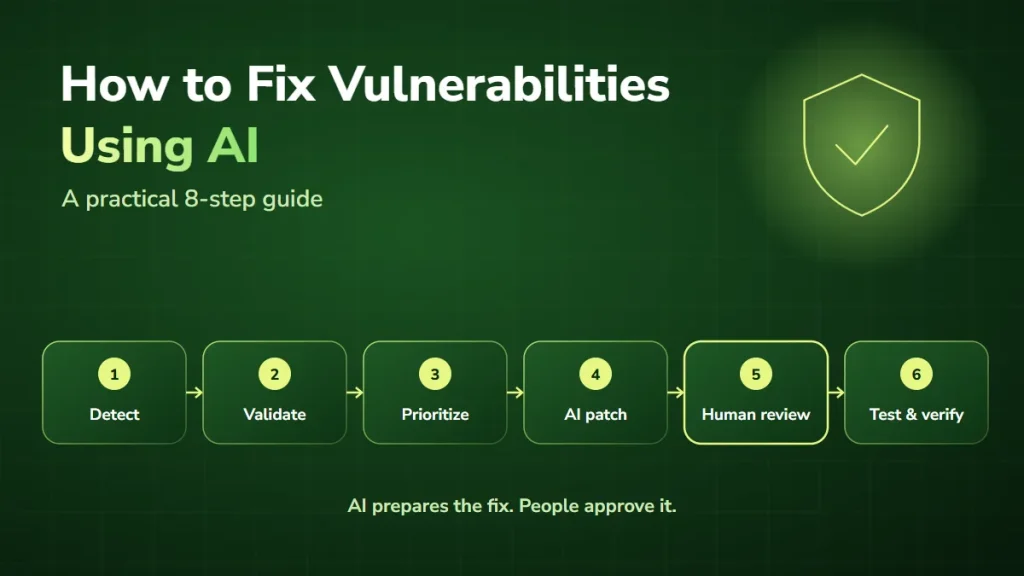
The best approach often combines established security tools, automation, AI-assisted analysis, and experienced developers. AI should support reliable processes, not introduce additional uncertainty into security-critical decisions. For a step-by-step remediation process, see how to fix vulnerabilities using AI.
Why businesses shouldn’t ignore PHP security updates
For many organizations, the website is connected to important business operations. It may collect customer inquiries, process payments, support customer accounts, or connect to internal systems. A serious PHP vulnerability can create risks that extend beyond the public website.
Depending on the environment and whether exploitation occurs, potential consequences may include unauthorized server activity, exposure of sensitive information, service disruption, and recovery costs. This does not mean every affected website will experience these outcomes. It means that applying verified security updates is a necessary part of responsible website management.
Businesses should also consider regular patch reviews, supported PHP versions, tested backups, appropriate access controls, and ongoing monitoring.
When should you contact a PHP security expert?
Professional assistance may be useful if:
- You’re unsure which PHP version your website uses.
- Your hosting provider has warned you about a critical vulnerability.
- Your website depends on an outdated or unsupported PHP version.
- You’re concerned that upgrading PHP could break important functionality.
- You manage multiple PHP-powered websites.
- You’ve noticed suspicious activity or unexpected server behavior.
- You need help verifying whether a security update was successfully applied.
If your website shows signs of compromise, a security investigation may be necessary in addition to patching. The appropriate response depends on the evidence and the importance of the affected system. Our AI security consulting team can help.
How DevSolutionsAI can help
At DevSolutionsAI, we help businesses use technical expertise, AI integrations, and workflow automation to manage complex operational challenges. For PHP security concerns, the first priority is understanding the actual technical problem and identifying the appropriate remediation path.
Our team can help businesses assess PHP environments, coordinate verified fixes, and explore AI-assisted workflows for monitoring and tracking security-related work. We understand that business owners need clear answers, not unnecessary technical confusion.
We’ve already helped a client resolve this PHP security issue. If you’re facing a similar challenge, we’re ready to discuss how we can help.
Facing a PHP security issue? Get expert help.
Don’t panic, but don’t leave a critical security issue unchecked. Whether your website uses WordPress, Laravel, or custom PHP, the right next step is to understand your exposure and apply the appropriate security update.
Tell us what platform your website uses, which PHP version you’re running if known, and what warning or issue you’ve encountered. We’ll help you determine the next steps. Get expert help: contact DevSolutionsAI, or book a free 1-on-1 consultation with our AI consulting team.
Frequently asked questions
What are the critical PHP vulnerabilities discovered in October 2026?
Two critical vulnerabilities, CVE-2026-109618 and CVE-2026-109619, were addressed through emergency PHP security releases on October 21, 2026. Both can potentially allow unauthenticated remote code execution in affected environments.
Is my WordPress website affected by PHP2Shell?
A WordPress website may be affected if its underlying PHP runtime is vulnerable and has not received the appropriate security fix. Updating WordPress plugins or themes alone does not resolve these PHP runtime vulnerabilities.
How do I know if my PHP version is secure?
Check the PHP version actually serving your website and compare it with the official fixed releases or your hosting vendor’s verified security backports. A version number alone may not reflect a distribution-maintained backport.
Can AI fix PHP security vulnerabilities automatically?
AI can help identify potentially affected systems, interpret advisories, prioritize work, and track remediation. It does not replace applying the appropriate PHP security patch or validating the result.
Can I continue using PHP 7.4 or PHP 8.1?
These versions are no longer supported by the upstream PHP project. PHP published source backports of this fix for 7.4, 8.0, and 8.1, and some operating-system vendors ship patched packages, but businesses should confirm their support arrangements and plan upgrades to supported versions.
Will updating PHP break my WordPress or Laravel website?
Not necessarily. However, compatibility problems are possible, particularly with older plugins, libraries, or custom code. Backups, staging tests, and post-update verification reduce the risk of disruption.
Does a PHP vulnerability mean my website has been hacked?
No. A vulnerability means the system may be exposed to an attack. Confirming whether exploitation occurred requires appropriate investigation and evidence.
What should I do if my hosting provider has not released a patch?
Contact your hosting provider immediately to confirm its remediation timeline and whether a verified vendor backport is available. Discuss temporary exposure-reduction measures, including isolation where appropriate, until the security fix can be deployed.
Can DevSolutionsAI help with PHP security issues?
Yes. DevSolutionsAI can help you assess the situation, understand the required technical remediation, and discuss support for resolving PHP-related issues and improving security workflow management.
What is the first step if I’m worried about PHP security?
Identify the PHP version serving your website and check whether the appropriate official security update or vendor-supported fix has been applied. If you’re uncertain, seek assistance from your hosting provider or an experienced technical team.