Is your WordPress website affected by the latest critical PHP security vulnerabilities?
Maybe your hosting provider sent you a security warning. Perhaps WordPress Site Health shows an outdated PHP version, or you’ve heard about the PHP2Shell vulnerabilities. Either way, you may be wondering what to do next.
The good news is that official security fixes are available.
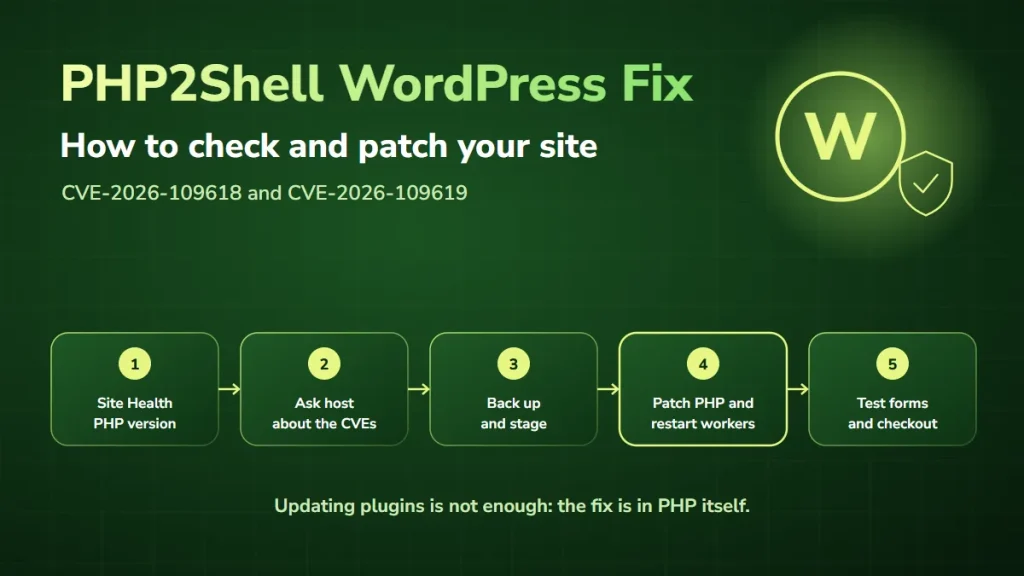
However, the PHP2Shell WordPress fix requires updating the PHP runtime powering your website. Simply updating WordPress plugins or installing another security plugin is not enough.
At DevSolutionsAI, we’ve already helped a client resolve a PHP security issue. In this guide, we’ll explain how to check your WordPress website, identify affected PHP versions, apply the appropriate fixes, and verify that your site keeps working correctly.
What is PHP2Shell, and why does it matter for WordPress?
PHP2Shell refers to two critical PHP runtime vulnerabilities disclosed on October 21, 2026:
- CVE-2026-109618: a memory corruption vulnerability involving out-of-memory error handling.
- CVE-2026-109619: a vulnerability involving stale internal state that can remain after request memory is released.
Both vulnerabilities have a CVSS v4.0 severity score of 9.2. Under certain conditions, attackers may exploit affected PHP runtimes to execute code without authentication.
This matters for WordPress because WordPress relies on PHP to process requests, load content, run plugins, and generate dynamic pages. The vulnerability exists in PHP itself. As a result, a fully updated WordPress installation can still be exposed if its underlying PHP runtime remains vulnerable.
The PHP project lists PHP-FPM, CGI, FrankenPHP, and LiteSpeed environments as affected. It rates the risk as highest for Apache with mod_php, a setup still common on older shared hosting.
Does PHP2Shell affect every WordPress website?
Not necessarily. Your exposure depends on the PHP runtime serving your website and whether the security fix has been applied.
A website running a patched PHP version or a verified vendor-backported security package is not vulnerable to these specific flaws just because it uses WordPress. Likewise, finding an affected PHP version does not automatically mean your website has been hacked.
Even so, affected internet-facing systems should be treated as a priority for remediation.
Which PHP versions are affected by PHP2Shell?
The PHP project released the following fixed upstream versions on October 21, 2026.
| PHP branch | First fixed upstream version | Recommended action |
|---|---|---|
| PHP 8.5 | 8.5.12 | Install this or a later patched release |
| PHP 8.4 | 8.4.27 | Install this or a later patched release |
| PHP 8.3 | 8.3.36 | Install this or a later patched release |
| PHP 8.2 | 8.2.35 | Patch, and plan migration before end of support |
| PHP 8.1 and older | No regular release; PHP published source backports for 7.4, 8.0 and 8.1 | Install a verified vendor-patched package, or upgrade to a supported version |
Some hosting providers and Linux distributions backport security fixes while keeping an older-looking PHP version number. For example, Ubuntu lists its patched PHP 8.3 package for Ubuntu 24.04 as version 8.3.6, well below 8.3.36, yet it includes the fix.
Therefore, do not rely on the version number alone when your host uses vendor-maintained packages. Instead, ask for confirmation that both CVE-2026-109618 and CVE-2026-109619 have been addressed.
Official source: PHP security announcements
How to check whether your WordPress website is affected
Before making changes, find out which PHP runtime is actually serving your website.
Step 1: Check the PHP version in WordPress Site Health
Log in to your WordPress dashboard and go to Tools → Site Health → Info → Server. Then find the PHP version listed in the server information.
This is a useful starting point because it reflects the PHP environment WordPress is using. Record the version and your hosting provider before going further.
Step 2: Check your hosting control panel
Depending on your provider, PHP settings may be in cPanel, Plesk, a managed WordPress dashboard, or another hosting interface. Look for the PHP version assigned to your website.
A hosting account can run several PHP versions at once. So if multiple websites or domains share the account, check each site separately.
Step 3: Confirm the security patch status
Compare the installed PHP runtime with the official security releases. If the version looks older than the fixed upstream release, contact your hosting provider to find out whether a vendor security backport has been applied.
Ask these questions:
- Is my website’s PHP runtime affected by CVE-2026-109618 or CVE-2026-109619?
- Has the security patch been installed?
- Have all PHP workers been restarted or redeployed since patching?
- Does the patched runtime serve all my WordPress websites?
- Are any older PHP installations still active?
Step 4: Don’t rely only on php -v
For websites hosted on a VPS or dedicated server, an administrator can run:
php -vThis command reports the PHP version of the command-line environment. However, that version can differ from the PHP-FPM or Apache PHP runtime that processes website requests. Your developer or hosting provider must verify the web-facing runtime.
For security reasons, avoid public phpinfo() pages. If you create one temporarily for authorized troubleshooting, restrict access and remove it immediately afterward.
How to fix PHP2Shell on a WordPress website
The correct remediation depends on your hosting environment.
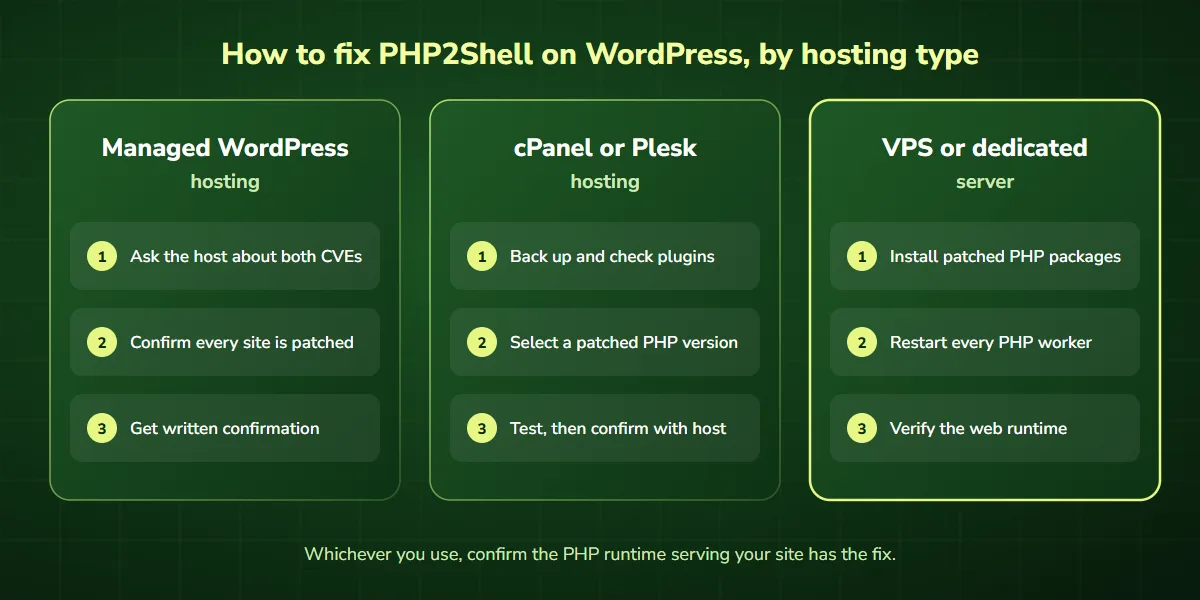
Method 1: Fix PHP2Shell on managed WordPress hosting
If you use managed WordPress hosting, your provider may control PHP updates. Start by reviewing its security announcements or opening a support request.
Ask whether your WordPress environment has received the fixes for both PHP2Shell CVEs. If an update is needed, coordinate with the host to deploy the patched PHP runtime. Afterward, request confirmation that the running web service uses the updated package.
Don’t assume that a host’s general announcement means every website on your account has been patched.
Method 2: Fix PHP2Shell through cPanel or Plesk
Some hosting dashboards let website owners select their PHP version. Before changing it:
- Create a verified website backup.
- Record your current PHP version.
- Check plugin and theme compatibility.
- Test the new PHP version in staging when available.
- Confirm which patched versions your provider offers.
Next, select a supported, security-patched PHP version that suits your website. Be aware that this may involve a major-version upgrade. For example, moving from PHP 7.4 to PHP 8.4 can require compatibility work.
After the change, verify the web-facing runtime and test the site. If the panel does not offer a patched version, contact your provider rather than assuming the vulnerability is resolved.
Method 3: Fix PHP2Shell on a VPS or dedicated server
If your WordPress website runs on a self-managed server, the administrator must update the PHP packages or runtime image through the operating system’s supported update process. The process typically includes these steps:
- Identify all PHP runtimes and web-serving processes.
- Review the relevant distribution or PHP security advisory.
- Back up the application and prepare a rollback plan.
- Install the verified patched PHP packages.
- Restart every PHP worker and web server process that loads PHP.
- Confirm that the web server uses the patched runtime.
- Test the website and review security logs.
Package names and service commands vary by operating system and server configuration.
The PHP project advises restarting all PHP workers after patching, because running processes keep the old code in memory. For Apache with mod_php, that means restarting Apache itself. For PHP-FPM, restart the relevant worker pools with the updated PHP build.
Important: changing the WordPress PHP version without confirming that the running service has been updated may leave the issue unresolved.
Some advisories also mention setting session.upload_progress.enabled=0 as a temporary measure. It reduces one attack path, but it is not a complete fix, so patch as well.
When to get expert help instead of doing it yourself
- You manage several WordPress sites or hosting accounts
- Your host cannot confirm whether a backport is installed
- Your site runs PHP 8.1 or older and plugins may break on upgrade
- You run WooCommerce, memberships or bookings and cannot afford downtime
- You see signs the site may already be compromised
If any of these apply, our team can check your PHP runtime, apply the fix, and test your site for you. Book a free PHP2Shell consultation.
Why updating WordPress plugins is not enough
WordPress website owners often respond to security alerts by updating plugins, themes, or WordPress core. Those updates are important, but they do not replace a WordPress PHP security update.
Consider the difference:
| Component | What an update addresses |
|---|---|
| WordPress core | Vulnerabilities and bugs in WordPress itself |
| WordPress plugins | Issues in individual plugins |
| WordPress themes | Theme-specific vulnerabilities and compatibility |
| PHP runtime | Vulnerabilities in the PHP interpreter |
| Server operating system | OS packages and infrastructure security |
PHP2Shell affects the PHP runtime. For that reason, installing a WordPress security plugin is not a complete WordPress PHP vulnerability fix. Similarly, a firewall may reduce exposure to some attack patterns, but it does not replace patching.
How to test WordPress after a PHP security update
A successful PHP update should close the vulnerability without disrupting your business website. After patching, verify the following areas.
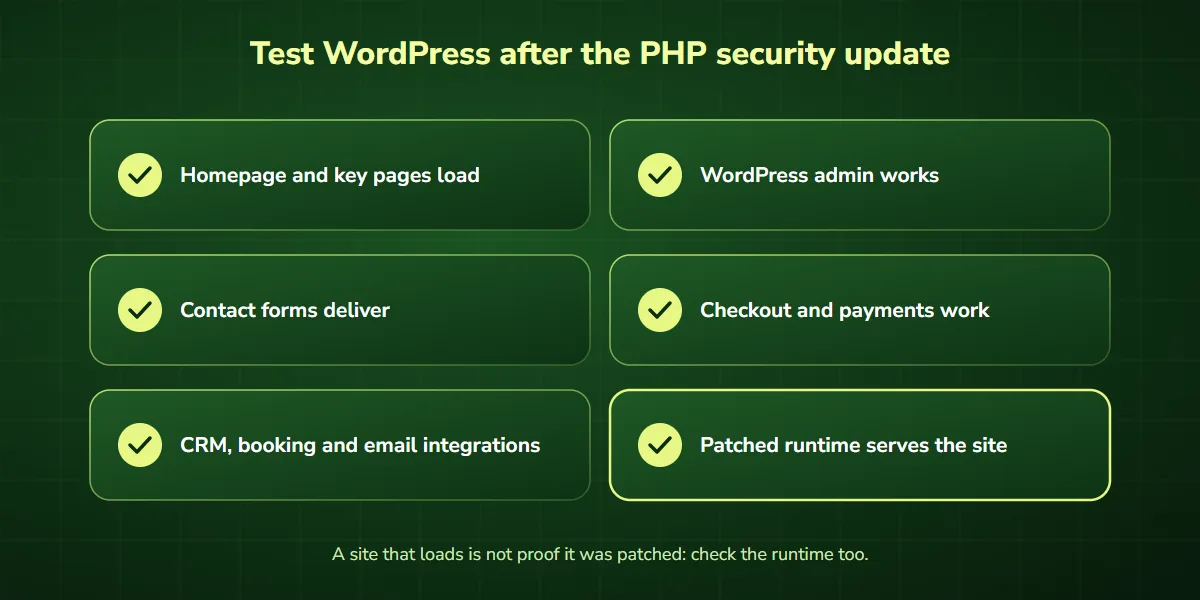
Website availability
Open your homepage and several important landing pages. Check for blank screens, server errors, broken layouts, and unexpected redirects.
WordPress administration
Log in to the WordPress dashboard. Then verify that admin pages, plugin settings, and content editing work normally.
Forms and lead generation
Submit a test inquiry through your contact form. Confirm that the form shows a success message and that the submission reaches its destination. For businesses that use their websites to generate leads, this is especially important.
E-commerce and payments
If your website uses WooCommerce, test the cart, checkout, payment gateway integrations, and order notifications in a suitable testing environment.
Plugins and integrations
Check important functionality such as:
- CRM integrations
- Booking systems
- Membership areas
- Email notifications
- Scheduled tasks
- Custom API connections
Don’t have time to test everything yourself? We can patch and verify your WordPress site, including forms and checkout. Talk to our team.
Security verification
Confirm that the patched PHP runtime is serving website requests. Review the package version, vendor security advisory, deployment records, and running service status.
Keep in mind that a website loading successfully is not proof that the security patch was applied.
What if your WordPress website uses PHP 7.4 or 8.1?
Older PHP versions create additional challenges. They are no longer supported upstream, and some older WordPress themes or plugins may not work with newer PHP releases.
The PHP security team did publish source backports of this fix for PHP 7.4, 8.0, and 8.1. Most websites, however, receive such fixes through their operating-system vendor or hosting provider, so verify them against the vendor’s official advisory.
In these situations, a controlled upgrade plan is important. Inventory your dependencies, identify compatibility problems, test in staging, upgrade to a supported PHP version, and verify the result.
A temporary workaround is not a substitute for a complete security fix.
What if you think your WordPress website has already been compromised?
Patching prevents further exploitation of these specific vulnerabilities. However, it does not remove malware or unauthorized changes that may already exist.
Watch for suspicious admin accounts, unexplained file changes, unexpected redirects, unusual outbound traffic, or other signs of compromise. If you notice any of these, further investigation may be necessary.
Preserve relevant logs and evidence, involve a qualified incident responder, and follow a proper containment and recovery process. Also, avoid deleting evidence or restoring a backup before considering whether the underlying compromise could persist.
We’ve already helped a client resolve a PHP security issue
At DevSolutionsAI, we’ve already encountered this PHP security issue while working with a client and successfully resolved it.
We understand that business owners need practical answers. A critical PHP security alert can create uncertainty, especially when a website supports sales, customer inquiries, or important business operations.
Our approach focuses on three essential stages:
- Check: identify the affected PHP environment and review the relevant security guidance.
- Fix: apply the appropriate verified security update, considering application compatibility.
- Verify: confirm the patch and test that important website functionality still works.
Every WordPress website has a different hosting and application setup, so remediation should be tailored to the actual environment.
Need help fixing PHP2Shell on your WordPress website?
Not sure whether your WordPress website is affected? Worried that a PHP upgrade could break important functionality? DevSolutionsAI can help you assess the situation.
Book a free 1-on-1 consultation to discuss your PHP environment, and we’ll tell you exactly what needs to be patched, or get expert help from DevSolutionsAI.
How AI-assisted workflows can support WordPress security
For businesses managing multiple WordPress websites, AI-assisted workflows can cut down repetitive vulnerability-management tasks.
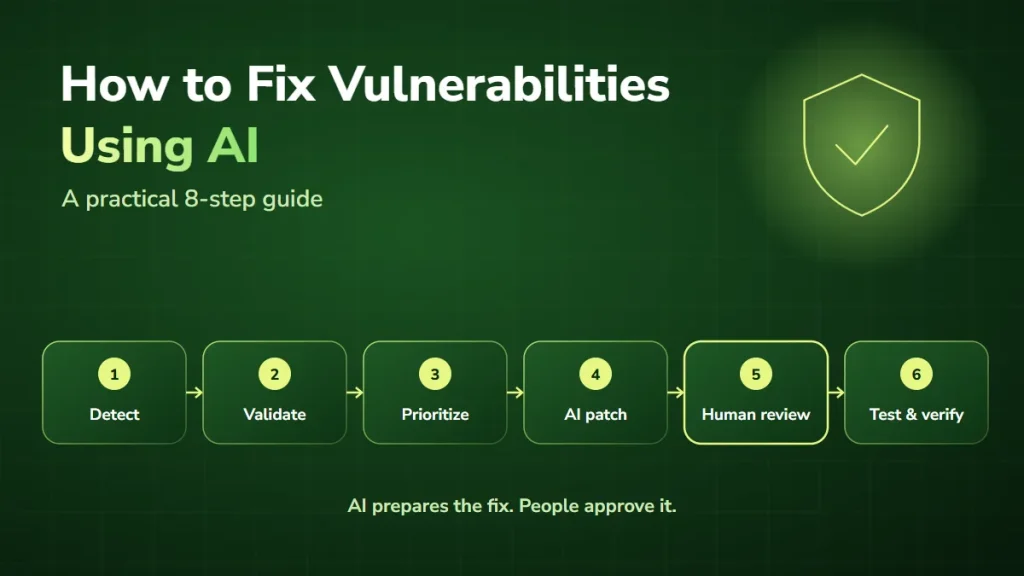
Examples include comparing recorded PHP versions against official advisories, flagging potentially affected websites, creating remediation tickets, notifying developers, and tracking verification results. Our guide on how to fix vulnerabilities using AI covers this in more depth.
These workflows improve coordination, but they must rely on accurate information and human-reviewed decisions. AI does not replace installing the verified PHP security patch.
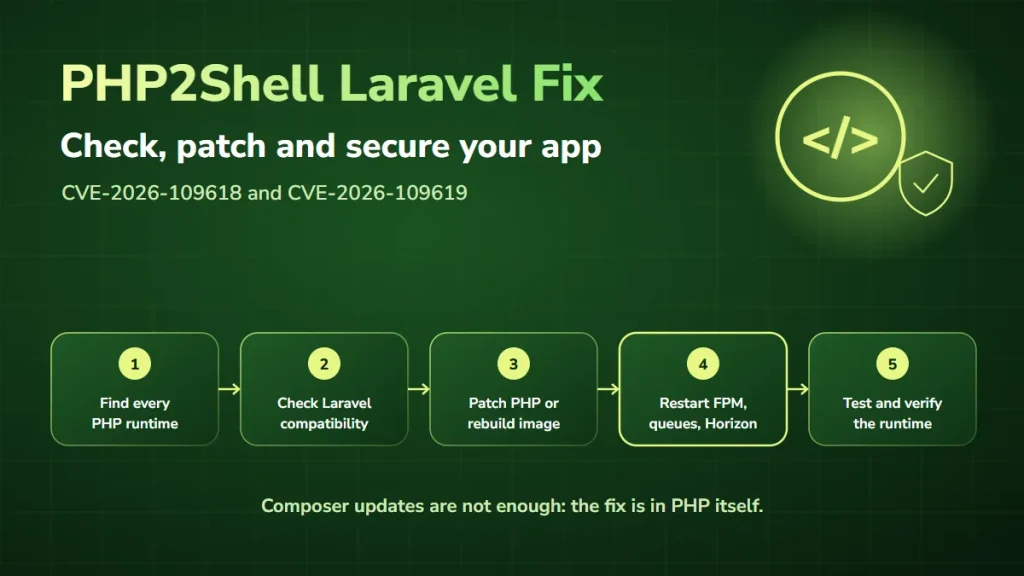
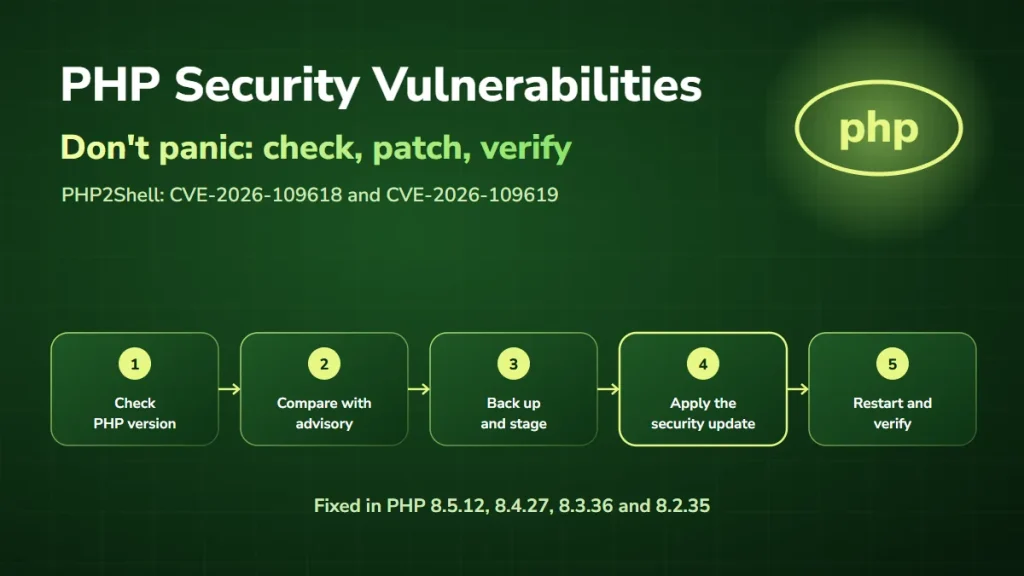
Learn more about our AI security consulting and AI automation services. Running a Laravel application too? See our PHP2Shell Laravel fix guide. For a broader overview beyond WordPress, read PHP security vulnerabilities: what you need to know.
Frequently asked questions about PHP2Shell and WordPress
Can PHP2Shell affect WordPress even if everything is updated?
Yes. WordPress core, plugins, and themes can be up to date while the underlying PHP runtime remains vulnerable. The PHP security fix must be verified separately.
Does a WordPress security plugin fix PHP2Shell?
No. A security plugin may add protection or monitoring, but it does not replace updating the affected PHP runtime.
How do I check my WordPress PHP version?
Go to Tools → Site Health → Info → Server in your WordPress dashboard. Then confirm the security patch status with your hosting provider.
Is PHP 8.2.35 safe from PHP2Shell?
PHP 8.2.35 is the first upstream PHP 8.2 release that contains the fixes for these vulnerabilities. Still, keep applying other security updates and plan migration before PHP 8.2 reaches end of support.
Can I fix PHP2Shell without upgrading PHP?
The complete fix requires the patched PHP runtime or a verified vendor-supported security backport, which may keep your current version number. Temporary mitigations are not equivalent to patching.
Will updating PHP affect my WordPress SEO?
A PHP update does not harm SEO by itself. However, errors, broken forms, downtime, or compatibility issues after an update can affect user experience and availability. Testing helps reduce those risks.
Can DevSolutionsAI help with WordPress PHP security issues?
Yes. DevSolutionsAI can discuss your environment, help identify the right remediation path, and provide technical assistance for PHP-related website issues.
Final thoughts
PHP2Shell is a serious PHP security issue, but WordPress website owners have clear steps they can take.
Check the PHP runtime, apply the verified security update, restart every PHP worker, and confirm the result. If you’re unsure how to proceed, professional help can address the vulnerability while avoiding unnecessary disruption.
Facing a PHP security issue? We’ve helped a client resolve this problem, and we’re ready to discuss yours. Book your free consultation.
Technical references
- PHP: Official October 2026 security announcements
- NCSC-NL: PHP2Shell response information
- NHS England: Critical vulnerabilities in PHP (PHP2Shell)
- Ubuntu: PHP2Shell vulnerability fixes available
- Datadog Security Labs: PHP2Shell detection, analysis, and remediation
- WordPress: Site Health screen documentation