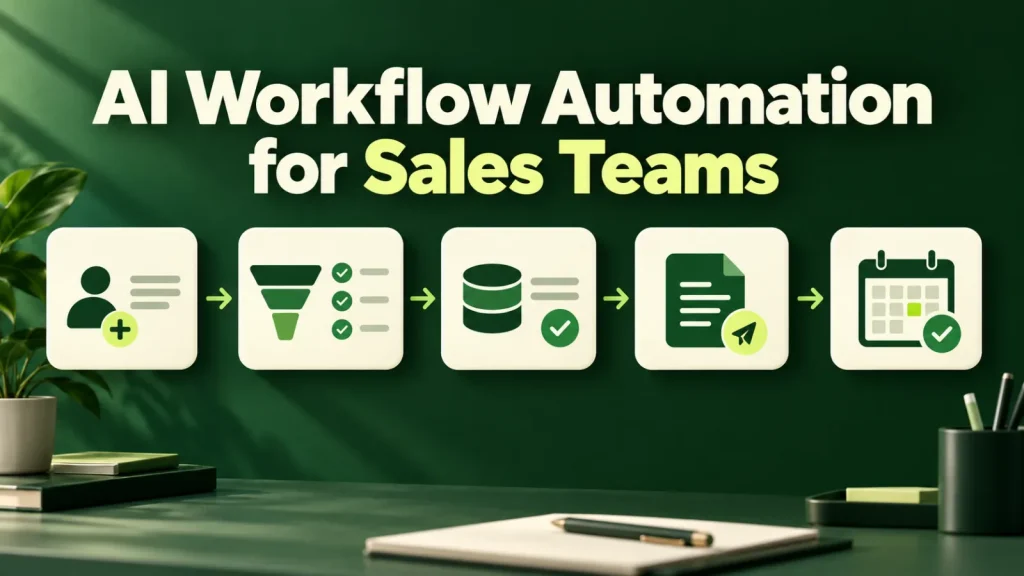
AI workflow automation for sales can support lead handling, CRM upkeep and follow-up preparation. Start by measuring where existing inquiries stall, then choose an improvement you can track against that baseline. Below, we cover what to automate, what to leave with reps, a sensible build order and the compliance basics for automated email and texts.
Diagnose before automating
Most sales teams asking for AI want more leads. Before spending on that, look at what happens to the leads already arriving. In fact, in the majority of pipelines we audit, a substantial share of inbound inquiries receive a first response measured in days, and a meaningful number receive no second follow-up at all.
In other words, that is not a lead generation problem. It is a capacity and consistency problem, and it is the single highest-return thing to automate in a sales function, because the leads are already paid for.
A quick self-audit also makes this concrete. Pull the last 50 inbound inquiries from your CRM and note when each one arrived and when a person first replied. Then count how many got a second touch. That simple exercise usually shows where AI workflow automation for sales will pay off faster than any vendor demo can. Once you have the numbers, the case for automation usually writes itself, because the leads in question are already in your CRM.
What AI workflow automation for sales does well
- Instant qualification and response. An inbound inquiry gets a relevant reply in under a minute, with qualifying questions asked and answers written into the CRM. Speed to first response correlates with conversion more strongly than almost any other controllable variable.
- CRM hygiene. Call notes transcribed and summarized into the right fields, automatically. Reps do not skip CRM updates because they are lazy; they skip them because it is twenty minutes at the end of a day that ran long.
- Follow-up sequencing. Tracking who is owed a next touch and drafting it in context, including the detail from the last conversation that makes it not look automated.
- Proposal and quote drafting. Assembling a first draft from the CRM record, the pricing rules and prior similar deals. A rep editing a good draft is dramatically faster than a rep starting from a blank template.
- Research briefs before calls. A one-page summary of the account, recent news and prior interactions, delivered before the meeting.
Those twenty minutes also add up quickly. For example, if a hypothetical team of six reps each spends twenty minutes a day on CRM updates, that is about ten hours a week of selling time going into data entry.
What not to automate
Automating these tends to cost more in trust than it saves in time:
- Cold outreach at volume. Technically easy, commercially corrosive, and increasingly a deliverability risk. Meanwhile, the reply rates that made this work have collapsed.
- Discovery conversations. The point is to understand a problem well enough to know whether you can solve it. So delegating that to a script produces qualified-looking leads that close badly.
- Negotiation and pricing exceptions. Judgment calls with margin consequences and relationship implications.
- Anything that pretends to be a person. Instead, disclose that the first responder is an assistant. Customers who discover the deception later remember it, and in several states the disclosure question is no longer purely ethical.
Before automating any of these, ask whether a mistake would embarrass the rep in front of the buyer. If the answer is yes, keep a person in that step, or at least in the approval.
Even where automation fits, however, each channel has its own rules. The FTC’s CAN-SPAM Act compliance guide for business covers commercial email, including automated sequences. In addition, automated calls and texts raise separate consent questions, which the FCC’s guide on stopping unwanted robocalls and texts explains. We recommend reviewing both with counsel before any sequence goes live.
Where reps stay in charge of sales AI workflow automation
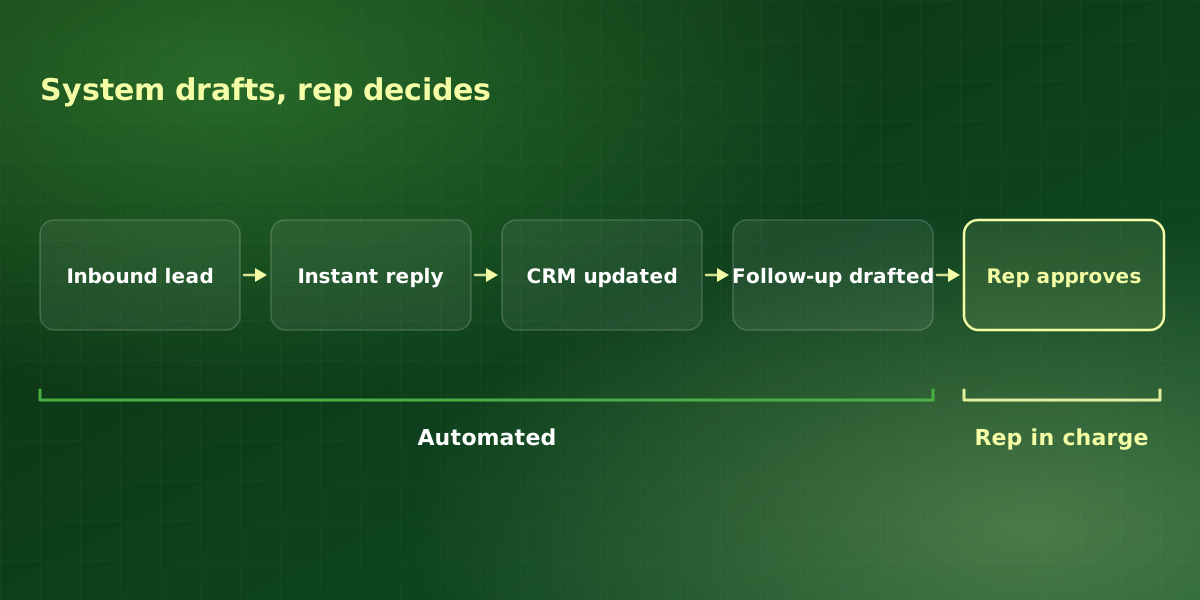
In practice, the pattern is consistent across the teams we work with. The system handles speed and recall, while reps handle judgment:
| Task | Automate? | Rep’s role |
|---|---|---|
| Inbound first response | Yes | Takes escalations |
| CRM note capture | Yes | Spot-checks summaries |
| Follow-up messages | Draft only | Approves and sends |
| Proposals and quotes | Draft only | Edits scope and price |
| Discovery calls | No | Owns the conversation |
| Negotiation | No | Owns the decision |
Keeping a rep in the approval step also protects deliverability and tone. For example, a drafted follow-up that a rep edits in thirty seconds still saves most of the writing time, while the rep keeps control of what the buyer reads. It also gives you a steady stream of edits that show where the drafts need better context.
A sensible build order
We build AI workflow automation for sales in this order because each stage feeds the next. Each one also produces a number that sales leadership can check.
-
Instrument first
First, measure current time-to-first-response and follow-up completion rate. Without the baseline you cannot demonstrate the improvement, and sales leadership is a demanding audience for unproven claims.
-
Automate the response, not the relationship
So start with instant acknowledgement, qualification and routing. This alone typically moves conversion more than anything else on the list.
-
Fix CRM capture next
Automatic note capture improves every downstream automation, because they all read from the CRM. Above all, poor CRM data is the ceiling on everything else. If the CRM itself needs connecting first, that is the job of AI CRM integration.
-
Then drafting and review
Proposals, follow-ups and recaps come next. By this point the system has enough context in the CRM to draft well rather than generically. Finally, after each stage, compare the metric against the step-one baseline, and expand only what moved the number.
A pre-launch checklist for sales AI workflow automation
We hold every launch until each of these is in place, because each one protects either a customer relationship or the metric that proves the project worked:
- Baseline captured. Time-to-first-response and follow-up completion rate, measured rather than estimated.
- Disclosure written. The assistant identifies itself as an assistant in its first message.
- Handoff rules defined. Specific answers, keywords or deal sizes route straight to a rep.
- Opt-outs tested. Unsubscribe and stop requests work on every channel the workflow uses.
- Fields mapped. Each automated write lands in a named CRM field the team actually reads.
- Escalation tested. A rep receives each handoff within your target time, including outside business hours.
- Owner named. One sales leader owns the workflow and reviews results monthly.
Overall, AI workflow automation for sales works best as a set of small, measured steps rather than one big launch.
Frequently asked questions
Will AI replace our SDRs?
Does this work with our CRM?
How do we keep automated follow-ups from sounding automated?
What is the fastest win here?
How much rep time does AI workflow automation for sales free up?
For implementation support, explore our AI sales automation or discuss your workflow in a free consultation.