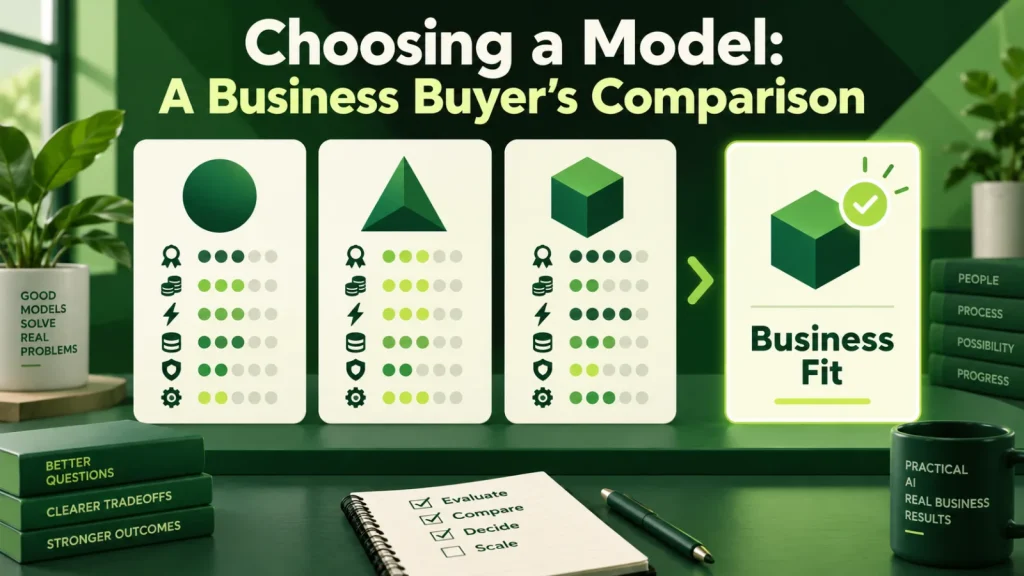
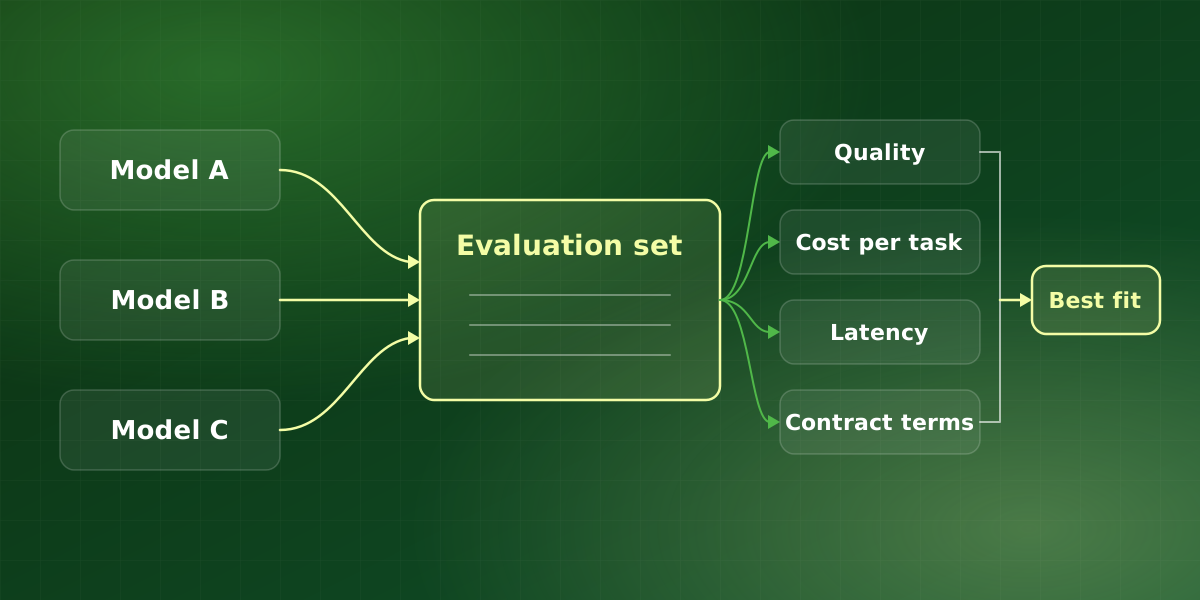
Choosing an AI model for business requires testing your tasks, costs, latency and deployment constraints. Compare candidate models on the same evaluation set and check current provider terms before committing. Below, we explain what genuinely differs between providers, how OpenAI, Anthropic and Google compare in general terms, and the one-week process we follow when choosing an AI model with a client.
The question buyers over-weight when choosing an AI model
Model selection generates more debate than any other decision in an AI project and determines less of the outcome than almost any other. That is because relative model performance changes over time and by task. So evaluate candidate models alongside retrieval and workflow design rather than assuming that a benchmark ranking predicts your results.
Still, that is not an argument for indifference. Instead, it is an argument for spending a week on selection rather than a quarter, and putting the recovered time into evaluation, retrieval and workflow design, where the returns are much larger.
For example, a support assistant that answers from your help center depends far more on whether retrieval finds the right article than on which model writes the reply. If retrieval returns the wrong page, every candidate produces a fluent but wrong answer. So when choosing an AI model, we treat it as one component to test, not as the decision that defines the project.
What genuinely differs
The differences that show up in production are rarely about raw capability:
- Cost per unit of work. Prices vary substantially, and at volume this dominates. So model the cost against your realistic monthly token usage, not against list price on a marketing page.
- Latency. For interactive workloads, a slower but slightly more capable model can be the worse choice. Therefore, measure end to end, including retrieval, not model response alone.
- Context window. Matters if you routinely process long documents. However, filling a large window is expensive and often less accurate than retrieving the right passage.
- Structured output reliability. If the model must return valid JSON conforming to a schema, providers differ meaningfully. Test this specifically, because it is a common source of production failures.
- Enterprise terms. Retention, training exclusion, regional processing, BAA availability. In practice, these are frequently the deciding factor in regulated settings, and they are unrelated to capability.
- Rate limits and reliability. Your ceiling at peak load, and the provider’s incident history.
Most of these factors are commercial and operational rather than technical. As a result, procurement, security and finance usually have as much say in choosing an AI model as engineering does, so bring them in early.
How OpenAI, Claude and Gemini compare in general terms
All three major vendors offer a family of models rather than a single one. Each family typically spans larger models for complex reasoning and smaller, faster, cheaper models for high-volume work such as classification and extraction. In practice, the fair comparison is often a small model from one vendor against a small model from another, not flagship against flagship.
- OpenAI. Offers its GPT models through its own API and through Microsoft Azure. Many third-party tools support it out of the box, which often makes it the default starting point.
- Anthropic. Offers its Claude models through its own API and through major cloud platforms. That can simplify procurement if you already buy cloud services from one of them.
- Google. Offers its Gemini models through the Gemini API and Google Cloud. It is also a natural candidate when your data and identity systems already live in Google’s ecosystem.
Lineups and prices change often, so we deliberately avoid quoting version names or rates here. Instead, check the current options in OpenAI’s models documentation, Anthropic’s Claude models overview and Google’s Gemini API models page when you build a shortlist. None of these pages can tell you which model will win on your task, however. That is exactly why the evaluation set comes first when choosing an AI model, whichever vendors make your shortlist.
A one-week process for choosing an AI model
-
Build the evaluation set before choosing an AI model
Fifty to two hundred real examples from your workflow with known correct answers. This is the asset that keeps paying: it lets you re-evaluate whenever a new model ships, and one will. Include the awkward cases too, such as long inputs, poor scans and the requests your team argues about.
-
Test the same prompts across candidates
Identical inputs, identical retrieval, scored on your criteria. Vendor benchmarks, however, are not evidence about your task. Where you can, score outputs blind so reviewers do not favor a familiar brand.
-
Measure cost and latency together
Record tokens and response time per case. Project to your monthly volume before looking at quality scores, because it may eliminate options outright.
-
Check the contract terms
Training exclusion, retention, residency, and whether the required agreements are available on the tier you can actually buy. Security and legal reviews take time, so start them on day one rather than day five.
-
Design for replaceability
Keep model calls behind an internal interface to reduce the integration work involved in switching providers. Even so, re-test prompts, output schemas and tool behavior before switching.
A worked example: invoice extraction
Suppose a finance team wants to extract twelve fields from roughly 8,000 supplier invoices a month. The example is hypothetical, but the shape is typical. First, we would build an evaluation set of 150 real invoices with checked answers. Next, we would run four candidates, a larger and a smaller model from each of two vendors, through identical prompts and output schemas. For every invoice, we would record field accuracy, the valid-JSON rate, tokens used and response time.
Then the numbers usually make the decision. For instance, if a smaller model matches the larger one on eleven of the twelve fields at a fraction of the cost, the sensible design may be the smaller model plus a human check on the twelfth field. Similarly, if no candidate returns valid JSON reliably, that is a prompt and schema problem to fix before any comparison means much.
The cost arithmetic matters too. At 8,000 invoices a month, even a small difference in tokens per invoice compounds into a real line item over a year. Because of that, we project cost per completed task, retries included, rather than comparing price per token in isolation.
Common mistakes when choosing an AI model
- Testing on toy prompts. A handful of clever questions tells you little about thousands of routine cases, so use real, messy examples from your own workflow instead.
- Comparing list prices. A cheaper per-token model that needs longer prompts or more retries can cost more per completed task.
- Leaving the contract until last. A model that wins on quality but lacks the terms you need on your tier is not really a candidate.
- Hard-coding one provider. Direct calls scattered through the codebase, for example, turn a future switch into a rewrite.
- Treating the decision as permanent. New releases keep arriving, so plan to re-run the evaluation rather than reopen the debate.
Overall, the safest approach to choosing an AI model is to make the decision cheap to revisit. A good evaluation set and a clean interface do exactly that, and they keep paying off long after launch.
Frequently asked questions
Should we commit to one provider?
Are open-weight models good enough for business use?
How often should we re-evaluate?
Does model choice affect compliance?
Which is best: OpenAI, Claude or Gemini?
For implementation support, explore our LLM development services or discuss your workflow in a free consultation.